Backlink Audit: The Complete Step-by-Step Guide (2026)
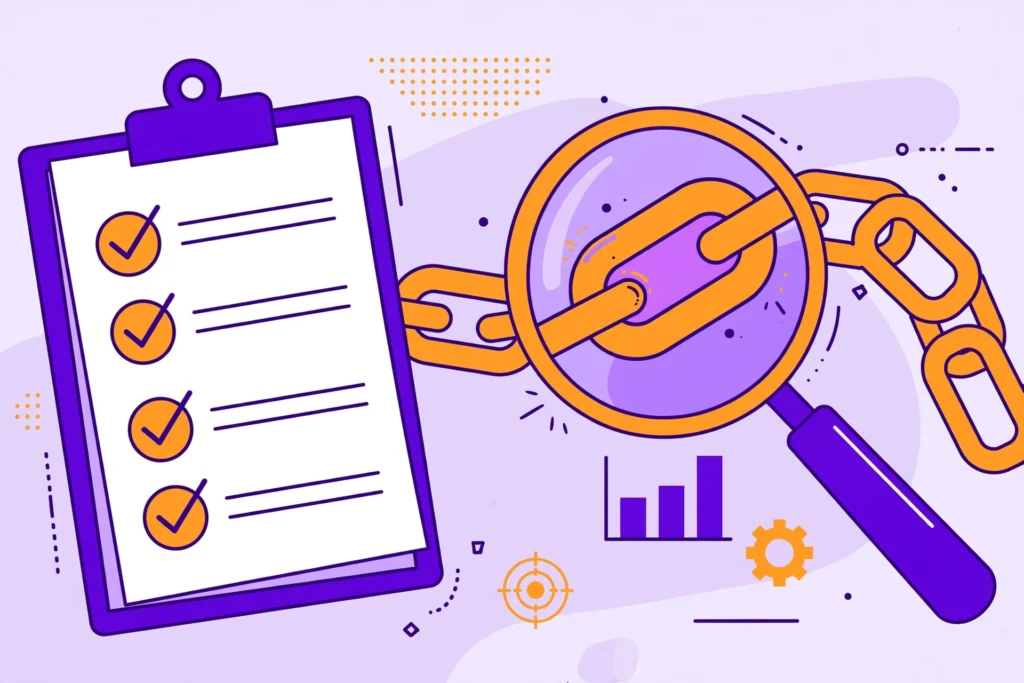
Run a backlink audit step by step: export link data, score each domain for risk and value, decide what to keep or disavow, and set a review schedule.
Toxic Backlinks: How to Find and Disavow Them (2026 Guide)

This guide takes a calmer, evidence-based approach. You will learn what makes a backlink truly toxic, how it differs from merely low-quality links, a point-based scorecard for triaging suspicious links, how to detect and respond to negative SEO attacks, and a complete step-by-step disavow walkthrough — including when the smartest move is to do nothing. What Are Toxic Backlinks? A toxic backlink is an inbound link that shows clear signs of manipulation and carries a real risk of harming your search rankings. If you are new to the concept of inbound links generally, start with our guide on what is a backlink before diving in here. Google’s spam policies for Google Search define the violation around intent: links meant to manipulate rankings may be considered part of a link scheme. Toxicity is about deliberate manipulation, not accidental low quality. Common sources of genuinely toxic links include: Private blog networks (PBNs) — sites built solely to pass link value, with no real audience or editorial purpose. Paid link schemes — links bought or sold specifically to pass ranking credit, without proper sponsored attributes. Hacked site injections — links placed on legitimate sites through security exploits, without the publisher’s knowledge. Automated spam at scale — comment spam bots, mass directory submissions, and forum signature blasts. Link exchange networks — organized reciprocal linking schemes involving hundreds of participants. Doorway pages — thin pages created purely to funnel link equity to a target site. Toxic vs. Low-Quality vs. Low-Value: Know the Difference Internalize this distinction before you audit anything — it prevents the most common mistake in link cleanup: treating every unimpressive link as a threat. Toxic links show evidence of deliberate manipulation and can trigger a manual action or algorithmic suppression. These are rare and require intent — yours, a previous SEO provider’s, or an attacker’s. Low-quality links come from weak, thin, or irrelevant sites but show no manipulation pattern. Google’s SpamBrain system typically just neutralizes these — stripping their ranking value to zero without penalizing your site. A random scraper site linking to you is low-quality, not toxic. Low-value links are legitimate but weak signals: a small directory listing, a mention on a brand-new blog, a nofollow forum profile. They contribute little, but they are not harmful and certainly not worth disavowing. Third-party “toxicity scores” lump all three categories together using proprietary formulas Google does not use. A flagged link may already be ignored by Google — or be perfectly fine. Always verify with human judgment before acting. 7 Warning Signs of Toxic Backlinks When reviewing individual links, look for these manipulation signals. One sign alone rarely proves toxicity; a cluster of them on the same link or across many links from one source is what matters. 1. The linking site exists only to sell links. No real audience or content mission — just articles wrapped around commercial links. Check for organic traffic, a real about page, and content anyone would read voluntarily. 2. Exact-match commercial anchor text at scale. One keyword-rich anchor is normal. Dozens of identical money-keyword anchors (“best cheap CRM software”) from unrelated sites is a classic paid-network signature. 3. Zero topical or audience relevance. A casino site linking to a children’s dentist, with no editorial reason for the connection. 4. Sitewide footer, sidebar, or widget placement. Your link appearing in the footer of hundreds of unrelated pages — especially with commercial anchors — suggests a paid sitewide deal rather than editorial citation. 5. The linking page is de-indexed. If Google has de-indexed the linking page or domain, it already distrusts the source. (Verify with a site: search.) 6. Hacked or injected placement. Your link appears on a legitimate site in a bizarre context — hidden text or unrelated paragraphs the owner clearly did not create. 7. A sudden, unnatural spike. Hundreds of new links appearing within days from suspicious sources with coordinated anchor text. Spikes can be innocent, but spammy spikes deserve immediate investigation. How to Find Toxic Backlinks: A Practical Audit Finding the links that matter requires a structured audit, not a glance at a tool’s warning badge. New to link evaluation? Read our guide on how to check backlink quality first. Step 1: Export your complete backlink profile. Pull data from Google Search Console’s Links report (free and authoritative) plus one crawler-based tool such as Ahrefs or Semrush for discovered links Google does not show you. Merge and de-duplicate into one spreadsheet. Step 2: Sort by risk, not by tool score. Group links by referring domain. Flag domains contributing 20+ links, repeating commercial anchors, and any domain whose purpose you cannot identify in 30 seconds. Step 3: Manually review the flagged subset. Open the actual linking pages. Tools flag candidates; humans make verdicts. For each suspicious link, run it through the scorecard in the next section and record the score in your spreadsheet. Step 4: Cross-reference with performance data. Check whether ranking or traffic drops align with suspicious links appearing. A drop coinciding with a spam spike is meaningful evidence; a stable profile with old spam is usually “monitor, don’t panic.” The Toxic Backlink Scorecard: Score Every Suspicious Link A point-based scorecard that turns gut feeling into a defensible decision. Score each suspicious referring domain — think in patterns, not individual links. Signal Points Clear link-scheme participation (paid network, PBN, organized exchange you can evidence) 3 Hacked or injected placement without the publisher’s knowledge 3 Part of a sudden unnatural spike (50+ suspicious links in days) 2 Repeated exact-match commercial anchors across the network 2 Site exists only to sell links (no real audience or editorial mission) 2 Linking page or domain de-indexed by Google 1 Zero topical relevance combined with a spammy link neighborhood 1 How to read the score: 0–2 points: Keep and monitor. The link is low-quality or low-value at worst. Do not disavow. 3–4 points: Investigate further. Attempt removal outreach for the worst offenders; re-score in 30 days. 5+ points: Disavow candidate. Document your evidence, then proceed to the disavow walkthrough
How to Check Backlink Quality: 9 Red Flags Before You Keep (or Disavow) a Link
Backlinks can help search engines discover how websites link to each other, but not every backlink has the same value. Learning how to check backlink quality helps you assess whether a link is relevant, natural, and useful to your website. Some SEO tools label backlinks as toxic or spammy. However, a warning from a third-party tool does not automatically mean a link will harm your rankings. You need to review the linking website, the page content, the anchor text, and how the link was created. In this guide, you will learn how to check backlink quality using a practical audit process, identify bad or suspicious backlinks, and evaluate nine common warning signs. You will also learn when to keep a backlink, when to investigate further, and when Google’s disavow tool may be appropriate. By the end, you will have a clearer way to review your backlink profile and focus on links that genuinely need attention. Why Backlink Quality Matters More Than Quantity Backlinks can help search engines understand how websites connect and reference each other. However, not all backlinks offer the same value. A relevant editorial link from a trusted website in your industry may be more valuable than hundreds of links from unrelated or low-quality websites. This is why checking backlink quality matters more than simply counting links. Google’s spam policies for Google Search explain that practices such as buying links to manipulate rankings, participating in link schemes, and creating large numbers of artificial links can violate its guidelines. These practices may lead to ranking changes or manual actions. However, Google can also ignore many unnatural or low-quality links without requiring you to remove them manually. Another important point is that third-party metrics, such as Domain Rating (DR) and Domain Authority (DA), are estimates created by SEO tools. Google does not use these scores as its own ranking metrics. A website with a high authority score may still have irrelevant content, limited genuine audience engagement, or questionable linking practices. When you check backlink quality, look beyond a single score. Review the linking page’s relevance, content quality, anchor text, link placement, and whether the link appears natural. These checks help you identify backlinks that deserve further investigation instead of treating every low-quality or suspicious link as a threat. How to Check Backlink Quality in 4 Free Steps You can start checking backlink quality without buying an expensive SEO tool. First, review the Links report in Google Search Console or export backlinks from a tool that offers free access. Then evaluate each linking website using four practical checks. This process helps you identify useful backlinks, spot suspicious patterns, and decide which links need further investigation. 1. Check the Linking Page and Its Indexing Status Start by opening the page that links to your website. You can also search Google for the page URL or use a site: search to investigate its visibility. If the page does not appear in search results, do not assume the backlink has no value. Google may not have indexed the page for several reasons, and search results are not a complete index report. Instead, check whether the page loads correctly, contains useful content, and belongs to a legitimate website. A missing or de-indexed page is a reason to investigate further, not automatic proof of a toxic backlink. 2. Evaluate Topical Relevance Ask whether the linking website and page are relevant to your content, industry, or audience. For example, a link from a gardening publication to a gardening store may make more sense than a link from an unrelated cryptocurrency directory. Relevant links can help readers discover useful resources and provide meaningful context. However, an unrelated link is not automatically harmful. Consider the page’s purpose, how the link was added, and whether it appears natural. 3. Review Traffic and Website Quality Use a free traffic estimator, if available, to get an idea of the website’s potential audience. Treat these estimates as approximate rather than exact measurements. Low traffic alone does not make a backlink bad. A small specialist blog, a new publication, or a local business website may have limited visitors while still publishing useful content. Look for a broader pattern of warning signs, such as thin articles, excessive commercial links, unrelated topics, and pages that appear designed primarily to sell backlinks. 4. Inspect the Link’s Editorial Context Open the actual page and read the text surrounding your backlink. Consider why the author included it and whether it helps readers understand the topic. A link that cites a useful study, recommends a relevant resource, or supports a factual statement may be a natural editorial link. By contrast, a link inserted into unrelated text or placed on a page filled with paid links deserves closer review. Also check the anchor text and link attributes. Paid placements should be appropriately qualified with rel=”sponsored” or rel=”nofollow”. Do not judge a backlink by one signal alone; consider the complete context before deciding what to do. Run every questionable link through these four checks first. If a link passes all four, it is almost certainly safe to keep—even if some tool labeled it “toxic.” The red flags below exist for the links that fail one or more of these checks. 9 Red Flags Before You Keep or Disavow a Link When you check backlink quality, look for patterns instead of relying on a single metric. One suspicious backlink does not automatically mean your website is at risk. However, several signs of manipulative link building may justify a closer review. Use these nine checks to identify bad or suspicious backlinks and decide whether they need further investigation. 1. High Authority Scores but Little Evidence of a Real Audience A website may show a high Domain Rating (DR) or Domain Authority (DA) score but receive little estimated organic traffic. This difference can be a reason to investigate the site more closely. However, low traffic does not automatically make a backlink harmful. Review the website’s content, relevance, audience, and overall linking practices before drawing