How to Use Google Trends for SEO: The 2026 Workflow (7 Steps)
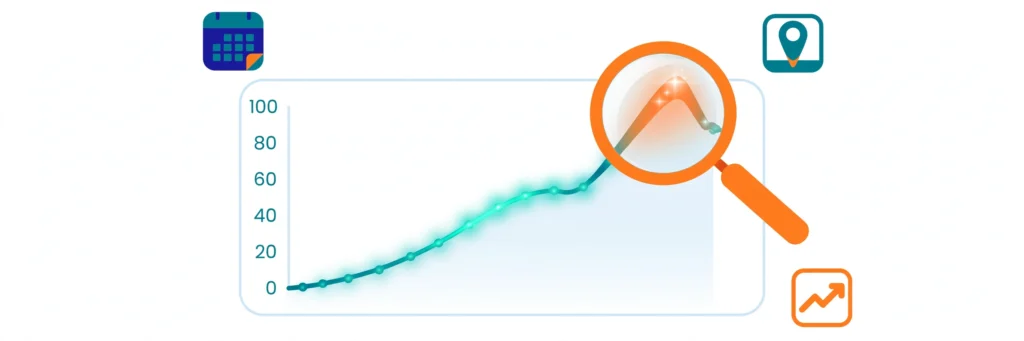
Learning how to use Google Trends for SEO is one of the highest-return skills a marketer can pick up — it takes about twenty minutes to learn and costs nothing. Google Trends shows you how interest in any search term moves over time and across regions, using a simple 0–100 score. That signal answers questions raw search volume cannot: is this topic rising or dying? Which phrasing do people actually type? And when should I publish to catch the wave? Most guides stop at describing the tool’s features. This guide goes further and shows exactly how to use Google Trends for SEO: you get a practical 7-step workflow, a 20-minute weekly routine, a method for validating Trends signals against your own Search Console data, and a 2026-specific angle most guides miss: turning rising queries into content that AI search engines cite. How to Use Google Trends for SEO: The 7-Step Workflow Here is the exact workflow. Each step takes a couple of minutes once you know what to look for. Step 1: Scope Your Search Correctly Open Google Trends and enter your seed term. Before reading anything, set four controls: Location: match your market (country, region, or city — not worldwide by default). Time range: start with “Past 12 months” for direction. Category: filter out ambiguous meanings (for example, “jaguar” the car versus the animal). Search type: Web Search, Image, News, Google Shopping, or YouTube Search. One more choice matters: as you type, Google offers a search term (the exact phrasing) and a Topic (a grouped set of related queries across languages and spellings). Topics give you the fuller demand picture; search terms give precision. Use Topics for research, search terms when you need exact-match accuracy. Getting this scoping right is the foundation of how to use Google Trends for SEO effectively. Step 2: Read Direction, Not Height The chart’s most common misreading is treating tall lines as big demand. The 0–100 score is relative: 100 means the term’s busiest moment in the selected period, not 100 searches. A line climbing steadily over 12 months is worth far more than one tall spike. When you learn how to use Google Trends for SEO, remember to discount the last one or two data points — Google revises recent weeks downward as data settles, so the newest dip is often a mirage. Step 3: Validate Keywords Before You Commit Before you build a page around any keyword, switch the range to Past 5 years and check the shape: Steady or climbing: safe to invest in. Gently declining: the topic is maturing — you can still rank, but budget less. Cliff-edge drop: walk away. No amount of optimization revives dead demand. This single check prevents the most expensive SEO mistake: spending months ranking for a keyword nobody searches anymore. If you adopt only one habit from this guide on how to use Google Trends for SEO, make it this one. Step 4: Pick the Winning Keyword Variation Type two or three phrasings and compare them head to head. Trends shows which version real people prefer, and the answer often surprises — conversational phrasing frequently dwarfs formal alternatives even when keyword tools report similar volumes. Comparing variations like this is how to use Google Trends for SEO to settle phrasing debates with data. Choose the winner Google Trends shows, then confirm its exact monthly volume in a dedicated keyword tool — our keyword research guide walks through the full process. Trends is your radar; the keyword tool is your ruler. Step 5: Mine Rising Queries for Content Ideas Scroll to Related queries and toggle from “Top” to “Rising.” This list shows the fastest-growing associated searches, and “Breakout” flags terms up more than 5,000%. Treat Breakout terms as free content briefs — this is how to use Google Trends for SEO to turn live demand into a content pipeline. Each one is a question real people are asking right now with almost no competition. Build a section, a page, or a video around the ones that fit your topic. Step 6: Time Your Content With Seasonal Trends Trends’ timeline exposes seasonality, and learning how to use Google Trends for SEO means planning your calendar around it. Some searches surge every year — gifts in December, diets in January, patio furniture in May. Map your niche’s calendar, then publish 4–6 weeks BEFORE the peak so the page is indexed and climbing when demand hits. The same logic works in reverse: never launch a big campaign at a predictable trough unless you have a reason. Step 7: Compare, Then Double Down on What Works Use the compare feature to test hypotheses: your keyword versus a competitor’s, your brand versus theirs, last year’s campaign versus this one. The side-by-side view removes guesswork about which angle deserves more budget. This is how to use Google Trends for SEO to allocate budget with confidence. A simple loop closes the workflow: compare variations, pick winners, mine rising queries, time the calendar, then re-compare quarterly. Trends rewards marketers who treat it as a weekly habit, not a one-time check. The 20-Minute Weekly Routine Minutes 0–5: refresh your core keyword comparisons (Steps 1, 2, 4). Minutes 5–12: scan Rising queries in your niche (Step 5) and log anything Breakout. Minutes 12–17: check seasonality for upcoming 4–6 weeks (Step 6). Minutes 17–20: note one action in your content calendar. Repeat this loop weekly — it is how to use Google Trends for SEO as an ongoing habit rather than a one-time check. Validate Trends Against Your Search Console Data Trends shows relative interest; Search Console shows your actual impressions and clicks. Pair them: when Trends shows a rising query and Search Console shows you on page 2 for it, you have a high-ROI target. Refresh the page with the exact phrasing from Trends, add the subtopic, and watch rankings climb. Pairing the two is how to use Google Trends for SEO alongside your own first-party data — and if you are new to