How to Write Alt Text for SEO: The 2026 Guide (+ 10 Examples)
Learning how to write alt text for SEO is one of the highest-return on-page skills you can pick up in 2026. It takes under a minute per image, yet most sites leave half their images with blank, auto-generated, or keyword-stuffed alt attributes. The result: screen readers stumble, Google Images ignores your visuals, and your pages send weaker topical signals than they should. This guide gives you the exact formula, ten real before-and-after rewrites, a WordPress fix-up workflow, and the 2026 angles (AI Overviews, Google Lens) that older guides miss. This is your complete playbook for how to write alt text for SEO — from the five-part formula to ten before-and-after examples you can copy today. What Alt Text Actually Is (and What It Is Not) Alt text — short for alternative text — is a written description of an image embedded in the HTML of your page: <img src=”trail-running-shoes.jpg” alt=”Pair of blue trail running shoes with red laces on a rocky mountain path”> Its primary job is accessibility: screen readers read it aloud to visually impaired users, and browsers display it when an image fails to load. Its secondary job is SEO: search engine crawlers are still fundamentally text-based, so alt text is the clearest signal you give them about what an image shows. It is commonly confused with two other things: Title text — the tooltip that appears when someone hovers over an image. It carries almost no SEO weight and is not read by screen readers. Never use it as an alt text substitute. Image file name — the name of the uploaded file, like trail-running-shoes.jpg. Descriptive, keyword-aware file names support your alt text, but they do not replace it. Understanding these distinctions is the foundation of how to write alt text for SEO correctly, because treating alt text, title text, and file names as interchangeable is the most common beginner error. Why Alt Text Matters for SEO in 2026 Google Images is a search engine in its own right, and a meaningful slice of discovery traffic starts there. When someone searches for a product or a how-to visual, Google matches their query against the textual signals around your images — and alt text is the strongest of those signals. Pages whose images carry precise alt text consistently earn more image-search impressions than identical pages with blank alt attributes. If you are serious about learning how to write alt text for SEO, image search is the fastest place to see a payoff. If you are still on the fence, consider this: learning how to write alt text for SEO is one of the highest-ROI on-page tasks because it improves accessibility and image discovery at the same time. Alt text also reinforces the topic of the entire page. If your article targets “trail running for beginners” and your images describe “blue trail running shoes on a rocky mountain path” and “runner tying trail shoes before a forest run,” every one of those descriptions is another contextual vote telling Google what the page is about. There is also an honesty point worth making: alt text is not a magic ranking lever for web search. Stuffing keywords into alt attributes will not move a page from position 40 to position 4. What it does is remove friction — accessibility friction for users, and understanding friction for crawlers — and in 2026, with AI-powered search leaning harder on structured understanding of your content, removing that friction matters more than ever. Fortunately, how to write alt text for SEO is a learnable, repeatable skill rather than guesswork — the formula below makes it mechanical. Google’s own image SEO best practices confirm that descriptive alt text helps Google understand your images. How to Write Alt Text for SEO: The 5-Part Formula Here is the repeatable method for how to write alt text for SEO that balances accessibility, search signals, and readability. Apply it to every meaningful image you publish. 1. Describe what you actually see (5–12 words) Imagine describing the image to someone over the phone. Lead with the main subject, then one or two distinguishing details: color, setting, action, or model number. Specifics beat generics every time — “Dell XPS 13 laptop, silver finish, half-open on a wooden desk” beats “laptop.” 2. Add context from the page The same photo needs different alt text on different pages. A picture of running shoes on a product page should name the model and variant; on a marathon-training article, it should describe the action (“runner lacing trail shoes at sunrise before a long run”). Context is what makes alt text useful instead of generic. 3. Weave in your keyword naturally — once If the page’s target keyword genuinely describes the image, include it. A product page targeting “trail running shoes for beginners” can carry alt text like “blue trail running shoes for beginners on a rocky mountain path.” If the keyword does not fit, leave it out. Forced keywords read badly to humans and look spammy to algorithms. 4. Keep it under 125 characters Most screen readers cut off alt text after roughly 125 characters. Longer descriptions get truncated mid-sentence, which is a worse experience than a shorter complete one. If an image needs more explanation (a data-heavy chart, for instance), summarize in the alt text and put the full detail in the surrounding paragraph or a data table. 5. Never start with “image of” or “picture of” The <img> tag already tells assistive technology it is dealing with an image. “A picture of a cat” wastes seven characters announcing the obvious. Start with the subject: “Orange tabby cat sleeping in a sunbeam on a white windowsill.” You now have the complete method for how to write alt text for SEO — let’s see it applied to ten realistic image types. 10 Before-and-After Alt Text Examples Theory is cheap; examples stick. Here are ten realistic rewrites across common image types: Work through all ten, and you will internalize how to write alt text for SEO
How to Rank on Google Without Backlinks: 9 Proven Strategies (2026)

Learning how to rank on Google without backlinks sounds like a fantasy if you grew up on old-school SEO advice. For years, the message was simple: no links, no rankings. But Google has changed. Backlinks are no longer among the top three ranking factors, according to Google’s own search team — content quality, search intent match, and user experience now carry more weight. That shift opens a real door for new sites, small businesses, and anyone without a link-building budget. Can every page rank without backlinks? No — and this guide will be honest about where the limits are. But for low-competition keywords, local searches, long-tail questions, and SERP features, you absolutely can win without a single backlink. Below are 9 proven strategies, a method for finding YOUR site’s personal difficulty ceiling, a 90-day roadmap, and the 2026 angles (AI Overviews, SERP features) most guides ignore. This guide breaks down exactly how to rank on Google without backlinks in 2026. Can You Really Rank on Google Without Backlinks in 2026? Yes — with realistic expectations. Here is the honest breakdown: What ranks without backlinks: informational blog posts, long-tail keyword pages, how-to guides, local business pages, niche topics, and question-based content. What usually still needs backlinks: high-volume money keywords, ecommerce category pages, and competitive national terms in finance, law, health, or SaaS. The timeline: expect 3–6 months for content-led strategies on low-competition terms. Competitive terms can take 6–12 months or more. The key insight: when backlinks are missing, Google leans harder on every other signal. Your job is to make those other signals undeniable. If you want to master how to rank on Google without backlinks, start by strengthening every non-link signal. How Google Ranks Pages When Backlinks Are Missing Google evaluates hundreds of signals. Remove backlinks from the equation and these five carry the most weight: Search intent alignment — does your page give the searcher exactly what they wanted, in the format they expected? E-E-A-T (Experience, Expertise, Authoritativeness, Trustworthiness) — real author bios, first-hand experience, and factual accuracy. Topical authority — how completely your site covers the subject, not just the single keyword. On-page SEO — titles, headings, internal links, and meta descriptions still matter enormously. Technical health — Core Web Vitals, mobile usability, crawlability, and structured data. Google’s own SEO starter guide confirms the foundation: helpful, people-first content is what every ranking system is built on. Nail these five and you can outrank linked-up competitors on the right keywords. That five-signal foundation is the entire formula for how to rank on Google without backlinks. 9 Proven Ways to Rank on Google Without Backlinks 1. Find Your Personal Keyword Difficulty Ceiling Every guide says “target low-competition keywords.” Almost none tell you HOW low is low enough for YOUR site. Here is a method that uses your own data instead of a paid tool’s generic score: Open Google Search Console → Performance → filter the last 3 months. Sort queries by position. Find keywords where you already rank in positions 5–20 without trying — those prove Google already trusts you at that difficulty level. Look at the competing pages for those queries. Note their word count, depth, and freshness. That is your current ceiling. Now target new keywords whose top-10 results look weaker than what you already beat — thinner content, older dates, worse intent match. Your ceiling rises as you publish. Re-check every quarter. If you want the full process for finding these keywords in the first place, read our guide on how to do keyword research — then apply this ceiling filter to every candidate. Finding your ceiling is the first real step in how to rank on Google without backlinks. 2. Build Topical Authority With Pillar-and-Cluster Content One great article rarely ranks alone without backlinks. Ten interconnected articles on the same subject can. Topical authority means Google sees your site as the complete resource on a subject — and it rewards complete resources. No single tactic teaches you how to rank on Google without backlinks faster than building topical authority. Pick one core topic (your pillar), e.g. “local SEO.” Write 6–10 supporting articles on subtopics (Google Business Profile, reviews, citations, NAP consistency). Link every supporting article to the pillar and to each other where relevant. Publish consistently — one strong post per week beats five posts in one burst. This is the single highest-leverage no-backlink strategy. A site that covers a niche deeply will outrank a stronger-domain site that published one shallow post on the topic. Depth beats breadth when you learn how to rank on Google without backlinks. 3. Steal SERP Features: Featured Snippets, PAA, and Image Packs Here is what most “no backlinks” guides miss: you do not always need position #1. Featured snippets, People Also Ask boxes, and image packs sit ABOVE the organic results — and they are far easier to win without backlinks because Google picks them for answer quality, not link authority. That makes SERP features a shortcut for how to rank on Google without backlinks. Featured snippets: answer the target question in 40–60 words right after an H2/H3 that mirrors the query. Use definitions, steps, and tables. People Also Ask: add an FAQ section answering 4–6 related questions (like the one at the bottom of this article). Each answer should be self-contained. Image packs: original images with descriptive file names and keyword-rich alt text can rank in image results with zero links. For the full playbook, see our featured snippet optimization guide and our People Also Ask optimization guide. 4. Get Cited in Google AI Overviews In 2026, AI Overviews answer a huge share of informational queries directly on the results page. The sites they cite get visibility and clicks without needing to outrank anyone — and citation selection favors clear, structured, factual content over backlink profiles. Sites that understand how to rank on Google without backlinks treat AI Overviews as prime real estate. Write definitive, quotable statements: one clear sentence that directly answers the query. Structure with descriptive
How to Add Internal Links in WordPress: 4 Easy Methods
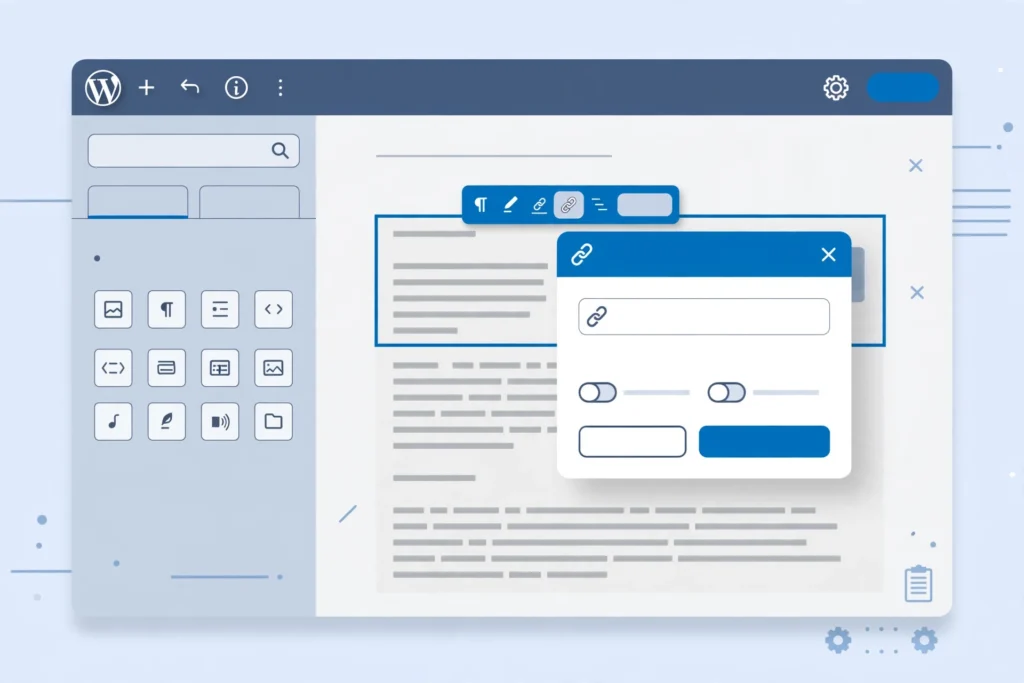
How to add internal links in WordPress with the block editor, Ctrl+K, menus and image links, plus a routine that keeps new posts from becoming orphan pages.
Internal Linking Best Practices: 12 Rules That Work (2026)

These internal linking best practices are the operating rules behind every site that wins with topical authority — the difference between a pile of blog posts and a ranking machine. If you are new to the concept, start with our guide on what are internal links, then come back and apply these 12 rules one by one. Why Internal Linking Best Practices Still Move Rankings Most ranking guides treat internal links as an afterthought. That is a mistake — following proven internal linking best practices is one of the fastest ways to lift rankings. Internal links are the only ranking factor you control completely: you decide which pages get authority, which anchors describe them, and how crawlers move through your site. External backlinks may be harder to earn, but internal linking is where the fastest, cheapest ranking gains hide — especially on sites with 30+ pages that have never been linked strategically. The 12 rules below form a complete playbook: architecture, link placement, anchor discipline, maintenance, and the two advanced rules almost nobody talks about. Rule 1: Build a Pyramid, Not a Maze The foundation of all internal linking best practices is site architecture. Organize your site as a pyramid: the homepage at the top, category or pillar pages in the middle, and individual articles at the base. The homepage links to pillars, pillars link to their cluster articles, and every cluster article links back to its pillar. Why the pyramid wins: it concentrates authority where it matters, gives crawlers a predictable path, and tells Google exactly which pages are your most important. Sites that grow organically — a blog post here, a landing page there — end up as mazes where authority pools randomly and important pages sit six clicks deep. If your site grew into a maze, the fix is not more links; it is restructuring links to follow the pyramid. Rule 2: Make Contextual Body Links Your Main Weapon Not all internal links carry equal weight. A contextual link inside a paragraph of body content passes far more topical signal than the same link sitting in your navigation menu, footer, or sidebar. Template links appear on every page, so Google treats them as boilerplate — expected, not editorial. One of the simplest internal linking best practices is to audit your highest-priority links and confirm each one actually lives in body content. Apply this rule practically: your highest-priority internal links should live inside relevant body paragraphs, surrounded by text about the destination page’s topic. Navigation and footer links still matter for usability, but they will never do the ranking work that a well-placed contextual link does. When you add a link that matters, put it in the content. Rule 3: Rescue Orphan Pages Before They Die An orphan page is a page with zero internal links pointing to it. Crawlers discover pages by following links, so orphans are effectively invisible — they get crawled rarely, indexed slowly, and rank almost never. Most sites accumulate orphans silently: old campaign pages, tag archives, posts published before anyone thought about linking. The rescue workflow: once a quarter, run a crawl and filter for pages with zero inlinks. For each orphan worth keeping, add 2–3 contextual links from related, indexed pages. For orphans not worth keeping, redirect them to the closest relevant page instead of leaving them stranded. A page that deserves traffic should never have zero internal links. Rule 4: Place Priority Links in the Top 30% of the Page Link placement is positional. Links higher on the page — in the introduction and first sections — carry more weight with search engines and get more clicks from readers. A link buried after the conclusion behaves like an afterthought because, to both crawlers and users, it is one. When you publish or update an article, identify the one or two most important internal links in it and place them in the first third of the content. Reserve footer-adjacent and end-of-article positions for secondary links. If you are auditing an existing article, move its highest-value link upward rather than adding new ones — repositioning often beats addition. Rule 5: Link New Content Within 48 Hours of Publishing A new page starts with zero authority and, often, zero discovery. The fastest way to change both is to link to it from 2–3 existing, indexed pages within 48 hours of publishing. This does two things: it gets the new URL crawled and indexed faster, and it transfers immediate authority so the page starts ranking sooner instead of waiting months to earn its first backlinks. Build this into your publishing checklist as a non-negotiable step. The moment a post goes live, identify the existing articles most topically related to it and add contextual links to the new page. This single habit, applied consistently, is one of the highest-ROI internal linking best practices on this list — and it costs nothing. Rule 6: Keep Every Money Page Within 3 Clicks of the Homepage Click depth — the number of clicks from the homepage to reach a page — is a direct authority signal. Pages buried four or five levels deep receive a fraction of the crawl attention and link equity of shallow pages, no matter how good their content is. Google’s own guidance has long implied that important pages should be easy to reach, and Google’s documentation on crawlable links confirms that link structure is how crawlers discover your site. Audit your click depth with any crawler: list your revenue-driving and priority ranking pages, and check how many clicks each sits from the homepage. Anything beyond three clicks needs a shortcut — a link from the homepage, a pillar page, or a high-traffic article. Depth is not about URL length; it is about link distance. Shorten the distance, and rankings usually follow. Rule 7: Never Send the Same Anchor Text to Two Different Pages Anchor text is how you tell Google what a page is about. If the anchor “email marketing software” sometimes links to
Internal Link Anchor Text: Best Practices for SEO (2026 Guide)

Internal link anchor text best practices: what Google says, the six anchor types, how to audit and rewrite weak anchors, with a worked example you can copy.
How Many Internal Links Per Page? What Google Says and a Practical Method

Google gives no ideal number of internal links per page. See what its docs say, how to count template links, and how to set targets by page type.
Meta Description Length 2026: What Works Now

If you have ever agonized over a meta description, counting characters like a jeweler weighing gold, here is the liberating truth: Google has never set a fixed character limit for meta descriptions. The meta description length 2026 conversation is not really about a magic number at all. It is about how much of your description Google actually shows before cutting it off — and how to pack the most persuasive message into that visible space. Most SEO teams still write to roughly 150–160 characters, and that remains a sensible guideline. But the teams getting the most clicks in 2026 treat length as an editing aid, not a law. They front-load the value, match search intent precisely, and measure what actually renders in the SERP. This meta description length 2026 guide covers the exact numbers, the pixel math behind them, what to write, real examples by page type, and three angles most guides miss: AI search, measurement, and a practical character-vs-pixel reference. Meta Description Length 2026: The Short Answer Here is the quick answer if you are in a hurry: Device Safe visible range Pixel cutoff (approx.) Desktop 150–160 characters ~960 px Mobile 110–130 characters ~680 px The rule that matters most Put the essential message in the first 110 characters The safest target for meta description length 2026 is a complete, compelling thought between 130 and 150 characters. That is long enough to convey value and short enough to survive truncation on most screens. But remember: these are conventions, not Google rules. A 120-character description that nails the searcher’s intent will outperform a padded 160-character one every time. Why Google Has No Fixed Character Limit Google’s own documentation is explicit: there is no maximum length for the meta description tag itself. You can write 300 characters and Google will happily store them. The limit you feel is the snippet — the portion Google chooses to display in search results — which gets truncated to fit the available space. Two things control what searchers actually see: Available display space. Google measures in pixels, not characters. A description full of wide letters like “W” and “M” eats more space than one full of narrow letters like “i” and “l”. Two descriptions with identical character counts can render very differently. Google’s snippet selection. Snippets are generated primarily from your page content. Google uses your meta description only when it judges that your description represents the page better than anything else on it. Roughly 70% of descriptions get rewritten in practice — which means your perfectly counted 155 characters may never appear as written. This is why the meta description length 2026 debate is misleading when framed as a single number. Understanding these two factors is the real key to meta description length 2026 success: write the most useful summary possible, stay near the guideline range, and front-load the key point so it survives any cutoff. Desktop vs. Mobile: What Actually Gets Cut Off On desktop, Google truncates snippets at roughly 960 pixels — about 150 to 160 characters in a typical sentence. On mobile, the cutoff drops to roughly 680 pixels — around 110 to 130 characters. The practical rule for meta description length 2026 across devices: the first 110 characters must earn the click on their own. Everything after that is a bonus for desktop users. If your call to action sits at character 145, a large share of mobile searchers will never see it. A useful test when you set your meta description length 2026 targets: read your description and ask whether the first 110 characters alone tell the searcher what the page offers and why it is worth clicking. If yes, the length is right regardless of the total count. If the payoff only arrives at the end, rewrite it — do not just shorten it. What to Write in Your Meta Description When you apply these meta description length 2026 guidelines, remember: length gets the attention, but the words do the work. A meta description is your page’s elevator pitch. Here is what the best ones share. 1. Match the search intent An informational query wants a promise of learning (“Learn how…”), a transactional query wants a value proposition (“Free shipping, 30-day returns”). If the description does not reflect why the person searched, the length is irrelevant — they will skip you. 2. Put the benefit in the first sentence Lead with what the reader gains, not with your brand name or throat-clearing. “Cut your audit time in half with a step-by-step technical SEO checklist” beats “Welcome to our comprehensive guide about technical SEO audits.” 3. Include the keyword once, naturally Google bolds query terms that appear in your snippet, which makes your result visually pop. One natural inclusion is enough — for instance, the phrase “meta description length 2026” appears once in this article’s own meta description and bolds in the SERP without looking stuffed. Keyword stuffing reads as spam and is one of the fastest ways to get your description rewritten. 4. End with a call to action Give the searcher a verb: Learn, Discover, Compare, Download, Start, See how. Emotional, benefit-driven CTAs earn higher click-through than neutral summaries, but stay honest — sensational claims that the page does not deliver will bounce and hurt you. 5. Sound like your brand A playful brand writing a stiff corporate description confuses returning visitors. Match the voice of the page itself. Consistency builds recognition in the SERP over time. 8 Real-World Examples by Page Type Each meta description length 2026 example below stays within the safe range and follows the benefit-first structure. Page type Example Chars Blog post Learn the ideal meta description length, how Google truncates snippets, and proven formulas for writing descriptions that earn clicks. 142 Product page Lightweight waterproof hiking backpack with padded straps and 25L capacity. Free shipping and 30-day returns — order today. 130 Service page Get a technical SEO audit covering crawlability, indexing, site speed, and metadata. See exactly what is holding
Meta Title Optimization Tips: Earn More Clicks (2026)

Two pages can sit in the exact same position on Google and one will earn triple the clicks of the other. The difference is almost never the content underneath — it is the meta title doing the convincing in the search results. These meta title optimization tips will show you how to write titles that rank, survive Google’s rewrites, and earn the click in 2026’s crowded, AI-driven SERPs. The title tag remains one of the highest-leverage on-page elements in SEO. It tells search engines what your page is about, appears as the clickable blue headline in results, shows up in browser tabs, and becomes the default headline when your page is shared. Why Meta Titles Matter More Than Ever in 2026 Search results have never been busier. SERPs are now packed with AI Overviews, image carousels, product grids, People Also Ask boxes, and ads — all competing for the same finite attention. Industry analyses suggest roughly 60% of searches now end without a single click. Ranking alone no longer guarantees traffic; your title has to win the click against everything else on the page. That makes the title tag your page’s first and often only sales pitch. A searcher skims results in seconds, and your title is the single biggest factor in whether they choose you or the competitor one line below. Small improvements compound fast: a rewrite that lifts click-through rate from 2% to 3% on a page with 10,000 monthly impressions is 100 extra visitors a month — without building a single new link. Meta Title Basics: The Rules That Haven’t Changed These meta title optimization tips start with fundamentals. Every title you write should clear this bar: Length: Keep titles to roughly 50–60 characters (about 600 pixels). Google truncates by pixel width, not character count, so wide letters eat more space. Staying in range keeps titles fully visible on desktop and mobile. Keyword placement: Put your primary keyword as close to the front as reads naturally. Both users and search engines weight the beginning of the title more heavily. Uniqueness: Every indexable page needs its own title. Duplicates confuse Google about which page is relevant, and both pages typically underperform. Intent match: Match the dominant search intent behind the keyword. If the top results for your keyword are how-to guides, a title promising a guide aligns; a title promising a product does not. No stuffing: Use the primary keyword once. Cramming variations into 60 characters reads as spam to users and algorithms alike. One more rule: the meta title and the H1 are not the same job. The H1 serves readers already on your page — clear and descriptive. The meta title serves searchers who haven’t clicked yet, so it can carry more persuasive language. Keep them closely related but not identical, with the keyword in both. Meta Title Optimization Tips That Earn Clicks: 11 Proven Rules Here are the meta title optimization tips that consistently move click-through rates in live SERPs: 1. Front-load the primary keyword Searchers scan left to right, and Google bolds query-matching words. A keyword buried at the end of a 58-character title may never be seen. “SEO Audit Checklist: 27-Point Template for 2026” beats “Our Complete 27-Point Template and SEO Audit Checklist” every time. 2. Add a number Numbers are the most reliable click magnet in titles — they promise a specific, scannable payoff. Odd numbers tend to outperform even ones in headline testing. Use the real count: a listicle titled “11 Ways” with 9 items destroys trust. 3. Include the current year for time-sensitive topics For guides, statistics roundups, and strategy posts, the year signals freshness and can decide between two similar results. Only add it if you’ll maintain the page — a stale “2026 Guide” found in 2028 does more damage than no year at all. 4. Use one power word, not five Words like Ultimate, Proven, Complete, and Essential raise the perceived value of the click. One is persuasive; three is noise. “The Complete Guide to Technical SEO” works. “The Ultimate Complete Definitive Proven Guide” does not. 5. Promise a specific benefit, not a topic “Link Building Strategies” names a topic. “Link Building Strategies That Earn Editorial Links” promises an outcome. Benefit-led titles answer the searcher’s real question — what’s in it for me — and consistently outperform topic labels. 6. Ask the searcher’s question back Questions mirror how people search, especially for informational queries. “Is Link Building Still Worth It in 2026?” can beat a flat statement because it names the doubt the searcher already has. The page must actually answer the question. 7. Put the brand at the end — only when it earns its place Brand names at the end build recognition for navigational queries. For informational pages where space is tight, drop the brand and spend those characters on the benefit. Never lead with the brand on a page meant to earn new visitors. 8. Write for the 11pm scanner Your title will be read by a tired person skimming ten blue links on a phone. Read every title as if seeing it in Google for the first time: is it instantly clear what the page offers? Would you trust it enough to click? If you hesitate, rewrite. 9. Differentiate from the other nine results Open the SERP for your keyword and read all ten titles. If seven say “Ultimate Guide,” yours is invisible. A number, a year, a contrarian angle, or a specific audience (“for SaaS,” “for Beginners”) is what earns the click when everyone ranks. 10. Keep it honest Clickbait earns the click and loses the visitor. Overpromising spikes bounce rate, and engagement signals feed back into performance. The title must describe the page the searcher actually lands on. 11. Test, don’t guess Treat titles like ad copy. When a page ranks well but has low CTR in Google Search Console, rewrite the title, wait two to four weeks, and compare. Change one variable at a time so you learn what actually
Heading Tags SEO Guide: H1, H2, H3 Structure Google Rewards

Most websites treat headings as a styling choice — a way to make text bigger and bolder. That mistake quietly costs rankings every day. Heading tags are not decoration; they are the structural skeleton of your page, the outline Google reads before deciding what you rank for. This heading tags SEO guide breaks down how H1, H2, and H3 tags work in 2026: the rules Google enforces, the mistakes that sink good content, and a step-by-step audit checklist. Here is the uncomfortable truth most SEO blogs skip: Google has said outright that heading tags are not a magic ranking boost. John Mueller has confirmed headings are a strong signal — they help Google understand what a section is about — but they are one signal among many. So why obsess over them? Because headings are the connective tissue between everything that does rank you: relevance, engagement, featured snippets, and AI search citations. What Heading Tags Actually Are (And Why Google Cares) Heading tags are HTML elements — H1 through H6 — that define a hierarchy within your content, like the outline of a book: the H1 is the book title, H2s are the chapter titles, H3s are the sections inside each chapter. They are semantic elements, meaning they carry meaning about your content’s structure, not just visual size — and that semantic meaning is where every heading tags SEO guide begins. When Google crawls your page, it uses this hierarchy as a map. The H1 tells it your page’s main topic. The H2s tell it the major subtopics. The H3s break those down further. A clean hierarchy lets Google match your page to the right queries faster — including long-tail queries that match individual sections rather than the whole page. How Google’s Crawler Reads Your Headings Google’s systems parse headings to identify what each section is about. This matters for three reasons. First, relevance matching: a descriptive H2 gives Google a much clearer signal than one that just says “Tips.” Second, query-to-section matching: Google can rank your page for a long-tail query because one well-written H2+H3 block matches it. Third, efficiency: clear headings reduce ambiguity about what your page covers — the three reasons this heading tags SEO guide treats headings as a priority, not an afterthought. Heading Tags vs. Title Tags: Not the Same Thing Beginners confuse these constantly. The title tag is metadata that appears in search results and browser tabs — it is what searchers click. The H1 is visible on the page itself, as the main headline your readers see. They do not need to be identical, but they should align on the same topic. When they contradict each other, both users and Google get confused — and confusion costs clicks. Heading Tags SEO Guide: The Complete Rules for H1, H2, and H3 Every heading tags SEO guide worth reading converges on the same core rules, because they come from Google’s own documentation and years of practitioner testing. Here they are, in the order that matters. Rule 1: One H1 Per Page — And Only One This is the golden rule. Your H1 should be the single main headline of the page: unique, clearly describing its main topic, and naturally containing your primary keyword. WordPress usually assigns the H1 to your page title automatically, so adding another H1 inside your content creates a duplicate — a common error with page builders. Keep your H1 around 50–70 characters — descriptive and keyword-rich, but scannable. Bad H1s: “Welcome to Our Website,” “Home Page,” “Services.” Rule 2: Use H2 Tags for Every Major Section H2s are your chapter titles — the main sections of your content. You can have as many as your content legitimately needs; there is no penalty for fifteen if your article genuinely has fifteen sections. Each H2 should describe the section beneath it accurately. Vague H2s like “Our Approach” tell Google nothing; descriptive ones like “How to Write H2 Tags That Win Featured Snippets” tell it exactly what the section covers. Include keywords in H2s only where they fit naturally. Forcing your keyword into every heading reads as spammy. Better approach: use your primary keyword in one or two H2s, and semantically related terms and question phrases in the rest — mirroring how real people search, the approach this heading tags SEO guide recommends over keyword repetition. Rule 3: Use H3 Tags to Break Down H2 Sections H3s are subsections inside your H2 sections. If an H2 section runs long — more than 300 words — H3s keep it scannable. The hierarchy must stay logical: an H3 always sits under an H2, never floating on its own. Most blog posts and service pages never need H4–H6. Rule 4: Never Skip Heading Levels Never jump from H1 to H3, or H2 to H4. Skipping levels breaks the logical hierarchy and confuses search engines and screen readers alike. Follow the natural flow: H1 → H2 → H3, every time — a rule no serious heading tags SEO guide would skip. Rule 5: Headings Are for Structure, Never for Styling Using an H3 just because you want big bold text is one of the most common technical SEO errors on the web. Headings send structural signals to crawlers; tagging a random sentence as an H2 for visual effect tells Google that sentence is a major section of your page. It is not. Style text with CSS, and reserve headings for actual content hierarchy — one of the simplest wins in this heading tags SEO guide. Rule 6: Match the Heading to the Content Beneath It Google’s systems now evaluate the alignment between a heading and the section below it. A heading that promises “How to Fix Broken Heading Structure” followed by a paragraph about keyword research is a mismatch — and mismatches hurt topical relevance. Before publishing, read each heading and ask: does the section below actually deliver what this heading promises? 7 Heading Mistakes That Cost Rankings (And the Fix for Each) No heading tags SEO
SEO Friendly URL Structure: Rules Google Rewards

Your URL is the first thing Google reads and the last thing most site owners think about. A clean, deliberate SEO friendly URL structure helps search engines crawl your pages faster, tells users exactly what to expect before they click, and quietly lifts click-through rates from the search results. Get it wrong and you end up with crawl bloat, duplicate content, and rankings that leak away one redirect chain at a time. In this guide you will learn the twelve structure rules that matter, how to survive e-commerce URL traps like faceted navigation, how to rebuild a URL architecture without losing traffic, and why your URL path now influences whether AI search engines cite your content. Mastering your SEO friendly URL structure is one of the fastest wins available to any site owner. What Is an SEO Friendly URL Structure? An SEO friendly URL structure is a consistent, human-readable format for your web addresses: short slugs built from real words, separated by hyphens, organized in a logical folder hierarchy, and served over HTTPS. It has two jobs. For search engines, it acts as a relevance signal and a crawling aid — Google’s own documentation notes that overly complex URLs with multiple parameters can prevent complete indexing. For people, it acts as a trust signal: a readable URL in the search results tells a searcher the page is exactly what they are looking for, which is why URLs containing the query keyword consistently earn higher click-through rates than cryptic alternatives like /page?id=4782. Think of your URL architecture as the street grid of your website. Individual pages are buildings; the folder paths are the streets connecting them. When the grid is logical — /services/seo/technical-seo — both crawlers and visitors navigate effortlessly. When it is chaotic — /a/b/c/d/e/f/page — everyone gets lost, and PageRank dissipates instead of flowing where it should. Why Your SEO Friendly URL Structure Directly Affects Rankings URL keywords are a confirmed but modest ranking signal. The bigger ranking lever is indirect: readable URLs get more clicks, and better click-through rates feed back into stronger performance. Beyond that, structure influences four things competitors rarely connect to URLs. First, crawl budget: messy parameter URLs make Googlebot waste its crawl allowance on thousands of duplicate variations instead of discovering new pages. Second, index consolidation: when five URL variants show the same content, ranking signals split five ways unless canonicals fix it. Third, link equity flow: a logical hierarchy distributes authority from your homepage down through categories to deep pages. Fourth — and this is new — AI citation eligibility: generative engines such as Google AI Overviews and ChatGPT use the URL path as a topical relevance signal when deciding which sources to cite. The takeaway is simple: an SEO friendly URL structure is not cosmetic. It is infrastructure, and it compounds over time as your site grows. 12 Rules of an SEO Friendly URL Structure That Helps You Rank These are the non-negotiable rules. Apply them to every new page you publish, and use this SEO friendly URL structure checklist when auditing existing URLs. 1. Keep URLs short — 3 to 5 words, under 75 characters Short URLs are easier to read, share, remember, and type on mobile. Trim the slug to the core topic: /blog/url-structure-best-practices beats /blog/2024/03/14/understanding-the-best-practices-for-url-structuring-tips every time. Google may truncate or even refuse to index extremely long URLs, so brevity is also a crawlability safeguard for your SEO friendly URL structure. 2. Put one primary keyword in the slug, near the start Include the page’s target keyword exactly once, as close to the domain as practical. /digital-marketing-services/seo-services signals relevance; /services/offering-id-4782 signals nothing. Never repeat the keyword in every folder — /seo/seo-services/seo-audit-seo reads as spam to both users and search engines. 3. Use hyphens, never underscores Google treats hyphens as word separators but reads underscores as word joiners, so seo-tips becomes two words while seo_tips becomes one. Hyphens are the only recommended separator in an SEO friendly URL structure. 4. Build a logical hierarchy, 3 to 4 levels max Your path should mirror your site architecture: /services/seo/technical-seo. Every additional level dilutes the signal that the page belongs to its category and pushes authority further from the homepage. If a path needs five or six folders, your site architecture is the problem, not the URL. 5. Prefer subfolders over subdomains Subfolders (example.com/blog/) inherit the root domain’s authority. Subdomains (blog.example.com) are treated as separate sites and must build authority from scratch. Use subdomains only for genuine technical needs, such as a web app on a different stack. 6. Strip unnecessary stop words Remove words like “the”, “and”, “of”, and “in” unless deleting them breaks readability or changes meaning. /seo-tips-2026 is cleaner than /the-best-tips-for-seo-in-2026. When readability suffers, keep the word — clarity always outranks character count in any SEO friendly URL structure. 7. Force lowercase everywhere URLs are case-sensitive on most servers, so /Blog/SEO-Tips and /blog/seo-tips are two different URLs — and a duplicate content problem. Enforce lowercase site-wide with server-level redirects so no mixed-case variant can ever be indexed. 8. Use HTTPS, always HTTPS is a confirmed Google ranking factor and a baseline trust requirement in 2026. Chrome flags HTTP pages as “Not Secure,” which tanks both click-through and conversions. If any part of your site still runs on HTTP, migrating to HTTPS is the single highest-impact technical fix available. 9. Be consistent with trailing slashes /page and /page/ are different URLs to Google. Pick one format, apply it site-wide, and 301-redirect the other. Mixed formats split ranking signals between two versions of the same page — one of the most common problems a technical SEO audit of your SEO friendly URL structure will find. 10. Never put dates or ID numbers in slugs Dates make evergreen content look stale and force URL changes every refresh. IDs (/product-88412) tell users and search engines nothing. If your CMS auto-inserts dates into blog paths, switch to a post-name permalink structure and redirect the old date-based URLs. 11. Choose static URLs over dynamic ones