AI Content SEO Guidelines: Rank in 2026
Every week, another site owner asks the same anxious question: does Google punish content just because AI wrote it? The AI content SEO guidelines are far simpler than the rumors suggest. Google does not penalize content for being AI-generated. It penalizes scaled content abuse — producing many pages mainly to manipulate rankings rather than help people. That single distinction, published in Google’s own documentation, is the foundation of everything below: the actual rules, the 2026 enforcement timeline, and the workflow that keeps AI-assisted pages ranking. AI Content SEO Guidelines: What Google Actually Published Google maintains a dedicated guidance page on generative AI content, and its position is refreshingly pragmatic. Appropriate use of AI is not against its guidelines. Google’s systems reward high-quality content however it was produced. The document describes no AI detector, no AI demotion, and no ranking discount applied to machine-written text. What the same page does say — and this is the sentence every debate about AI content should start from — is that using generative AI tools to generate many pages without adding value for users may violate the spam policy on scaled content abuse. Note the two conditions: many pages and without adding value. Neither condition is about the tool. These two conditions are the starting point of the ai content seo guidelines for 2026. Google’s stance has been consistent since its early statements on the topic: reward original, high-quality, people-first content demonstrating E-E-A-T. Automation used to produce helpful, original content is not against policy. Automation used as a low-effort way to produce many pages that add little value is. Scaled Content Abuse: The Rule That Really Matters Scaled content abuse entered Google’s spam policies with the March 2024 update, replacing the older “spammy auto-generated content” wording. It defines the violation as generating many pages for the primary purpose of manipulating search rankings and not helping users — no matter how the pages are created. Human writers, AI models, or a hybrid workflow all face the same test. Google’s policy page lists five patterns, and only one mentions AI at all: Using generative AI tools to generate many pages without adding value for users Scraping feeds or search results and running automated transformations such as synonymizing or translating Stitching or combining content from different web pages without adding value Creating multiple sites to disguise the scaled nature of the content Generating many pages that make little sense but contain search keywords Four of those five patterns predate generative AI by a decade. Article spinning, scraped feeds, and doorway pages were the same violation in 2014. Generative AI did not create a new category of spam — it lowered the cost of the old one, which is why enforcement has grown louder. That is the core of the AI content SEO guidelines: judge the outcome, not the origin. In practice, Google applies three tests to any page suspected of scaled abuse: Test Question Google asks What fails it Purpose Was this made mainly to help people, or mainly to rank? Pages built around a keyword with no real reader in mind Value Does it add original information, analysis, or first-hand experience? A rewrite of the current top three results Scale Are many near-identical pages being generated at once? Programmatic pages that differ only by a swapped noun Google’s helpful content guidance adds a fourth expectation: is the use of automation self-evident to visitors, and does the content show first-hand expertise, like having actually used a product or visited a place? A model cannot do the second thing, and that gap is where most AI-first content loses. The 2026 Spam Update Timeline (And Why the Dates Matter) Google records every confirmed ranking update on its public Search Status Dashboard. In 2026 it ran spam updates in March, June, August, and September — roughly twice the pre-AI cadence of two to three per year. Here is the timeline worth bookmarking as part of your ai content seo guidelines routine: Update Type Started March 2026 spam update Spam 24 March 2026 March 2026 core update Core 27 March 2026 May 2026 core update Core 21 May 2026 June 2026 spam update Spam 24 June 2026 August 2026 spam update Spam 18 August 2026 September 2026 spam update Spam 24 September 2026 The August update drew particular attention: ranking data showed URLs dropping out of the top 100 far above the July baseline, with scaled AI content widely cited as the trigger. And on May 15, 2026, Google formally extended all existing spam policies to cover generative AI responses in Search — including AI Overviews and AI Mode. Manipulation tactics aimed at AI-generated answers now carry the same enforcement risk as classic rankings, which makes earning AI Overview citations the honest way more valuable than ever. One caution before you blame an update: check the dates. A traffic drop that starts a week before an update was not caused by that update. Keeping up with the AI content SEO guidelines means watching Google’s own dashboard, not third-party volatility trackers — and separating impressions from clicks, since flat positions with falling clicks is a snippet problem, not a quality problem. Can Google Detect AI Writing? The Honest Answer Google has never published an AI detection score, and no public documentation describes one. The honest answer is that it does not need one. What its systems measure is much easier to observe: whether a page contains information that exists nowhere else, whether anyone links to it or cites it, whether visitors stay and engage, and whether a site suddenly starts producing hundreds of near-identical pages. Third-party AI detectors are not evidence of anything either. They produce false positives on edited human writing and false negatives on lightly rewritten model output, and Google does not use them. Optimizing your content to beat a detector is optimizing for the wrong test. The real test is whether the page contains something the model could not have known. Researchers are watching this space closely —
12 Best AI SEO Tools in 2026 (Tested for Content, Keywords & Audits)

AI has quietly become the engine room of modern SEO. Keyword research that used to eat an afternoon now takes ten minutes, content briefs practically write themselves, and site audits flag issues no human would ever catch by hand. But with hundreds of new tools launching every month, one question dominates every marketing team’s planning meetings: which ones are actually worth paying for? To answer it, we tested the best AI SEO tools for 2026 hands-on — real accounts, real projects, real rankings — across the three jobs that matter most: content creation, keyword research, and technical audits. This guide groups the 12 winners by use case, compares them side by side, and tells you exactly which combination fits your budget and workflow. How We Tested the Best AI SEO Tools in 2026 Every tool on this list was run against the same test website for at least 30 days. We paid for the plans ourselves or used full-featured trials — no vendor-sponsored placements, no affiliate-ranked shortcuts. Each tool was scored on five criteria: Output quality: do the recommendations actually match what ranks, and do AI-generated drafts need light editing or a full rewrite? Data accuracy: keyword volumes, difficulty scores, and crawl findings checked against real Search Console and Analytics data. AI search visibility: can it track how your brand shows up in ChatGPT, Gemini, Perplexity, and Google AI Overviews — not just classic rankings? Ease of use: could a competent marketer get value in week one without a certification course? Price-to-value: does the plan pay for itself in time saved or rankings gained? Tools that failed on data accuracy or demanded constant babysitting were cut, no matter how flashy their AI branding. What remains are the 12 platforms we would genuinely spend our own money on. The 12 Best AI SEO Tools Compared Here is the full shortlist at a glance before we dive into the details. Prices are “from” figures at the time of testing and change often, so treat them as ballparks. Tool Best For Standout AI Feature Starting Price Surfer SEO Content optimization Live content scoring + AI visibility tracking across 5 engines from $79/mo Clearscope Long-form authority content Readability and term-coverage grading from $189/mo Frase Content briefs on a budget AI outlines built from top-ranking pages from $38/mo MarketMuse Topical authority planning Content inventory and gap analysis from $149/mo Semrush All-in-one SEO platform AI Visibility Toolkit + Copilot assistant from $139.95/mo Ahrefs Keywords + backlinks Brand Radar for AI search tracking from $129/mo SE Ranking Affordable rank tracking AI Overviews tracker built into projects from $55/mo Keyword Insights Clustering and intent mapping Automated keyword grouping from $58/mo Alli AI Automated on-page fixes Bulk AI-generated on-page changes from $249/mo Sitebulb Visual technical audits Prioritized, plain-English issue reports from $35/mo ContentKing 24/7 site monitoring Real-time change alerts and segmentation from $39/mo Screaming Frog Deep technical crawls Custom extraction + AI API integrations Free / £259 per year Best AI SEO Tools for Content Creation Content is where AI SEO tools deliver the most obvious time savings. The top AI tools for content creation don’t just generate words — they reverse-engineer what’s already ranking, score your draft against it, and increasingly track whether AI search engines cite your pages. If you want your content mentioned inside Google’s AI-generated answers too, read our guide on how to rank in Google AI Overviews alongside this section. 1. Surfer SEO Surfer’s Content Editor remains the gold standard for on-page optimization. Paste in your draft and it scores you live against the top-ranking pages for your keyword, suggesting terms, headings, and word count ranges as you write. In 2026 it added AI visibility tracking across five AI engines, so you can see whether ChatGPT and Perplexity mention your brand on the topics you cover. During testing, drafts optimized to a Surfer score above 75 consistently outperformed our unoptimized control pages within six weeks. It is the single best investment for teams publishing at volume. 2. Clearscope Clearscope takes a more editorial approach: instead of a gamified score, it grades your draft’s term coverage and readability against competing content. The AI suggestions feel less mechanical than most competitors, which makes it a favorite for thought leadership and long-form guides where voice matters. At a higher starting price it is not the cheapest option, but for publishers where every article needs to read like an expert wrote it, the quality of guidance justifies the cost. 3. Frase Frase is the budget champion of AI content tools. Its standout feature builds a full content brief — outline, headings, questions to answer, and stats to cite — by analyzing the current top 20 results in seconds. The built-in AI writer is decent for first drafts, though you will still want to rewrite key sections in your own voice. For freelancers and small teams that need a repeatable content process without enterprise pricing, Frase is hard to beat. 4. MarketMuse MarketMuse plays a different game: instead of optimizing one page at a time, it audits your entire content inventory and tells you where your topical authority is thin. Its AI identifies which articles to write, which to merge, and which to update to dominate a topic cluster. We found its gap analysis genuinely useful for sites with 200+ existing posts. Google’s own helpful content guidance stresses demonstrating expertise across a topic, and MarketMuse is purpose-built for exactly that. Best AI SEO Tools for Keyword Research Keyword research is where AI quietly does its best work: clustering thousands of terms by intent, spotting questions your competitors missed, and filtering out keywords you could never realistically rank for. The best AI SEO tools for keyword research combine massive databases with smart filtering so you spend your time on keywords that can actually convert. 5. Semrush Semrush is the closest thing to a complete SEO operating system. Its Keyword Magic Tool holds one of the largest keyword databases in the industry, and the AI-powered intent classification is noticeably better
How to Track AI Search Visibility in ChatGPT, Perplexity & Gemini

Rankings used to be the whole game. Today, a growing share of your buyers never see a search results page at all — they ask ChatGPT, Perplexity, or Gemini a question and get a direct answer. If your brand is not mentioned in those answers, you are invisible at the exact moment a buying decision forms. That is why learning how to track AI search visibility has become one of the most important new disciplines in marketing. AI search visibility means one thing: how often, and how favorably, AI answer engines mention or cite your brand when responding to questions in your market. It is not measured in Google Search Console, and your analytics probably undercount it badly. This guide shows you how to measure it — starting with a free method that takes ten minutes — which five metrics actually matter, and when it makes sense to pay for a dedicated tool. Why Rankings Stopped Being Enough Traditional SEO measures clicks from blue links. But AI engines answer questions directly, often with zero clicks to any website. A buyer who asks “best invoicing software for freelancers” may read three paragraphs, see your competitor cited, and never visit a single site. Your rank tracker says nothing happened. Your pipeline quietly shrinks. This is the visibility gap: influence without clicks. Studies of AI search behavior keep landing on the same finding — a large and growing share of product research now happens inside generated answers. Brands that only track rankings are flying blind through the part of the funnel that matters most. AI search visibility tracking fills that gap by answering a different question: not “where do I rank?” but “when the AI answers my buyer’s question, am I in the answer?” The 5 AI Search Visibility Metrics That Matter Before you track anything, know what to count. Five metrics cover nearly everything worth knowing: Brand mentions. The percentage of tested answers that name your brand at all. This is your top-line AI search visibility number — simple, comparable over time, and easy to explain to anyone. Citations. The percentage of answers that cite one of your URLs as a source. Citations are stronger than mentions: they mean the engine treated your content as evidence, and they can send referral traffic. Sentiment. Whether mentions skew positive, neutral, or negative. Being cited as “the budget option with weak support” is visibility you need to fix, not celebrate. Share of voice. Your mentions divided by mentions of you plus your competitors. This turns an absolute number into a competitive position — going from 2 citations to 5 means more when competitors sit at 3. Query coverage. Which types of questions trigger you: discovery (“best X”), comparison (“X vs Y”), or problem-solving (“how do I fix X”). Most brands win one category and vanish in the others, which tells you exactly where to build content. Citations and share of voice are the two metrics to watch most closely, because they show whether AI engines trust your content more or less than your competitors’ — the closest thing AI search has to a ranking. How to Track AI Search Visibility for Free: The 10-Minute Method You do not need a tool or a budget to start. You need a list of real buyer questions and fifteen honest minutes. Here is the manual protocol that produces genuinely actionable data: Pick 5 to 10 buyer queries — not your brand name. Write the questions your buyers ask before they know you exist: “best [your category] for [use case],” “[competitor] alternatives,” “how to [problem you solve].” Use their words, not your marketing words. Mix broad discovery questions with specific comparisons. Run each query in three engines. ChatGPT, Perplexity, and Google AI Mode (or Gemini). Use a fresh chat each time so earlier questions do not bias the answers. Five queries times three engines gives you fifteen checks. Record four things per answer. Was your brand mentioned in the answer text? Was one of your URLs cited in the sources? Which specific URL was cited? Which competitors appeared instead? Score it. Count your mentions out of 15, your citations out of 15, and competitor citations. That ratio is your baseline AI search visibility score. Add one deliberate variation. Re-ask your best question with a single word changed. AI answers are phrasing-sensitive, and this catches blind spots your main list misses. A plain spreadsheet is enough: columns for the question, the engine, mentioned (yes/no), cited (yes/no), URL cited, competitors mentioned, and sentiment. This table tells you which questions you already win, which ones you are invisible for, and who is eating the answers you want — more insight than most dashboards provide about the why behind your number. Free vs Paid: When to Upgrade to a Tool The manual method is the cleanest approach for small teams — it costs nothing and shows you the actual answers and sources behind your score. But it does not scale. Once you are tracking 30-plus prompts across four engines monthly, spreadsheets become a chore and you will stop doing it. That is when dedicated tools earn their keep. A handful of products now automate the same prompt-panel workflow: they run your question list on a schedule across ChatGPT, Perplexity, Gemini, and others, then report mentions, citations, sentiment, and share of voice over time. Profound sits at the enterprise end, Peec AI targets mid-market teams, and Otterly is the lower-cost entry point. None of them is required to start — the spreadsheet surfaces the same signal, just with more manual work. The practical rule: stay manual until the tracking itself starts slipping. If you are skipping months because the spreadsheet feels heavy, that is your upgrade trigger — not a feature list. And if tool budgets are on the table, our breakdown of how much SEO costs in 2026 helps you weigh monitoring spend against the content work that actually moves the numbers. How Often Should You Check AI Search Visibility? Monthly is
How to Get Cited by ChatGPT: 7 Practical Steps That Actually Work

If you are wondering how to get cited by ChatGPT, you are asking one of the most valuable marketing questions of 2026. Every day, millions of buyers ask ChatGPT for recommendations — “best CRM for small teams,” “who fixes burst pipes in Austin,” “is creatine safe for teenagers” — and the businesses it cites win attention that never passes through Google’s ten blue links. A citation inside an answer is the new page one. The good news: getting cited is a skill, not a lottery. ChatGPT does not cite pages at random. It retrieves pages that are easy to find, easy to verify, and easy to quote — and then it shows its work with inline citations or a sources panel. This guide breaks down exactly how that selection works and gives you seven practical steps to make your business the one it quotes. A Citation Is Not a Mention: Know What You Are Chasing Before we go further, get this distinction right, because most businesses measure the wrong thing. A brand mention means ChatGPT recognizes your company as an entity — it “knows” you exist. A citation means ChatGPT retrieved one of your pages from the web and used it as evidence in an answer, with your URL shown as a source. Only the second one sends you traffic and builds trust. A model can know your brand perfectly well while citing a competitor’s website for the actual facts — because the competitor’s page was easier to retrieve and quote. When people ask how to get cited by ChatGPT, what they really mean is: when ChatGPT needs evidence for a customer question, does it pull a page from my domain? Everything in this guide serves that single test. How ChatGPT Decides What to Cite ChatGPT’s search feature works roughly like this: when a question benefits from current or factual information, the system searches the web, retrieves a handful of candidate pages, and composes an answer grounded in the best ones. Pages win citations when they satisfy three filters: Retrievable. The page is indexed, accessible to the right crawlers, and topically matched to the question. If OpenAI’s search crawler cannot fetch your page, you cannot be cited — no matter how good the content is. Verifiable. The claims are specific, sourced, and consistent with what the rest of the web says about you. Vague marketing copy loses to concrete numbers, named sources, and original data every time. Quotable. The answer exists in a clean, self-contained passage the model can lift. A direct 40-to-60-word answer under a question-shaped heading beats the same information buried in a 400-word paragraph. Notice what is missing from that list: domain authority worship, keyword stuffing, and tricks. Small sites get cited constantly when they are the clearest answer to a specific question. With that mechanism in mind — the real engine behind how to get cited by ChatGPT — here are the seven steps. How to Get Cited by ChatGPT: 7 Practical Steps Work through these in order. Each one removes a specific reason ChatGPT might skip over your pages. Step 1: Map the exact prompts your buyers ask Do not start with keywords — start with questions, in the buyer’s own words. Write down 10 to 20 prompts where you would want to be the cited answer. Mix broad discovery questions (“best project management software for architects”) with comparison questions (“Asana vs Monday for small teams”) and problem-solving questions (“how to fix a leaking shower valve”). The broad ones matter most, because that is where most small brands are invisible. Then run each prompt in ChatGPT yourself, in a fresh chat, and record three things: were you cited, who was cited instead, and what type of source won (blog, Reddit thread, directory, forum, competitor site). This table is your baseline, and maintaining it is the single most clarifying habit when learning how to get cited by ChatGPT. It tells you which questions you already win, which you lose, and what kind of content beats you — which is far more useful than any rank tracker. Step 2: Make your pages extractable This is the highest-leverage on-page work you can do. For every important page, lead each section with a direct answer of 40 to 60 words that fully answers the heading’s question with no throat-clearing. Follow it with one to three sentences of useful detail. The short core is what the model lifts; the extra context earns the reader’s trust. Structure helps enormously, and it is the most underused tactic for anyone figuring out how to get cited by ChatGPT. Use question-shaped H2 and H3 headings that mirror how people actually ask (“How much does X cost?” rather than “Pricing considerations”). Add comparison tables for “X vs Y” topics — models love tables because the facts are pre-organized. End key pages with an FAQ section answering four to six genuine follow-up questions, and mark it up with FAQ schema. If you want the same playbook applied to Google’s AI answers, our guide on how to rank in Google AI Overviews covers the citation-friendly formatting both systems reward. Step 3: Fix your brand entity everywhere ChatGPT builds a picture of your business from many sources, not just your website. If your business name, category, description, phone number, and service area differ across your site, Google Business Profile, directories, review platforms, and social profiles, the model cannot categorize you confidently — and an uncertain model does not cite. Audit the basics this week: one exact business name, one category, one one-line description, and matching contact details everywhere you appear. This sounds boring. It is also the step most small businesses have never done, and it quietly undermines everything else. Consistency before volume — entity clarity is a prerequisite for citations, not a bonus. Step 4: Earn the third-party mentions ChatGPT trusts Here is the uncomfortable truth from every serious study of AI citations: what others say about you often matters more than what you say about
What Is llms.txt? The Beginner’s Guide to the New AI Crawler File

You have probably heard of robots.txt — the small file that tells search engine crawlers which parts of your website they may visit. Now there is a new file catching the attention of website owners in the age of AI search: llms.txt. So what is llms.txt, and does your small business need one? In short, llms.txt is a simple text file that gives AI models a clean, curated tour of your most important pages — instead of letting an AI assistant guess what your business offers from raw HTML. This guide explains what the file does, how it differs from robots.txt, what the honest evidence says about its effectiveness in 2026, and how to create one in about 20 minutes. What Is llms.txt? A Simple Explanation llms.txt is a plain Markdown file published at your domain’s root — for example, yourdomain.com/llms.txt — that lists your site’s most important pages with short, human-written descriptions. Think of it as a cheat sheet for AI models: your pricing page, your service pages, your documentation, and your key FAQs, all organized in one tidy document. The name comes from LLM, which stands for large language model — the technology behind AI assistants like ChatGPT, Claude, and Perplexity. When someone asks one of these assistants about businesses like yours, it needs accurate, current information. Today most models piece that together from raw HTML — messy code full of menus, popups, and layout clutter — while the file offers a cleaner alternative: the pages you want them to see, described in your own words. One important point up front: the file is a proposed convention, not a ratified formal standard. A group of practitioners has suggested it as a best practice and a growing number of sites have adopted it — but no official standards body has approved it, and no AI company must read it. Where Did llms.txt Come From? The idea was proposed by Jeremy Howard — co-founder of Answer.AI and creator of the machine-learning course fast.ai — on September 3, 2024 (read the original proposal). His argument was simple: large language models are becoming a major way people find information online, yet websites offer them nothing better than raw HTML. He suggested a short Markdown file as the fix. The proposal was revised as version 2 on August 10, 2026, keeping the format short and adding flexibility — allowing the file in a subpath like /docs/llms.txt. Adoption has grown mostly among documentation-heavy sites and developer tools. How llms.txt Works: What’s Inside the File The format is short by design and written in Markdown — the simple formatting style used in many blogging tools. Here is what it contains: The one required section The file must start with an H1 heading that names your site or project — the only strictly required part. For example: # Bright Smile Dental Studio. This single line tells any AI model reading the file exactly whose content it is looking at. The recommended summary Right after the heading comes a blockquote — a single quoted line summarizing your site in one sentence. In Markdown, a blockquote starts with a > symbol. For example: > Family dental practice in Austin offering same-day appointments and transparent pricing. Optional context paragraphs Next, you can add a few short paragraphs of background: who you serve, what makes you different, and what a visitor can do on your site. Keep it to two or three sentences — the whole point of llms.txt is brevity. H2 sections with link lists The heart of the file is a set of H2 sections, each containing a list of Markdown links with short descriptions. Typical sections include Services, Company, Pricing, and Resources. A link entry shows a page title in square brackets, the URL in parentheses, and a one-line description after a colon. There is also an optional companion file, /llms-full.txt, which can hold full copies of your important content. Most small businesses can skip it and publish just the shorter index. llms.txt vs robots.txt vs sitemap.xml: What’s the Difference? New website files can blur together, so let us draw sharp lines: robots.txt is about access control, while llms.txt is about content description. They solve opposite problems and are meant to be used together. robots.txt tells crawlers where they may and may not go — think of it as a “keep out” sign with allow and deny rules. llms.txt does the opposite: it is an index and an invitation that says “here is what our site is about,” controlling and enforcing nothing. Listing a page in llms.txt does not open that page to blocked crawlers, and leaving one out does not protect it — access is still governed entirely by robots.txt. sitemap.xml is a third, separate file: a machine-readable list of URLs that helps crawlers discover and index your pages. It says “these pages exist” but nothing about what they mean. See the comparison below: Feature robots.txt sitemap.xml llms.txt Purpose Controls which crawlers may visit which pages Lists URLs so crawlers can discover pages Describes your key pages for AI models Who reads it Search engine and AI crawlers Search engine crawlers AI models and AI assistants Format Plain text rules (allow / disallow) XML list of URLs Markdown with headings and links Controls access? Yes — grants or denies crawling No No — describes only Helps discovery? Indirectly, by guiding crawlers Yes — its main job Yes — points AI to key pages Helps understanding? No No Yes — human-written descriptions Official standard? Yes — widely adopted convention Yes — supported by all major search engines No — proposed convention only Does llms.txt Actually Work in 2026? An Honest Look Any agency that tells you this file will boost your traffic tomorrow is selling you something. Here is the honest picture as of 2026: Google says Google Search ignores these files. Google has confirmed they neither help nor harm your visibility in search results. Adding one will not move your rankings, and skipping one will
What Is Domain Rating? A Simple SEO Guide
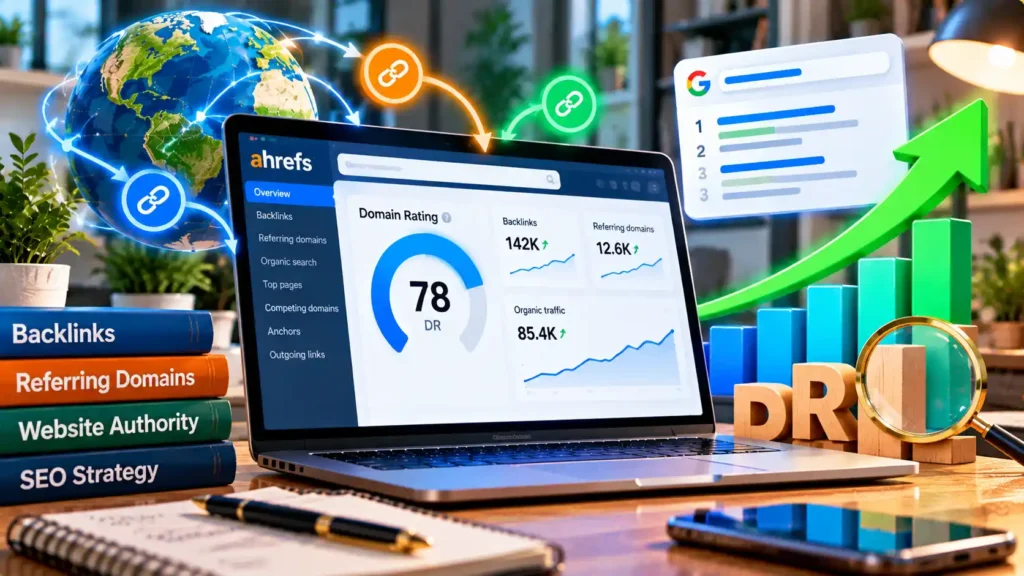
When checking a website for SEO, you may see metrics such as domain rating, backlinks, referring domains, organic traffic, and domain authority. These numbers can help you compare websites. However, they do not all measure the same thing. So, what is domain rating? Domain Rating, or DR, is an Ahrefs metric. It measures the strength of a website’s backlink profile on a scale from 0 to 100. A higher score generally means the domain has a stronger backlink profile according to Ahrefs. DR can be useful for competitor research and link building, but it should never be the only metric you check. What Is Domain Rating? Domain Rating is a website metric created by Ahrefs. The Ahrefs Domain Rating system looks at the strength of a domain’s backlink profile compared with other websites in the Ahrefs database. The DR score ranges from 0 to 100. In simple terms: A website can have a high DR and still have low organic traffic. It may also fail to rank well for important target keywords. That is why DR should be used alongside other SEO metrics. What Is a Good Domain Rating? There is no single DR number that is good for every website. The right score depends on your niche, competitors, website age, and backlink profile. As a simple reference: DR 0–10: Common for new sites or sites with few links DR 10–30: Growing backlink profile DR 30–50: More established link profile DR 50–70: Strong backlink profile DR 70+: Very strong backlink profile These are only general ranges. They are not official Ahrefs quality levels. A better approach is to compare your website with direct competitors. For example, if most competing sites have a DR between 25 and 40, reaching a similar range may be more useful than trying to become a high DR website with a DR of 80. Context matters more than chasing a single number. Why Does Domain Rating Matter? DR gives you a quick way to compare domain strength. SEO professionals may use it when: Suppose two websites offer similar content. One has links from many relevant and trusted domains, while the other has very few links. Their DR scores may help show the difference in backlink strength. However, DR does not tell you everything about a site’s authority or quality. Always look deeper. How Is Domain Rating Calculated? Ahrefs calculates DR mainly from backlink data. The exact calculation is more complex than simply counting backlinks. The quality and quantity of linking websites matter. The way those sites link to other domains can also affect how link strength is distributed. This means 1,000 backlinks from one weak website are not necessarily better than a smaller number of links from several strong and relevant domains. The number of unique referring domains is therefore important. A backlink from another website is an inbound link for your site. From the linking site’s perspective, it is an external link. Ahrefs uses its own link data to calculate DR. How Do I Check My Domain Rating? One of the easiest methods is Ahrefs Site Explorer. The basic process is You can also review your backlinks, referring domains, and other link data. Do not stop after looking at DR. Check which sites linking to you are relevant, which pages receive links, and whether your backlink profile is growing naturally. This provides much more information than the DR number alone. Domain Rating and Backlinks Backlinks have a major connection with DR. A backlink is created when another website links to your site. For example: anotherwebsite.com → yourwebsite.com For your site, this is an inbound backlink. But not all backlinks provide the same value. Relevant, high-quality links from trusted websites may be more useful than large numbers of weak or unrelated links. You should also understand nofollow links. A nofollow attribute gives search engines additional information about how a link should be treated. Instead of chasing every possible backlink, focus on earned links that make sense for your website and audience. Domain Rating vs. Referring Domains Backlinks and referring domains are related but different. Imagine one website gives you 20 backlinks. You have: 20 backlinks from 1 referring domain. Now imagine 20 different websites, each giving you one backlink. You have: 20 backlinks from 20 referring domains. This difference matters when studying a backlink profile. A natural link profile can contain links from many relevant websites rather than depending heavily on one source. When reviewing DR, always check the referring domains behind the score. How Can I Increase Domain Rating? If you want to improve DR, focus on building a stronger and more natural backlink profile. Create Relevant Content Start with relevant content that serves your target audience. Useful content gives other publishers a reason to reference your website. Examples include: A useful blog post can also earn links when it answers a question better than existing resources. Earn High-Quality Backlinks Focus on relevant websites in your niche. A link from a trusted industry publication may be more valuable to your strategy than many unrelated links. Good link building should focus on relevance rather than numbers alone. Build Relationships Connect with bloggers, publishers, journalists, and businesses in your field. Guest contributions, partnerships, outreach, and digital PR can create opportunities for natural links. Promote Useful Content Creating good content is only the first step. Share valuable resources through email outreach, communities, newsletters, and relevant social media platforms. Promotion can help the right people discover your content. Avoid Poor Link Schemes Do not build links only to manipulate SEO metrics. Large numbers of irrelevant links may make a backlink profile look unnatural. Focus on useful connections that make sense even without the DR score. Domain Rating vs. Domain Authority Domain Rating and Domain Authority sound similar, but they are different metrics. Domain Rating is created by Ahrefs. Domain Authority is created by Moz. Both attempt to provide useful information about website authority, but they use different data and calculations. For this reason: DR 40 does not automatically
What Is Robots.txt in SEO? A Complete Guide for Beginners

Search engines use bots to discover pages on the internet. These bots visit websites, follow links, and collect information. A website owner may not want every part of a website to be crawled. Some areas may be private, temporary, or not useful for search engines. This is where robots.txt can help. So, what is robots.txt in SEO? Robots.txt is a simple text file that gives instructions to search engine crawlers. It tells supported crawlers which parts of a website they can or cannot crawl. It is an important part of technical SEO. However, it must be used carefully because one wrong rule can block important pages. What Is Robots.txt? A robots.txt file is stored in the root directory of a website. For example: https://example.com/robots.txt The robots file contains instructions for search engine bots. A simple example is The user agent tells the file which crawler the rule applies to. The Disallow instruction tells the crawler not to request URLs inside /private/. Robots.txt mainly controls crawling. It is not a security system and does not work in the same way as an indexing directive. How Does Robots.txt Work? When a compliant crawler visits your web server, it can check robots.txt before crawling your site. For example: This rule applies to Googlebot and tells it not to crawl URLs under /test/. Each crawler may identify itself through a user agent string. You can create different rules for different crawlers. However, simple rules are often easier to manage. What Do Disallow and Allow Mean? Disallow tells supported crawlers which URL paths they should not crawl. For example: The Allow directive can permit crawling of a specific URL inside a blocked section for crawlers that support it. For example: Be careful with these instructions. This rule can block the whole website: Using it accidentally on a live site can create serious SEO problems. What Does “Blocked by Robots.txt” Mean? If a URL is blocked by robots.txt, a compliant crawler has been instructed not to request it. This is not always bad. You may intentionally block an area that search engines do not need. Problems can occur when you block: If an important page on your site is blocked, search engines may not be able to crawl its content properly. Crawling vs. Indexing Crawling and indexing are different. Crawling happens when a bot discovers and requests content. Indexing happens when a search engine processes eligible content for possible inclusion in its search engine index. Robots.txt mainly controls crawling. It should not be treated as a reliable way to noindex pages. Robots.txt vs. Noindex A common mistake is thinking “and” Disallow and “noindex” mean the same thing. They do not. Robots.txt manages crawler access. Noindex tells supporting search engines that a page should not be indexed. For example: The crawler normally needs to access the page before it can see this instruction. If the page is blocked in robots.txt, the crawler may not be able to process the noindex directive. What Is a Robots Meta Tag? A robots meta tag is added to the HTML code of an individual webpage. For example: Common directives include: The phrase “robot tag SEO” usually refers to these page-level robot instructions. Noindex requests that a supporting search engine does not index the page. Nofollow gives instructions related to the following links on the page. Robots.txt and robots meta tags therefore serve different purposes. What Is an X-Robots-Tag? An X-Robots-Tag can provide similar indexing instructions through an HTTP header. This can be useful when a normal HTML robots meta tag is not suitable. The important point is simple: Use robots.txt for crawler access. Use supported meta or HTTP directives when you need page-level indexing controls. Robots.txt and XML Sitemap Your robots.txt file can also reference an XML sitemap. For example: An XML sitemap provides search engines with a list of URLs. Robots.txt provides crawling instructions. They have different jobs, but they can work together as part of technical SEO. Robots.txt and Crawl Budget Crawl budget refers broadly to how much crawling a search engine is willing and able to perform on a website over time. It is usually more important for very large websites. Large e-commerce or publishing sites may contain many URLs created by filters, parameters, sorting options, or internal search. Robots.txt can help manage access to some URL patterns when appropriate. However, do not block URLs simply to save crawl budget. First understand whether those URLs should actually be crawled. Crawl rates can also vary between websites and search engines. What About Crawl Delay? Crawl delay is supported by some crawlers and can be used to request a delay between crawler requests. Support is not the same across all search engines. Do not assume every crawler will follow the same crawl-delay instruction. Robots.txt and Mobile Crawlers A mobile crawler may need access to important resources used by your mobile pages. Do not accidentally block important: Search engines may need these resources to understand how a page works. A crawler should be able to access important content when the page loads. How to Create a Robots.txt File Creating a basic robots.txt file is simple. First, create a plain-text file named robots.txt Then add your crawler rules. For example: Upload the file so it is available at: https://example.com/robots.txt Open that address in your browser and check the rules. Make sure you have not blocked important pages. Does Robots.txt Control External Links? No. Robots.txt is not designed to manage external links on individual pages. Page-level directives such as nofollow serve a different purpose. Using the correct tool for each task makes technical SEO easier to manage. Can Robots.txt Improve Organic Traffic? Robots.txt does not directly increase organic traffic. Its role is technical. Correct rules can help search engines access important content while managing crawler access to areas that do not need crawling. Incorrect rules can block valuable pages. That is why robots.txt should be viewed as part of your technical SEO foundation rather than a direct ranking tool. Common Robots.txt Mistakes
Envato Elements Pricing 2026: Plans, Cost & Is It Worth It?
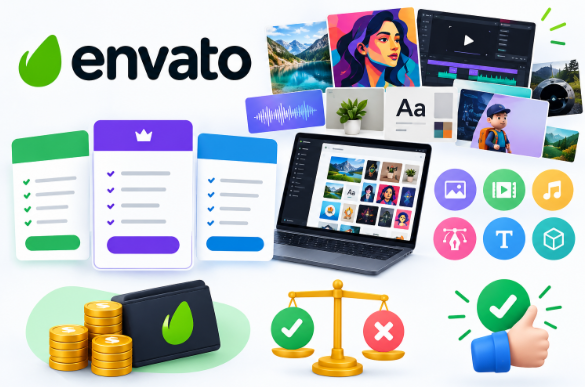
Envato Elements: If you create videos, graphics, websites, presentations, or marketing content, Envato Elements pricing is worth understanding before you subscribe. Envato Elements gives creators access to a large library of digital assets. It also includes AI tools on its paid plans. You can find stock media, templates, graphics, fonts, music, and other resources in one place. This guide explains the Envato Elements plans, pricing, features, licensing, downloads, and AI options. It also covers who may benefit from an Envato Elements subscription. Envato Elements Pricing Plans There are three main individual Envato element pricing plans: Core, Plus, and Ultimate. The current prices are Plan Annual Billing Monthly Billing Core: $16.50/month, $39/month, plus $39/month, $59/month, Ultimate From $168/month to $259/month Prices are shown in U.S. dollars and may change. Local taxes may also apply. Check the official Envato pricing page before subscribing. Envato Elements Core Plan The Envato Elements Core Plan is designed for users who mainly need stock assets. It includes unlimited stock downloads and a smaller monthly AI allowance. This can work well for bloggers, designers, video editors, and creators who do not use AI every day. Envato Elements Plus Plan The Envato Elements Plus plan includes more AI usage while keeping unlimited access to the stock library. It can suit users who create content regularly and want to use both ready-made assets and AI tools. Envato Elements Ultimate Plan The Envato Elements Ultimate plan is designed for users with heavier AI needs. It provides higher AI allowances than the other plans. This can be useful for professionals who create a large amount of AI content each month. What Does Envato Elements Include? An Envato Elements subscription gives users access to many types of creative resources. These include: For example, Envato Elements stock photos can be used for websites, blogs, social media, and marketing materials. Envato Elements stock videos can help video creators find footage for YouTube videos, advertisements, and other projects. Users can also find Envato Elements video templates for intros, presentations, transitions, and promotional videos. Other popular resources include Envato Elements Music, Envato Elements Fonts, and Envato Elements Presentation Templates. Website owners can also find Envato Elements, WordPress themes, and other website resources. Envato Elements Unlimited Downloads One major benefit is Envato Elements’ unlimited downloads. Eligible subscribers can download stock assets without a set download limit, subject to Envato’s Fair Use Policy. This can be useful if you work on several projects each month. Instead of paying for every image, video, or template separately, you can browse the library through your subscription. However, unlimited downloads do not mean unlimited rights. You should follow the platform’s rules and avoid redistributing original files. Envato Elements License The Envato Elements license is important when using downloaded assets. Envato allows suitable assets to be used in finished creative projects under its licensing terms. However, you cannot simply take an original asset and sell or share it as a standalone file. For client work, websites, videos, advertisements, or other commercial projects, check the licensing requirements before using an asset. The Envato Elements commercial license can cover many commercial uses when the applicable terms are followed. Keeping a record of downloaded items and the specific project where they are used can also make license management easier. Envato Elements AI Tools and Credits Envato has added AI features to its creative platform. Your plan determines the number of Envato Elements AI credits available for AI features. Higher plans provide larger allowances. The Envato Elements AI tools can support different creative tasks, including image generation, image editing, video, voice, music, sound, and graphics. If you mainly need stock assets, you may not need a large AI allowance. If you use AI frequently, compare the credit limits before choosing a plan. Who Is Envato Elements For? Envato Elements for YouTubers Envato Elements for YouTubers can be useful for creators who need music, stock footage, graphics, templates, and sound effects. Having these resources in one place can reduce the time spent searching for assets. Envato Elements for Freelancers Envato elements for freelancers can help when working on different client projects. A freelancer may need a presentation for one client and video or graphic resources for another. A broad asset library can make this workflow easier. Always check the license for the project before delivering client work. Envato Elements for Businesses Envato Elements for Businesses can support marketing teams and companies that regularly create presentations, advertisements, social media posts, websites, and videos. Businesses with multiple users should also look at available team plans and licensing options. Envato Elements for Designers and Creators Envato Elements for designers can provide templates, fonts, graphics, mockups, and other resources for daily design work. Envato elements for creators can also be useful when one project requires several different asset types. Is Envato Elements Worth It? So, is Envato Elements worth it? It depends on how often you use creative resources. A YouTuber who needs footage, music, templates, and graphics every month may get more value from a subscription than someone who needs one asset a few times a year. Freelancers and businesses may also benefit if they work on several projects. AI usage is another factor. If you rarely use AI, a lower plan may be enough. If AI is part of your regular workflow, a higher plan may offer more useful credits. The best way to judge the Envato Elements cost is to compare the subscription with your actual monthly needs. Frequently Asked Questions How much does Envato Elements cost? The current core plan starts at $16.50 per month when billed annually. Monthly core billing is $39. Plus and Ultimate cost more and provide higher AI allowances. Does Envato Elements have unlimited downloads? Yes. Eligible plans provide unlimited stock downloads, subject to Envato’s Fair Use Policy. AI usage has separate credit limits. Can I use Envato Elements for YouTube? Yes. You can use suitable assets in YouTube projects as long as you follow the applicable licensing terms. Can freelancers use Envato
Envato Elements A Complete Guide for Creators and Businesses
For creators, Envato Elements provides digital tools and assets at a subscription price. It consolidates the access to different assets from a variety of websites. Envato Elements caters to a variety of professions such as graphic designers, video editors, YouTube content creators, freelancers, web designers, bloggers, marketers and small businesses. For video editing, Envato Elements offers stock music, and video templates. For photographic editing, Envato Elements offers stock photos. This guide attempts to answer the most frequently asked questions, such as, What is Envato Elements?, How does it work?, What are the available assets?, What are the pros and cons?, and Should I get this? https://ssaagency.us/blog/ What is Envato Elements? Envato Elements is a subscription assets service. Once you have subscribed to Envato Elements, you are able to download the assets within the designated categories, provided you comply with their terms and policies. The website has a number of diverse categories to cover a wide range of your needs for the framework of your job. Several resources that span across many job categories are stock photos, templates of videos, stock footage, a variety of graphics and graphic templates, fonts, music, sound effects, and templates for presentations. In addition to that, there are WordPress Themes, 3D assets, and Creative Add-ons. When the Creative Add-ons are enabled, having all of these resources in one place truly helps with the creative process. Understanding Envato Elements Life becomes easier andways to express creativity become more organized—even when acquiring elements. Creative Add-ons consolidate resources within a single platform. Creative Add-ons The system can help organize, creative add-ons can help save time. Once an asset is located, a preview is available along with some extra information. After previewing an asset, a user is allowed to download the asset as long as it is within the permissions of the platform and the license is clear on how the asset can be used. To maintain order, project folders must have clearly labeled files. More assets can be used; however, permissions are still valid and should be understood. What Assets Can You Find There? Creative resources at Envato Elements are unlike any other. Envato Elements supplies its users with creative resources for an abundance of downloads and organizing downloads is also important. Stock Photos Graphics and Design. Resources for designs and graphics are helpful for starting many types of creative projects. There are resources for many graphic templates for various projects such as social media graphics, posters, brochures, and many other project type resources. Assets allow the user to bypass the creative block. Restrictions on licensing apply to unlimited downloads. What does the community think? The community appreciates the range of creative resources Envato Elements has to offer. Resources for graphics and designs give you a solid starting point for many creative projects. There are resources ready to use for project presentations as well as a myriad of resources available in posters and social media graphics and brochures templates. For more answers, please visit our Faq page. Users need to check the relevant licensing info before using a font. Music and Sound Effects Videos and digital content intentionally use music and sound effects. Creators can look for music and sound effects that reflect the project’s mood and goal. Environmental Assets Digital creative assets from Envato Elements used frequently by Content creators. having creative assets at your disposal helps ease the burden in managing the many projects you have that are creative in nature. Time Efficient Envato Elements simplifies many processes because it brings together so many resources that you are searching for. Users have to employ only a few searches. Using search terms and taking full advantage of the filters reduces search time. Users of Envato Elements are also in the professional field, working on competing creative projects with multiple clients. Users will appreciate Envato Elements because it is a one stop shop for a multitude of graphic resources at a very reasonable price. Users must be aware of the licensing restrictions when working on client projects. Client Projects Creative work relies on having the right tools at the right time. One creative project can use stock photos and audio, paired with custom graphics and templates. Pros and Cons of Envato Elements Envato Elements has its pros and cons. Subscription Some users prefer to pay for individual assets on an as needed basis, instead of a subscription that automatically renews. Many Options Large asset libraries can cause analysis paralysis from having an overabundance of options. Some users waste time sifting through thousands of graphic, photo, and template options. Decision paralysis can be partially alleviated by using keyword searches paired with asset library filters. Just because a subscription has unlimited downloads doesn’t mean you can use them however you want. To stay within the limits and prevent any issues, users should familiarize themselves with the terms, assets, and platforms. The terms can vary for numerous reasons. Whether Envato Elements is worth it for you depends on how you will be using it for creative resources. Users such as a business owner, designer, marketer, content creator, or video editor use it frequently. Users only buy company assets whenever they need them. So, if you buy assets only occasionally, it is probably smarter to buy assets separately. Before subscribing, consider your schedule, your budget, the project requirements, and the types of assets you will use. Tips to Maximize Your Envato Elements Membership The first tip is to search intentionally. Use keywords that will lead you to relevant resources. You should also use limits and filters, and always preview what you download. Finally, use a project labeling system with folders to quickly locate each project and maintain your system. It is also important to check the license restrictions on the assets you use for client’s projects. Who Is Envato Elements For? Envato Elements has creatives of all types – especially: Clients that publish content will love this membership. Can I use Envato Elements for projects? Most Elements can be used for projects.