Guest Post Checklist: Before You Submit and After It Goes Live

Most guest post checklists you’ll find online are written for the wrong side of the deal — they tell you how to vet a site before you pitch it. Useful, but they stop exactly where your own risk starts: the draft you’re about to submit, and the live page you’re about to trust. A contributor-side guest post checklist has two stages, and the second one is where placements quietly lose their value. Run the ten pre-submission checks before every draft leaves your desk, then the five post-live checks within 48 hours of publication. Fifteen checks, total — the same routine whether it’s your first guest post or your fiftieth. If you’re earlier in the process, our guide to guest post outreach covers the pitch stage that comes before this list. Stage One: The Pre-Submission Guest Post Checklist 1. Guidelines re-read. Open the site’s contributor guidelines one more time and confirm word count, link rules, image policy, and bio format against the actual draft — not against what you remember from pitching. 2. Audience relevance. Does the post answer a real question for this site’s readers, in their vocabulary, at their level? Relevance is the check editors perform first. 3. Originality scan. Run the draft through a plagiarism checker. Matched text above a small percentage gets rewritten — a similarity flag is the fastest silent rejection there is. 4. Anchor text check. Your in-content link should use one natural, partial-match or topical anchor, chosen for the page it points to — never your exact money keyword repeated from your last five posts. 5. Every link clicked. Open each internal and external link in the draft. Dead links and links that don’t support their sentence both signal a careless contributor. 6. Image rights confirmed. Every image is your own, licensed, or properly credited — with the source noted for the editor. One scraped image can end a contributor relationship (and create legal exposure for the host). 7. Formatting matches the host. Heading style, paragraph length, and list usage mirror the site’s recent posts, so the editor publishes instead of reformatting. 8. Bio complete. Author bio written to the site’s length limit, with your bio link, a current headshot, and one line of genuine credibility — not a sales pitch. 9. Proofread pass. One full read-through by someone who didn’t write the draft, or by you after a night’s sleep. Typos in a submission are the editor’s preview of your quality control. 10. File delivered as asked. Correct format (doc, HTML, or CMS access), correct filename, images attached separately if requested. Small thing — editors notice. Stage Two: The 48-Hour Post-Live Verification Publication is not the finish line. Hosts edit, plugins strip attributes, and pages fail to index — and every one of those is only fixable if you catch it fast. This half of the guest post checklist is the one almost nobody runs: 11. Your link is live and followed. Open the published post and click through. Confirm the link exists and carries the dofollow status you agreed — some sites nofollow guest post links at publish without mentioning it. 12. Anchor unchanged. Editors sometimes soften or move anchors during production. A polite fix request sent within 48 hours is routine; the same request three months later is an awkward negotiation. 13. The page is indexed. Check with a site: search or the URL Inspection tool (https://support.google.com/webmasters/answer/9012289) in Search Console. An unindexed page passes no value — if it’s still out after two weeks, ask the host to request indexing and link to the post from a live page. 14. Content published as written. Skim for edits: paragraphs cut, your examples replaced, your bio shortened. Minor edits are normal; if something now reads as wrong or promotional in your name, raise it immediately. 15. Thank, share, and log it. Send the editor a thank-you, share the post with your audience — and record the placement before you forget the details (next section). New to what makes a post count at all? Our explainer on what guest blogging is covers the basics this checklist assumes. Keep a Placement Tracker, Not a Memory Checks 11–15 only work if every placement lands in one tracker. Log these fields the day a post goes live: host site, live URL, publication date, target page, anchor used, dofollow status, and the 48-hour verification result. Add a 90-day re-check date to confirm the link survived. That log looks like admin overhead until the day you need it — when a link disappears, when an editor asks what you’ve published with them before, or when it’s time to prove the campaign worked. It’s also the raw material for measuring results properly: with a complete tracker, measuring guest post ROI becomes arithmetic instead of archaeology. Five minutes per placement, or hours of reconstruction later — the guest post checklist makes the choice for you. Frequently Asked Questions The questions contributors ask us most about this guest post checklist. What is the most important check before submitting a guest post? The originality scan (check 3) combined with the guidelines re-read (check 1). Similarity flags and guideline violations cause more silent rejections than weak writing does — and both are fully in your control before you submit, which is why they sit at the top of this guest post checklist. What should I do if my link is removed after publishing? First confirm it’s really gone and not moved (check the live page source, not just a tool’s cache). Then email the editor once, politely, referencing what was agreed. Most removals are accidents of site redesigns or editor turnover, and most get restored when flagged early — another reason the tracker and the 48-hour check matter. How soon after publishing should I verify my guest post? Within 48 hours. Links, anchors, and content are all still fresh in the editor’s mind, fixes are a two-minute job, and you catch indexing problems while they’re still easy to solve. Can I use the
Guest Post Anchor Text: Safe Ratios and Rules That Rank

Of everything in a guest post, the anchor is the part you control most — and the part most likely to quietly undo your rankings. Choose guest post anchor text well and every placement passes relevant, natural-looking equity to the page that needs it. Choose it lazily — the same money keyword pasted into post after post — and you build the exact footprint Google’s spam systems are trained to spot. Guest post anchor text does two jobs at once. For readers, it’s a promise about what sits behind the click. For search engines, it’s a relevance label for the target page. The seven rules below cover which anchors to use, in what proportions, how to pick them per placement, and how to manage them across a whole campaign instead of one post at a time. If you’re new to the channel itself, start with what guest posting is — then come back here before you write a single brief. The 6 Types of Guest Post Anchor Text Every guest post anchor text choice you’ll ever make falls into one of six buckets: Branded — your brand or site name (“SSA Agency”). The safest anchor there is, and the one real editorial links use most. Naked URL — the raw address (ssaagency.us) or a “website” style link. Common in author bios and resource mentions. Generic — “click here,” “this guide,” “learn more.” Weak for relevance, but completely natural in small doses. Partial-match — a phrase containing part of your keyword inside natural wording (“our guide to measuring link ROI”). The workhorse of guest posting. Topical / LSI — a related phrase that describes the target page without repeating the keyword (“ways to prove your links pay off”). Exact-match — the full target keyword, word for word. The most powerful and the most dangerous — treat it like a spice, not a staple. Safe Ratios: How to Mix Guest Post Anchor Text No ratio is officially “safe,” because Google judges patterns, not percentages. But healthy guest post anchor text profiles built from real editorial links tend to cluster in these ranges: Branded + naked URL: 40–55% of your guest post anchors Partial-match: 20–30% Topical / LSI phrases: 10–20% Generic: 5–10% Exact-match: under 5% — many careful SEOs keep it at 1–3% The logic is simple: if 60% of the web “chose” to link to you with your exact money keyword, that isn’t a pattern readers create — it’s a pattern buyers create. Google’s link spam policies explicitly call out “optimized anchor text” in distributed articles as a violation, which is why the exact-match slice stays tiny. Audit your mix per target page, not just per campaign: a single money page with 80% exact-match anchors is a problem even if your overall profile looks balanced. Rule: Pick the Anchor for the Target Page, Not the Campaign This is the workflow most guides skip. Decide the anchor by what the link points at: Homepage or brand page → branded or naked URL. Anything keyword-stuffed pointing at a homepage looks bought. Money / service page → partial-match or topical. These pages need relevance, but exact-match at scale is what triggers over-optimization. Rotate three or four partial variants, never one phrase repeated. Blog post or guide → natural sentence anchors and topical phrases — the way a writer would genuinely cite a resource mid-paragraph. Write the chosen anchor and one fallback into every outreach brief. When you run guest post outreach at scale, the brief is the only thing standing between your strategy and a freelancer improvising “best SEO agency” on your behalf. Track Every Anchor Across the Whole Campaign Ratios only protect you if you can see them. Keep one guest post anchor text tracking sheet for the entire campaign with these columns: placement URL, publication date, target page, exact anchor used, anchor type, and followed/nofollow status. Log every link the day it goes live — reconstructing this later from memory is where campaigns go wrong. Then audit the sheet monthly. Sort by target page and read the anchor column top to bottom: if you can spot a repeated phrase with your eyes, an algorithm can spot it with statistics. The audit takes twenty minutes and is the difference between a profile that compounds and one that slowly paints a target on your money pages. (Anchors for links on your own site play by related but different rules — see our guide to internal link anchor text.) When the Host Editor Rewrites Your Anchor Sooner or later an editor will soften, shorten, or strip the anchor you asked for — often at publish, without telling you. Plan for it instead of being surprised by it: Accept graceful edits. If “our guide to measuring link ROI” becomes “this ROI guide,” the link still works. Let it go. Push back once, politely, on relevance-killers. If your anchor becomes “click here” or gets moved into the author bio, one short email works: explain the phrase describes the resource for their readers — which is true — and offer two alternatives. Never escalate twice. The relationship with a good editor is worth more than one perfect anchor. A contributor who argues gets quietly dropped from the roster. Checking the live post within 48 hours is how you catch rewrites while a fix is still a friendly email rather than an awkward one. Frequently Asked Questions The questions clients ask us most about guest post anchor text. What is the best anchor text for a guest post? A partial-match or topical phrase that reads like a natural citation of the target page. Rotate several variants per page, keep exact-match anchors under 5% of your profile, and let branded anchors carry the largest share. How much exact-match anchor text is too much? There’s no published threshold, but once exact-match anchors pass roughly 5% of the links pointing at one page — especially from guest posts — the pattern stops looking editorial. If your tracking sheet shows a money keyword
How to Measure Guest Post ROI: 7 Metrics That Prove Real Value

Most guest posting campaigns end the same way: a spreadsheet full of published URLs, a total spend figure, and a vague feeling that it “probably helped SEO.” That’s not measurement — that’s hope with a login. If you want to learn how to measure guest post ROI the way a CFO would respect, you need to stop counting links and start tracking what each placement actually produces. Here’s the uncomfortable truth: a guest post isn’t an expense with a receipt, it’s an investment with a lag. Rankings move weeks later, referral visitors convert months later, and brand searches spike long after the article goes live. It means building a framework that captures all three — cost, traffic value, and ranking value — across the right time window. Here are the seven metrics. The 7 Metrics That Actually Measure Guest Post ROI 1. Cost Per Link by DR Tier Start with unit economics. Add up everything a placement costs — outreach time or agency fees, content writing, editing, and any placement fee — then divide by one. That’s your cost per link. But a single average hides the truth, so benchmark it by Domain Rating tier. As a rough 2026 yardstick: DR 20–40 placements often land between $75–$200 all-in, DR 40–60 between $200–$500, and DR 60+ can run $500–$1,500+ with real editorial work. Illustrative ranges — your niche moves the numbers. If you’re paying DR 70 prices for DR 25 outcomes, your ROI problem isn’t measurement — it’s buying. And remember that DR itself is a third-party estimate, not a Google metric; Moz’s explanation of Domain Authority is a useful reminder of what these scores can and can’t tell you. Before spending, make sure you understand what guest posting is and what a placement should realistically deliver. 2. Referral Traffic Quality, Not Just Volume Open GA4 and look at referral sessions from each publishing domain — but don’t stop at the headcount. A hundred nine-second bounces are worth less than ten visitors who read three pages and start a trial. Track engagement rate, average engagement time, and pages per session per referring domain — when you study how to measure guest post ROI in practice, referral quality is usually the first metric that separates great placements from expensive ones. 3. Target-Page Ranking Movement Every guest post should point at a page with a job: rank for something. Record the target page’s baseline positions for its top keywords on publish day, then re-check at 30, 60, and 90 days. Ranking gains compound — one link moving a money page from position 14 to 6 can beat a year of referral clicks. 4. Assisted Conversions in GA4 This is the metric most teams miss. A reader clicks your link, browses, leaves, then buys a week later via organic search. Last-click attribution gives the guest post zero credit. In GA4’s Advertising snapshot, conversion paths reveal assisted conversions — touchpoints that contributed without the final click. UTM-tag every guest post link so these assists stay identifiable. Understanding assisted conversions is central to how to measure guest post ROI honestly, because guest posts are classic upper-funnel touches — as Blogger Outreach’s ROI breakdown also notes, judging placements on direct clicks alone understates their value. 5. Brand-Search Lift After a placement on a well-read publication, watch Google Search Console for queries containing your brand name. A sustained lift in branded impressions in the 30 days after publication signals the post put you on the map — even if nobody clicked the link. Compare against a pre-publication baseline so seasonality doesn’t fool you. 6. Link Retention and Link Health A link only earns ROI while it exists and passes value. Quarterly, re-crawl placements: is the link still live, followed, on an indexed page? Plenty of placements decay within a year — pages get deleted, sites get sold, links get quietly nofollowed. A placement that dies in month three delivered a quarter of the ROI you modeled. Track retention the way you’d track churn. 7. Pipeline and Revenue Attribution Revenue attribution is the final exam in how to measure guest post ROI. In your CRM, create a “guest post referral” source and attach UTM-tagged sessions to opportunities. Even directional attribution (“$18k in pipeline touched a guest post referral this quarter”) beats reporting link counts to a leadership team that thinks in revenue. How to Measure Guest Post ROI Over Time: The 30/60/90-Day Read Judging a guest post in week one is like judging a harvest the day after planting. Use a fixed cadence instead: Anyone who claims to know how to measure guest post ROI in seven days is selling you something. Ninety days is the honest window — and it’s the window your competitors aren’t using, which is exactly why it gives you an edge when finding guest posting opportunities worth repeating. Putting It Together: A Simple ROI Formula For a per-placement scorecard, use this: ROI = (attributed revenue + estimated ranking value − total placement cost) ÷ total placement cost For “estimated ranking value,” multiply the incremental monthly organic clicks from the ranking gain by your average revenue per organic session. This formula is the practical answer to how to measure guest post ROI per placement. Directional, not audited — but directional beats decorative. Frequently Asked Questions Here are the questions I hear most about how to measure guest post ROI. How long should I wait before measuring guest post ROI? Wait 90 days for the verdict. Check referral engagement at day 30 and rankings at day 60, but don’t judge until day 90 — rankings, assists, and brand-search lift need time to materialize. What is a good cost per guest post link? It depends on DR tier. Roughly: $75–$200 all-in for DR 20–40, $200–$500 for DR 40–60, $500–$1,500+ for DR 60+. Compare actuals per tier, never as one blended average. Can I measure guest post ROI in GA4 without paid tools? Yes. Use UTM-tagged links on every placement, then read referral engagement, conversion paths for
Nofollow vs Dofollow Links: The 2026 Guide (+ When to Use Each)

The nofollow vs dofollow question looks simple. It is not. Most marketers can recite the textbook definition. Then they go and nofollow their own navigation menu, forget the sponsored attribute on affiliate links, or assume rel=”dofollow” is a real thing. (It is not. More on that later.) This guide fixes all of it. You will learn what each link attribute actually does in 2026, exactly when to use each one, how to check any link in seconds, and the five mistakes that quietly cost sites rankings. Keep this nofollow vs dofollow reference open while you audit your own links. What Nofollow vs Dofollow Actually Means A dofollow link is a normal link. It passes ranking value — often called link equity — from one page to another. It needs no special markup because it is the default state of every link you have ever published. A nofollow link adds rel=”nofollow” to the markup. That tells search engines: do not pass ranking value through this link. The link still works for visitors. It still sends clicks. The attribute speaks only to crawlers. Here they are side by side: <a href=”https://example.com”>A dofollow link</a> <a href=”https://example.com” rel=”nofollow”>A nofollow link</a> That is the whole mechanical difference. Everything else — the strategy, the mistakes, the money — flows from it. Once you internalize this nofollow vs dofollow mechanic, the strategy gets easier. The Four Rel Attributes, Side by Side In 2026 the picture is bigger than two values. Google recognizes four states: Rel value Meaning Passes ranking value? Use it for (none) — dofollow Default link Yes Editorial links, internal navigation, trusted citations rel=”nofollow” “I do not vouch for this” No (hint) Untrusted links you cannot verify rel=”sponsored” Paid or compensated link No (hint) Ads, affiliate links, paid reviews, sponsorships rel=”ugc” User-generated content No (hint) Blog comments, forum posts, user profiles You can combine values. A comment link you also refuse to endorse can be rel=”ugc nofollow”. An affiliate link in a paid review can be rel=”sponsored nofollow”. Combining is harmless, though Google says the single specific value is enough. The critical fact: there is no rel=”dofollow”. It has never existed in the HTML specification. When someone says “make that dofollow,” they mean “leave the link plain — remove the other attributes.” This nofollow vs dofollow table is the fastest way to pick the right attribute. How Google Really Treats Nofollow in 2026 The biggest shift in this topic happened in September 2019, and many SEOs still operate on the old rules. Before 2019, nofollow was a hard directive: Google would not pass ranking value through it, full stop. Google then introduced sponsored and ugc (see Google’s documentation on qualifying outbound links) — and quietly changed nofollow from a directive into a hint. Since March 2020, Google reserves the right to crawl a nofollowed URL and even factor it into ranking if its systems decide that makes sense. In practice, plan around the conservative reading: a nofollow link will not reliably pass ranking value. The hint model means Google may use the information — it does not mean nofollow links now pass equity by default. Two consequences matter: Nofollow is not an indexing tool. Because it is a hint, Google can still crawl and even index a page it finds through a nofollow link. If you want a page out of the index, use noindex or robots rules — not nofollow. Nofollow links still get crawled. That discovery path is exactly why a nofollow mention on a busy page can still matter for AI search, which we will cover below. The hint era changed the nofollow vs dofollow calculus for every SEO. Nofollow vs Dofollow and AI Search: What Changed in 2026 Here is the angle most link guides barely touch. AI search engines — ChatGPT, Perplexity, Google’s AI Overviews — retrieve and cite sources using their own systems. They do not run on Google’s link graph. A mention on a source these engines actually read can feed an AI answer whether or not the link carries rel=”nofollow”. That flips the old link-building math. A nofollow link on a heavily cited news page or a busy community thread can put your brand inside AI answers, while a dofollow link on a page nobody reads or cites does nothing for AI visibility. The practical takeaway: when you evaluate a placement in 2026, dofollow status is the wrong first test. The nofollow vs dofollow question deserves a 2026 answer, not a 2015 one. Ask instead: does an AI engine read and trust this source? Follow status still rules traditional rankings — but it no longer rules visibility. That is the nofollow vs dofollow rethink 2026 demands. When to Use Each Attribute: The Decision Framework Run every outbound link through this nofollow vs dofollow sequence: Did money, free product, or services change hands? → Use rel=”sponsored”. This is mandatory. Paid links that pass ranking value are a link scheme under Google’s spam policies and can trigger a manual penalty on both sites. Did a user place the link, not your editorial team? → Use rel=”ugc”. Blog comments, forum threads, profile fields, reviews. Neither — but you would not put your reputation behind it? → Use rel=”nofollow”. Reference links to sites you do not fully trust, press-release boilerplate, widget links. Everything else → leave it dofollow. Editorial links, internal navigation, citations to sources you genuinely endorse. Two defaults to memorize: Default to dofollow for links you endorse. Linking out to good sources is a positive relevance signal. Generous, relevant outbound linking helps your own SEO — it does not leak it. Default to sponsored for anything compensated. Affiliate links, Amazon Associates links, display ads, paid guest posts, gifted-product reviews. Add a visible disclosure for readers too. Run this nofollow vs dofollow sequence before publishing any page with outbound links. The Platform Cheat Sheet: What Rel Each Site Applies Link builders waste hours guessing. Here is what the major platforms actually do to outbound links: Platform What they apply
How to Increase Domain Authority: 9 Proven Ways (2026)

If you want to learn how to increase domain authority the right way, start with one honest truth: Domain Authority is not a Google ranking factor. It is a third-party score from Moz that predicts how likely your pages are to rank. Google never sees it. But clients, partners, and competitors do — and a rising DA usually means your link profile is getting stronger, which does help rankings. This guide on how to increase domain authority skips the fluff. You will get 9 proven, white-hat strategies that work in 2026, realistic timelines based on your starting score, the mistakes that silently kill DA, and a week-by-week 90-day plan. Everything here is actionable — no “just create great content” hand-waving. What Domain Authority Actually Measures (60-Second Refresher) Domain Authority (DA) is a 1–100 score created by Moz. It estimates the strength of your entire domain’s backlink profile — mainly the number and quality of websites linking to you — and predicts how well your pages might rank compared to competitors. Key facts to keep in mind: Logarithmic scale: going from DA 20 to 30 is far easier than going from 70 to 80. Each point gets exponentially harder. Relative, not absolute: a “good” DA is simply higher than your competitors’ DA for the keywords you target. Not used by Google: it is a proxy metric. Rankings come from Google’s own systems, not your Moz score. With those basics clear, the rest of this guide shows you how to increase domain authority with tactics matched to each of these realities. If you need the full breakdown of the metric itself, read our guide on what domain authority is first — then come back here for the action plan on how to increase domain authority step by step. DA vs DR vs Authority Score: Which Number Should You Track? Three tools, three scores, three different formulas. This confuses everyone, so here is the simple version: Metric By What it measures Best for Domain Authority (DA) Moz Link profile strength vs. competitors (40+ factors) Competitor benchmarking, the industry standard Domain Rating (DR) Ahrefs Strength of backlink profile based on referring domains Link-building progress tracking Authority Score Semrush Link power + organic traffic + spam signals Spotting spammy or inflated profiles Our recommendation: pick one metric and stick with it. Switching tools every month makes trends meaningless. For most sites, DA is the right choice because clients and partners understand it. Track it monthly, and judge progress by the trend — not by comparing your DA 35 to Wikipedia’s DA 100. Whichever score you track, the day-to-day work behind how to increase domain authority is the same: earn better links than the sites you compete with. Curious how Ahrefs’ version works? See our explainer on what domain rating is and how it differs from DA. How Long Does It Take to Increase Domain Authority? This is the question every other guide dodges. Here is a realistic answer based on how the logarithmic scale works and typical link-earning rates: Your current DA Realistic target Typical timeline What it takes 1–15 (new site) DA 25–30 4–8 months Consistent publishing + first 20–40 referring domains 15–30 DA 35–45 6–12 months 50–150 quality referring domains, digital PR 30–50 DA 50–60 9–18 months 200+ referring domains, original research, brand mentions 50–70 DA 70+ 18–36 months Major media links, industry-defining content, sustained PR These timelines assume you are actively working on how to increase domain authority every month — sporadic effort stretches every one of these ranges. Two warnings. First, anyone promising “+20 DA in 30 days” is selling you spammy links that will get you penalized. Second, DA can drop even when you do everything right — Moz updates its index, competitors earn links, and the scale recalibrates. Track your DA relative to competitors, not as an absolute number. How to Increase Domain Authority: 9 Proven Ways These are ordered roughly by impact. Start at the top. 1. Earn Backlinks From Relevant, High-Authority Sites Nothing moves DA like quality referring domains — when people ask how to increase domain authority, backlinks are always the first answer, and for good reason. One link from a respected publication in your niche outweighs fifty directory listings. Relevance matters as much as authority — a link from a mid-size blog in your industry beats a link from a giant unrelated site. Focus on earning links from sites that already rank for topics you cover. Use Moz’s own guidance on Domain Authority to understand which link factors carry the most weight, then prioritize outreach to sites with strong, clean link profiles of their own. For the full tactical playbook, see our guide on how to get quality backlinks — it covers 15 white-hat strategies from digital PR to broken link building. 2. Create Linkable Assets People Actually Cite Editors link to resources that make their job easier. The most linkable asset types in 2026: Original data: surveys, benchmark reports, industry statistics. Data earns links because writers need evidence. Free tools and calculators: a simple calculator beats a 3,000-word article for link attraction. Definitive guides: the single best resource on a narrow topic becomes the default citation. Visual assets: original charts and infographics that others embed (with a link back). You do not need a research department. A survey of 100 customers, published with clean charts, can earn dozens of links. Each asset you publish keeps working for you, compounding your progress on how to increase domain authority long after launch day. 3. Run Digital PR Campaigns Every Quarter Digital PR is link earning at scale: you create something newsworthy, then pitch it to journalists and industry writers. One successful campaign can add 20–50 referring domains in a few weeks. What works in 2026: data-led stories (“We analyzed 500 sites and found…”), expert commentary on industry news, and contrarian takes backed by evidence. What does not work: mass-blasted generic pitches. Personalize every pitch, and give the journalist a reason this matters now. Make digital
How to Find Unlinked Brand Mentions: 7 Methods That Earn Links in 2026

Learn how to find unlinked brand mentions with search operators, alerts, and monitoring tools, then verify them and ask for a link with a polite, honest email.
How to Add Internal Links in WordPress: 4 Easy Methods
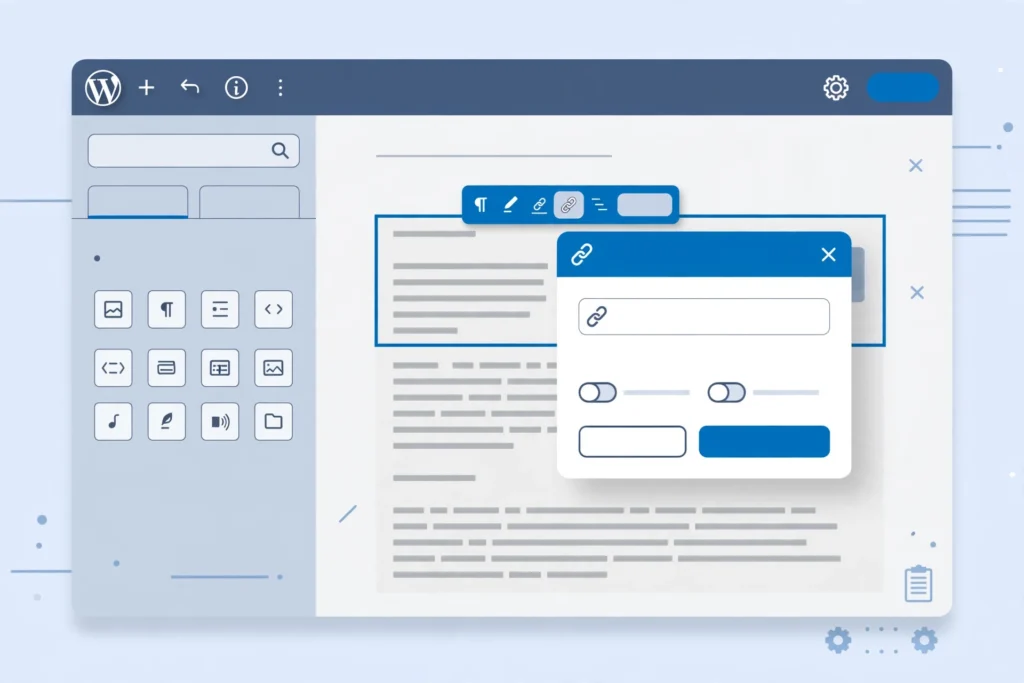
How to add internal links in WordPress with the block editor, Ctrl+K, menus and image links, plus a routine that keeps new posts from becoming orphan pages.
7 Guest Post Pitch Examples That Got Accepted (2026)

Most “pitch example” articles are blank templates filled with [Your Name] and [Proposed Title] placeholders. This is different: below are 7 real guest post pitch examples that editors actually accepted in 2026 — complete, ready-to-adapt emails, each broken down line by line so you can see exactly why it worked. New to the whole concept? Start with our guide on what is guest post outreach to understand the full process before writing your first pitch. Looking for guest post pitch examples that actually got editors to say yes? Editors decide in about 8 seconds. Their skim path is always the same: subject line → first sentence → topic ideas → credibility proof. If any link in that chain is weak, the pitch dies. That is why every one of the guest post pitch examples below is short, specific, and personalized — the three things the data says matter most. The numbers back this up. In Backlinko’s analysis of 12 million outreach emails, only 8.5% of pitches ever got a reply — but personalized subject lines earned 30% more responses, and outreach about guest posting had one of the highest reply rates of any category. Editors are not ignoring guest posts; they are ignoring generic ones. The 7 examples below show what “not generic” looks like in practice. What Makes These Guest Post Pitch Examples Work The numbers back this up. In Backlinko’s analysis of 12 million outreach emails, only 8.5% of pitches ever got a reply — but personalized subject lines earned 30% more responses, and outreach about guest posting had one of the highest reply rates of any category. Editors are not ignoring guest posts; they are ignoring generic ones. The 7 examples below show what “not generic” looks like in practice. Example 1: The Gap-Finder (SaaS Marketing Blog) Subject: The churn article you’re missing Hi Daniel, I read your piece on reducing SaaS churn — your point about onboarding emails being the real retention lever was sharp. I noticed you haven’t covered churn caused by billing failures, which is where most SaaS companies quietly bleed customers. I’d love to write “Why 40% of Your Churn Is a Billing Problem (and How to Fix It)” — a 1,500-word breakdown with recovery email templates your readers can copy. I write the growth blog at Chartlytics and have guest posted for SaaSWeekly and FounderFuel. Happy to send an outline first. Cheers, Priya Why it worked: Opens with a specific article reference — “your piece on reducing SaaS churn” proves this is not a mass blast. Names the gap explicitly — “you haven’t covered churn caused by billing failures” makes the editor’s job easy: they can see the content hole instantly. One idea, not five — a single, confident proposal is easier to say yes to than a menu. Credibility without bragging — two relevant bylines, one line, done. Example 2: The Data Pitch (Personal Finance Blog) Subject: Survey data: 62% of millennials hide debt from partners Hi Marcus, Long-time reader of MoneyPath — your series on emergency funds changed how I budget. We just surveyed 2,100 millennials and found 62% hide at least one debt from their partner, and most say they’d read a guide on having “the money talk.” I’d love to turn this into an exclusive for MoneyPath: “The Money Talk: A Script for Couples Hiding Debt.” The data is yours exclusively if you want it, plus charts. I can have the draft ready by Friday. Best, Elena Why it worked: The subject line IS the pitch — a surprising statistic does the selling before the email is even opened. Exclusivity — “yours exclusively” is catnip for editors competing on original content. Built-in distribution angle — a stat like “62% hide debt” is shareable, which means traffic for the publication. Deadline commitment — “by Friday” signals reliability and makes scheduling easy. Example 3: The Credibility Stack (Health & Fitness Blog) Subject: RD with 10 yrs experience — protein timing piece? Hi Sarah, I’m a registered dietitian (10 years in sports nutrition) and I’ve written for Healthline and Verywell Fit on protein timing for amateur athletes. I’d like to contribute “Protein Timing for Weekend Warriors: What the Research Actually Says” — a myth-busting piece that corrects the “30-minute anabolic window” advice your competitors still publish. All claims backed by peer-reviewed studies, which I can cite. Would this fit your nutrition section? Regards, Dr. James Okafor Why it worked: Authority in the first line — credentials (“RD, 10 years”) plus two name-brand bylines stack trust immediately. Competitive framing — “advice your competitors still publish” reframes acceptance as a competitive advantage. Preempts the editor’s biggest fear — health editors worry about misinformation; “peer-reviewed studies, which I can cite” kills that objection before it forms. Example 4: The Outline Pitch (E-commerce Blog) Subject: Outline inside: cart abandonment emails that recover 15% Hi Tom, Your guide to checkout optimization is the best in the space — I send it to clients. I’d love to write a companion piece: “7 Cart Abandonment Emails That Recover 15%+ of Lost Sales.” Quick outline: 1. The 3-email sequence timing (1h / 24h / 72h) 2. Subject lines from 40 real campaigns 3. The discount ladder: when to offer 10% vs. free shipping 4. Copy-paste templates for each email I’m the email marketer behind ShopNest’s retention program (2.1M subscribers). Want me to write it? Thanks, Aisha Why it worked: The outline removes risk — the editor can evaluate quality before saying yes, which makes “yes” feel safe. Numbers in every section — “40 real campaigns,” “2.1M subscribers” signal a data-rich, practical article. Positions as a companion — “a companion piece” to their existing guide means built-in internal linking and a natural fit. Example 5: The Contrarian (Marketing/SEO Blog) Subject: Why your “publish more” advice is wrong (with data) Hi Rachel, Your content strategy guides are my go-to — but I think the “publish more” advice in your March piece deserves a counterpoint. I analyzed 340 B2B blogs and
Free Backlink Checker Tools Compared: What Each One Shows (2026)

Compare free backlink checkers, including Search Console and Ahrefs Webmaster Tools, with each tool’s limits and a simple workflow for using them together.
Backlink Gap Analysis: Find & Steal Competitor Links (2026)

Learn how to run a backlink gap analysis: choose competitors, find domains linking to them but not you, score each gap, and plan outreach within Google’s rules.