Internal Linking Best Practices: 12 Rules That Work (2026)

These internal linking best practices are the operating rules behind every site that wins with topical authority — the difference between a pile of blog posts and a ranking machine. If you are new to the concept, start with our guide on what are internal links, then come back and apply these 12 rules one by one. Why Internal Linking Best Practices Still Move Rankings Most ranking guides treat internal links as an afterthought. That is a mistake — following proven internal linking best practices is one of the fastest ways to lift rankings. Internal links are the only ranking factor you control completely: you decide which pages get authority, which anchors describe them, and how crawlers move through your site. External backlinks may be harder to earn, but internal linking is where the fastest, cheapest ranking gains hide — especially on sites with 30+ pages that have never been linked strategically. The 12 rules below form a complete playbook: architecture, link placement, anchor discipline, maintenance, and the two advanced rules almost nobody talks about. Rule 1: Build a Pyramid, Not a Maze The foundation of all internal linking best practices is site architecture. Organize your site as a pyramid: the homepage at the top, category or pillar pages in the middle, and individual articles at the base. The homepage links to pillars, pillars link to their cluster articles, and every cluster article links back to its pillar. Why the pyramid wins: it concentrates authority where it matters, gives crawlers a predictable path, and tells Google exactly which pages are your most important. Sites that grow organically — a blog post here, a landing page there — end up as mazes where authority pools randomly and important pages sit six clicks deep. If your site grew into a maze, the fix is not more links; it is restructuring links to follow the pyramid. Rule 2: Make Contextual Body Links Your Main Weapon Not all internal links carry equal weight. A contextual link inside a paragraph of body content passes far more topical signal than the same link sitting in your navigation menu, footer, or sidebar. Template links appear on every page, so Google treats them as boilerplate — expected, not editorial. One of the simplest internal linking best practices is to audit your highest-priority links and confirm each one actually lives in body content. Apply this rule practically: your highest-priority internal links should live inside relevant body paragraphs, surrounded by text about the destination page’s topic. Navigation and footer links still matter for usability, but they will never do the ranking work that a well-placed contextual link does. When you add a link that matters, put it in the content. Rule 3: Rescue Orphan Pages Before They Die An orphan page is a page with zero internal links pointing to it. Crawlers discover pages by following links, so orphans are effectively invisible — they get crawled rarely, indexed slowly, and rank almost never. Most sites accumulate orphans silently: old campaign pages, tag archives, posts published before anyone thought about linking. The rescue workflow: once a quarter, run a crawl and filter for pages with zero inlinks. For each orphan worth keeping, add 2–3 contextual links from related, indexed pages. For orphans not worth keeping, redirect them to the closest relevant page instead of leaving them stranded. A page that deserves traffic should never have zero internal links. Rule 4: Place Priority Links in the Top 30% of the Page Link placement is positional. Links higher on the page — in the introduction and first sections — carry more weight with search engines and get more clicks from readers. A link buried after the conclusion behaves like an afterthought because, to both crawlers and users, it is one. When you publish or update an article, identify the one or two most important internal links in it and place them in the first third of the content. Reserve footer-adjacent and end-of-article positions for secondary links. If you are auditing an existing article, move its highest-value link upward rather than adding new ones — repositioning often beats addition. Rule 5: Link New Content Within 48 Hours of Publishing A new page starts with zero authority and, often, zero discovery. The fastest way to change both is to link to it from 2–3 existing, indexed pages within 48 hours of publishing. This does two things: it gets the new URL crawled and indexed faster, and it transfers immediate authority so the page starts ranking sooner instead of waiting months to earn its first backlinks. Build this into your publishing checklist as a non-negotiable step. The moment a post goes live, identify the existing articles most topically related to it and add contextual links to the new page. This single habit, applied consistently, is one of the highest-ROI internal linking best practices on this list — and it costs nothing. Rule 6: Keep Every Money Page Within 3 Clicks of the Homepage Click depth — the number of clicks from the homepage to reach a page — is a direct authority signal. Pages buried four or five levels deep receive a fraction of the crawl attention and link equity of shallow pages, no matter how good their content is. Google’s own guidance has long implied that important pages should be easy to reach, and Google’s documentation on crawlable links confirms that link structure is how crawlers discover your site. Audit your click depth with any crawler: list your revenue-driving and priority ranking pages, and check how many clicks each sits from the homepage. Anything beyond three clicks needs a shortcut — a link from the homepage, a pillar page, or a high-traffic article. Depth is not about URL length; it is about link distance. Shorten the distance, and rankings usually follow. Rule 7: Never Send the Same Anchor Text to Two Different Pages Anchor text is how you tell Google what a page is about. If the anchor “email marketing software” sometimes links to
7 Best Internal Linking Tools Compared (2026)

Picking the right internal linking tools is one of the highest-ROI decisions a site owner can make: the right tool finds orphan pages, surfaces missed link opportunities, and turns a sprawling archive into a coherent structure in weeks instead of months. If you are new to the concept itself, start with our guide on what internal links are — then come back here to pick the tool that fits your site. This guide compares the 7 best internal linking tools for 2026 on features, real pricing, automation style, and the one thing most comparisons skip: the risk each tool carries for your anchor text. What Internal Linking Tools Actually Do Internal linking tools fall into four job types, and most buyer confusion comes from comparing across them: Recommendation and insertion tools find relevant source-to-target pairs and reduce the work of placing the link. Link Whisper, LinkBoss, LinkStorm, and InLinks live here. Rule-based automation applies explicit keyword-to-URL rules you define. Internal Link Juicer is the purest example — deterministic, fast, and completely under your control. Editor assistants suggest links while you write. Yoast SEO Premium and content suites like Surfer fit here: helpful at publish time, but not built for clearing a backlog. Audit-led tools expose weak architecture (orphans, deep pages, broken chains) and leave implementation to you. Crawlers like Screaming Frog and suites like Ahrefs and Semrush cover this. Decide which job you need done before buying: a 30-page site needs an editor assistant, while a 3,000-page archive needs recommendation plus bulk workflows. A hands-on review by Search Engine Watch found that real archives test tools on five hard jobs — suppressing duplicate links, resolving outdated URLs, linking old pages to new articles, distinguishing real relationships from word overlap, and picking the right destination among similar pages. The 7 Best Internal Linking Tools at a Glance Tool Best for Platform Entry price Automation style Link Whisper Dedicated WordPress internal linking WordPress $97/year AI suggestions + auto-link rules LinkBoss Bulk linking and silo building WordPress Free; $11/month Bulk NLP processing Internal Link Juicer Rule-based automation on a budget WordPress Free; Pro $69.99/year Keyword dictionary rules LinkStorm Large or non-WordPress sites Any CMS (SaaS) $30/month AI recommendations InLinks Semantic, entity-based linking Any CMS (SaaS) Free try; from $49/month Entity graph automation Yoast SEO Premium Teams already using Yoast WordPress $118.80/year In-editor suggestions AIOSEO Full WordPress SEO suite buyers WordPress $199.50/year Link Assistant + reports 1. Link Whisper — Best Dedicated Internal Linking Tool Link Whisper is the most focused product on this list: a WordPress plugin built almost entirely around internal linking. It scans your content and serves contextual link suggestions inside the editor, reports inbound and outbound links per page, flags orphan content, monitors broken links, and supports keyword-to-URL auto-linking rules. Standout features: orphan-page detection, Google Search Console integration, domains report with CSV exports, and dynamic visual sitemaps that reveal content hubs and weak branches. Pros: easiest dedicated workflow inside WordPress; strong orphan discovery; good balance of automation and manual control. Cons: WordPress only; suggestions still need manual review for anchor quality; broader SEO features live elsewhere. Verdict: the default pick for WordPress publishers who want one tool whose entire job is internal linking. 2. LinkBoss — Best for Bulk Linking and Silos LinkBoss takes the opposite approach from Link Whisper: instead of working link by link in the editor, it processes links in bulk using NLP, which makes it the strongest pick for clearing a large backlog or building silo structures across a big WordPress site. Standout features: bulk interlinking runs, silo-building workflows, and semantic matching beyond exact keyword overlap. Pros: unmatched for bulk operations; cheap entry point; good for agencies inheriting messy archives. Cons: bulk-generated links need human review — volume without review produces awkward placements; weak in-editor daily workflow. Verdict: choose LinkBoss when clearing a backlog in bulk matters more than crafting each link by hand. 3. Internal Link Juicer — Best Rule-Based Automation on a Budget Internal Link Juicer is beautifully simple: you assign keywords to target pages, and the plugin turns matching mentions into internal links across your site. It is deterministic — the same rules always produce the same links — which some teams prefer over opaque AI suggestions. Standout features: keyword-driven auto-linking with whitelist/blacklist controls, per-page link limits, a link statistics dashboard, and one-click keyword import from Yoast or Rank Math. Pros: free tier available; cheapest serious option; total control over rules; excellent for evergreen content with repeated terms. Cons: keyword matching is not semantic — a sloppy rule repeats the same anchor across dozens of pages (see the risk matrix below). Verdict: the best value pick when you know your destinations and approved phrases in advance. 4. LinkStorm — Best for Large Sites and Any CMS LinkStorm is a SaaS product, which makes it the first tool to consider when the site is not on WordPress, might change CMS, or when one dashboard must cover several properties. You add a snippet, it crawls, and its AI surfaces prioritized internal link opportunities. Standout features: AI link recommendations at scale, unlimited projects and websites, and clear URL-based pricing with AI costs bundled in. Pros: platform-independent; clear pricing; good for agencies managing mixed-CMS portfolios. Cons: monthly billing adds up faster than annual plugin renewals; overkill for small sites. Verdict: the pick for large sites, agencies, and anyone not locked into WordPress. 5. InLinks — Best for Semantic, Entity-Based Linking InLinks approaches internal linking through entities and topics rather than keywords. It maps the concepts your content covers, then suggests and automates links based on semantic relationships — which handles synonyms and close variants that keyword matching misses entirely. Standout features: entity and topic mapping, internal link automation from the knowledge graph, schema markup support, and content briefs that reduce cannibalization before publishing. Pros: the smartest matching on this list for topical authority; schema and planning in one place. Cons: steeper learning curve than a WordPress plugin; page-based pricing needs watching on big sites. Verdict: choose
Guest Post Follow Up Email: Templates That Get Replies
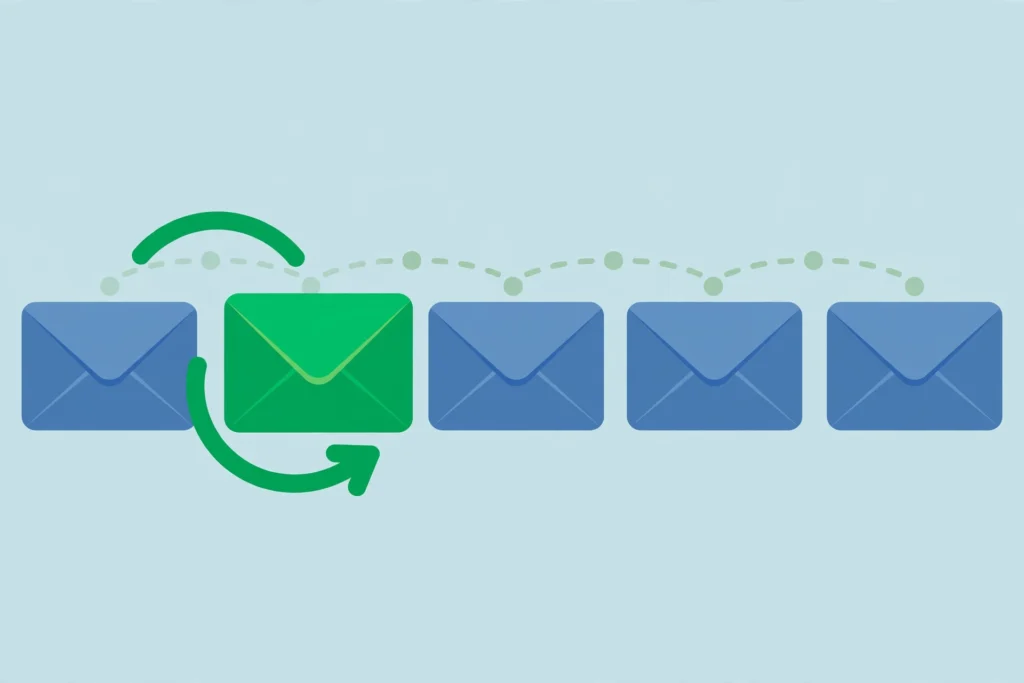
How to write guest post follow up emails editors respect: a three-touch schedule, copy-ready templates, subject line advice and the compliance rules to follow.
Backlink Audit: The Complete Step-by-Step Guide (2026)

Run a backlink audit step by step: export link data, score each domain for risk and value, decide what to keep or disavow, and set a review schedule.
Internal Link Anchor Text: Best Practices for SEO (2026 Guide)

Internal link anchor text best practices: what Google says, the six anchor types, how to audit and rewrite weak anchors, with a worked example you can copy.
How Many Internal Links Per Page? What Google Says and a Practical Method

Google gives no ideal number of internal links per page. See what its docs say, how to count template links, and how to set targets by page type.
7 Guest Post Outreach Mistakes That Kill Your Reply Rate
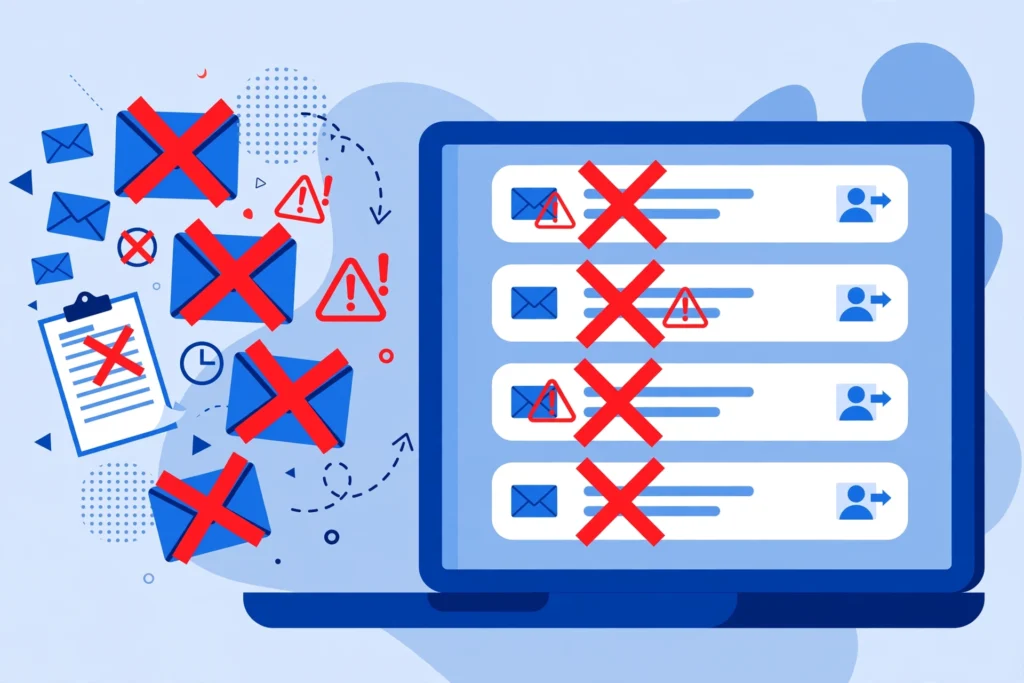
You sent 100 pitches. You got 3 replies. Sound familiar? You are not alone — a landmark analysis of 12 million outreach emails found that only 8.5% ever receive a response. But most ignored emails fail for the same small set of avoidable reasons. Fix the guest post outreach mistakes below, and your reply rate can climb from embarrassing to enviable without sending a single extra email. If you are new to the process, start with our guide on what is guest post outreach to get the fundamentals down. This article is the field manual for what goes wrong after you hit send — the seven specific mistakes that kill reply rates, why editors react the way they do, and the exact fix for each one. Why Most Guest Post Outreach Gets Ignored Before the mistakes, a reality check. Editors at quality publications receive dozens of pitches every week. Most are deleted in under ten seconds — pattern-matching is an editor’s survival skill. The moment your email smells like a mass blast, an SEO transaction, or a waste of time, it is gone. The Backlinko and Pitchbox study of 12 million outreach emails uncovered just how much small choices matter: personalized email bodies earned a 32.7% better response rate, personalized subject lines lifted responses by 30.5%, and follow-up sequences doubled total replies (Backlinko email outreach study). In other words, the gap between a 2% reply rate and a 15% reply rate is rarely talent — it is technique. Let us fix your technique. 7 Guest Post Outreach Mistakes That Kill Your Reply Rate (and the Fix for Each) Mistake #1: Sending Generic, Copy-Paste Mass Emails This is the number-one killer, and every editor can smell it instantly. The telltale signs: “Dear Webmaster,” “I came across your website,” “I am a huge fan of your blog,” and a pitch that could have been sent to 500 sites without changing a word. Editors call these “spray and pray” emails, and they delete them on sight — because an email written for everyone was written for no one. The fix: the 2-minute personalization framework. You do not need to write every email from scratch. You need three specific, verifiable details that prove you actually looked at the publication: One recent article — reference it by title and say one concrete thing about it. One content gap — “I noticed you cover X extensively but haven’t touched Y, which your readers keep asking about in the comments.” One tailored topic — pitch a headline written for their audience, not your keyword list. Two minutes of research per prospect is the entire difference between the delete pile and the reply pile. Skip fake personalization — dropping in just the editor’s first name while the rest is boilerplate performs worse than honest templating. Mistake #2: Pitching Without Reading the Contributor Guidelines A huge share of pitches sent to sites with published guidelines violate at least one of them. If the site says “pitch via our submission form only” and you email the editor directly, you are deleted. If they require a 2,000-word minimum and you pitch a quick 800-word listicle, you are rejected before your second paragraph. Ignoring guidelines does not just lose you that placement — it tells the editor you are careless, which poisons any future pitch to that publication too. Of all guest post outreach mistakes, this is the most avoidable: the answers are published on their site. The fix: the 30-second guideline scan. Before drafting any pitch, find the site’s “Write for Us” or “Contribute” page and check five things: preferred pitch channel, word count range, banned topics, formatting requirements, and response timeline. Following the posted instructions alone puts your pitch in the top 10% of their inbox. Mistake #3: Leading With Link Demands Instead of Reader Value “Hi, I’d like a dofollow guest post with exact-match anchor text to my homepage.” This is the outreach equivalent of proposing marriage on a first date. Yes, editors know contributors usually want a link. No, you do not need to make it the entire focus of your first message. When the email leads with backlink requirements, the editor reads one thing: this person cares about my site’s authority, not my readers. The fix: the value-first email structure. Flip the order of your pitch: Open with the reader benefit — what their audience gets from your proposed article. Prove you know the publication (your 2-minute personalization). Offer 2–3 specific headline ideas, each with a one-line angle. Close with a single low-pressure line about logistics: “Happy to follow your contributor guidelines on links and bio.” Discuss the article first. Once there is genuine interest, link and bio details sort themselves out naturally. One of the most effective outreach email templates we have tested follows exactly this structure — value first, logistics last. Mistake #4: Weak Subject Lines That Never Get Opened Your brilliant pitch cannot work if nobody opens the email. Most outreach subject lines fail in one of two ways: they are vague (“Quick question,” “Collaboration opportunity”) or they scream spam (“GUARANTEED #1 RANKINGS — Guest Post Proposal!!!”). Vague gets ignored; spammy gets filtered. Either way, your open rate craters, and a dead open rate means a dead reply rate. The fix: the specific-curiosity formula. The best-performing outreach subject lines combine the site’s name, a concrete topic, and restraint. Compare: ❌ “Guest post proposal” ❌ “I have an amazing opportunity for [SiteName]” ✅ “Guest post idea for [SiteName]: [Your Specific Headline]” ✅ “Following up: [Headline] for [SiteName]’s [Section Name]” Data backs this up: the Backlinko outreach study found longer, more specific subject lines earned a 24.6% higher response rate than short generic ones, and personalized subject lines added another 30.5% lift. Keep it under 60 characters so it does not truncate on mobile, skip ALL CAPS and hype words, and never use deceptive “Re:” prefixes on a first email — editors remember who tricked them. Fixing these guest post outreach mistakes starts before the
Toxic Backlinks: How to Find and Disavow Them (2026 Guide)

This guide takes a calmer, evidence-based approach. You will learn what makes a backlink truly toxic, how it differs from merely low-quality links, a point-based scorecard for triaging suspicious links, how to detect and respond to negative SEO attacks, and a complete step-by-step disavow walkthrough — including when the smartest move is to do nothing. What Are Toxic Backlinks? A toxic backlink is an inbound link that shows clear signs of manipulation and carries a real risk of harming your search rankings. If you are new to the concept of inbound links generally, start with our guide on what is a backlink before diving in here. Google’s spam policies for Google Search define the violation around intent: links meant to manipulate rankings may be considered part of a link scheme. Toxicity is about deliberate manipulation, not accidental low quality. Common sources of genuinely toxic links include: Private blog networks (PBNs) — sites built solely to pass link value, with no real audience or editorial purpose. Paid link schemes — links bought or sold specifically to pass ranking credit, without proper sponsored attributes. Hacked site injections — links placed on legitimate sites through security exploits, without the publisher’s knowledge. Automated spam at scale — comment spam bots, mass directory submissions, and forum signature blasts. Link exchange networks — organized reciprocal linking schemes involving hundreds of participants. Doorway pages — thin pages created purely to funnel link equity to a target site. Toxic vs. Low-Quality vs. Low-Value: Know the Difference Internalize this distinction before you audit anything — it prevents the most common mistake in link cleanup: treating every unimpressive link as a threat. Toxic links show evidence of deliberate manipulation and can trigger a manual action or algorithmic suppression. These are rare and require intent — yours, a previous SEO provider’s, or an attacker’s. Low-quality links come from weak, thin, or irrelevant sites but show no manipulation pattern. Google’s SpamBrain system typically just neutralizes these — stripping their ranking value to zero without penalizing your site. A random scraper site linking to you is low-quality, not toxic. Low-value links are legitimate but weak signals: a small directory listing, a mention on a brand-new blog, a nofollow forum profile. They contribute little, but they are not harmful and certainly not worth disavowing. Third-party “toxicity scores” lump all three categories together using proprietary formulas Google does not use. A flagged link may already be ignored by Google — or be perfectly fine. Always verify with human judgment before acting. 7 Warning Signs of Toxic Backlinks When reviewing individual links, look for these manipulation signals. One sign alone rarely proves toxicity; a cluster of them on the same link or across many links from one source is what matters. 1. The linking site exists only to sell links. No real audience or content mission — just articles wrapped around commercial links. Check for organic traffic, a real about page, and content anyone would read voluntarily. 2. Exact-match commercial anchor text at scale. One keyword-rich anchor is normal. Dozens of identical money-keyword anchors (“best cheap CRM software”) from unrelated sites is a classic paid-network signature. 3. Zero topical or audience relevance. A casino site linking to a children’s dentist, with no editorial reason for the connection. 4. Sitewide footer, sidebar, or widget placement. Your link appearing in the footer of hundreds of unrelated pages — especially with commercial anchors — suggests a paid sitewide deal rather than editorial citation. 5. The linking page is de-indexed. If Google has de-indexed the linking page or domain, it already distrusts the source. (Verify with a site: search.) 6. Hacked or injected placement. Your link appears on a legitimate site in a bizarre context — hidden text or unrelated paragraphs the owner clearly did not create. 7. A sudden, unnatural spike. Hundreds of new links appearing within days from suspicious sources with coordinated anchor text. Spikes can be innocent, but spammy spikes deserve immediate investigation. How to Find Toxic Backlinks: A Practical Audit Finding the links that matter requires a structured audit, not a glance at a tool’s warning badge. New to link evaluation? Read our guide on how to check backlink quality first. Step 1: Export your complete backlink profile. Pull data from Google Search Console’s Links report (free and authoritative) plus one crawler-based tool such as Ahrefs or Semrush for discovered links Google does not show you. Merge and de-duplicate into one spreadsheet. Step 2: Sort by risk, not by tool score. Group links by referring domain. Flag domains contributing 20+ links, repeating commercial anchors, and any domain whose purpose you cannot identify in 30 seconds. Step 3: Manually review the flagged subset. Open the actual linking pages. Tools flag candidates; humans make verdicts. For each suspicious link, run it through the scorecard in the next section and record the score in your spreadsheet. Step 4: Cross-reference with performance data. Check whether ranking or traffic drops align with suspicious links appearing. A drop coinciding with a spam spike is meaningful evidence; a stable profile with old spam is usually “monitor, don’t panic.” The Toxic Backlink Scorecard: Score Every Suspicious Link A point-based scorecard that turns gut feeling into a defensible decision. Score each suspicious referring domain — think in patterns, not individual links. Signal Points Clear link-scheme participation (paid network, PBN, organized exchange you can evidence) 3 Hacked or injected placement without the publisher’s knowledge 3 Part of a sudden unnatural spike (50+ suspicious links in days) 2 Repeated exact-match commercial anchors across the network 2 Site exists only to sell links (no real audience or editorial mission) 2 Linking page or domain de-indexed by Google 1 Zero topical relevance combined with a spammy link neighborhood 1 How to read the score: 0–2 points: Keep and monitor. The link is low-quality or low-value at worst. Do not disavow. 3–4 points: Investigate further. Attempt removal outreach for the worst offenders; re-score in 30 days. 5+ points: Disavow candidate. Document your evidence, then proceed to the disavow walkthrough
SEO for New Website Checklist: Launch Ready in 2026

A practical SEO checklist for a brand-new website: pre-launch checks, indexing, content, local setup, and measurement, with realistic expectations for the first 90 days.
12 Linkable Assets That Earn Backlinks While You Sleep

Most websites never earn a single natural backlink because their content gives other writers nothing worth citing. Linkable assets flip that equation: they are content pieces designed from day one to be referenced, embedded, and quoted by other websites. Build the right asset once, and it can quietly collect links for years while you sleep. In this guide, you will discover 12 linkable asset ideas that consistently attract editorial links, plus how to promote each one for maximum compounding returns. What Are Linkable Assets and Why Do They Earn Backlinks A linkable asset is any high-value content piece created specifically to attract backlinks: original research, free tools, definitive guides, data visualizations, templates, or benchmarks. They earn links because they solve a problem for other content creators — a journalist needs a statistic, a blogger needs a quotable framework, a resource page needs the best tool in the niche. When your page is the easiest credible source to cite, the link comes naturally. Backlinks remain one of the strongest authority signals in search, and in the age of AI-generated answers, being the cited source matters more than ever. AI engines prefer quoting single authoritative sources, so a strong linkable asset doubles as a citation pathway into AI overviews. Learn how to appear in those answers in our guide on how to rank in Google AI Overviews. 1. Original Industry Surveys and Data Studies Surveys are the undisputed kings of linkable assets. Run a survey of 200+ professionals in your niche, publish the findings with clear charts, and every journalist and blogger covering that topic now has a reason to cite you. The data is yours alone — nobody can replicate it without attribution. Keep the methodology transparent so the numbers are quotable, and update the study yearly to turn it into a recurring link magnet. 2. Curated Statistics Roundup Pages If you cannot run your own study yet, become the best aggregator. A well-organized statistics page — grouped by category, with every stat properly sourced — becomes the shortcut every writer uses instead of doing the research themselves. Linkable assets like these win because they save time. Refresh the numbers annually and add the current year to keep the page fresh and re-linkable. 3. Free Interactive Tools and Calculators Free tools are backlink machines. A simple ROI calculator, an audit widget, or a headline analyzer solves a real problem in seconds, and bloggers love linking to useful resources for their readers. Tools also earn links that content rarely does: from resource pages, “best tools” listicles, and forum recommendations. Start with one narrowly scoped tool, nail the user experience, and let the links compound. Pro tip: add a “results” page with a unique, shareable URL for every calculation. Users share their results on social media and forums, and each share carries your tool’s link back to your domain — turning one build into a self-perpetuating distribution loop. 4. Definitive Ultimate Guides (Pillar Pages) The “everything you need to know” guide still earns links when it is genuinely the most complete resource on a topic. Pick a topic with fragmented, shallow coverage, then write the guide that makes all competing articles obsolete. Structure it with a table of contents, expert quotes, and original examples. Other writers will link to it as the canonical reference rather than recreating your work. Pro tip: include a “key takeaways” box near the top. It gets quoted verbatim in other articles — with a link — and it also feeds AI answer engines that love summarizable, authoritative content. 5. Infographics Built on Original Data Here is an honest truth: infographics that simply visualize public information earn almost nothing in 2026. But infographics built on your own survey data or analysis are a different animal — the underlying numbers require attribution, and the visual format makes them irresistible to embed. Provide an embed code and watch the links multiply across blogs and news sites. Pro tip: distribute the infographic as a press-ready PNG plus a short methodology note. Journalists on deadline will choose your asset over a competitor’s simply because it is easier to publish — and every publication credits the source. 6. Annual Benchmark and Trend Reports An annual report — “The State of SEO in 2026” style — becomes an industry institution. Media outlets plan coverage around it, competitors reference it, and each new edition earns a fresh wave of links while old editions keep their historical citations. The recurring format also builds an email list of people who want next year’s edition, which becomes your built-in promotion channel. Pro tip: release the headline findings under embargo to 5-10 industry publications a week before launch. Embargoed exclusives motivate journalists to prepare coverage in advance, so launch day brings a concentrated wave of high-authority links instead of a slow trickle. 7. Templates, Checklists, and Swipe Files People link to things they use. A well-designed SEO audit checklist, a content brief template, or an outreach email swipe file gets bookmarked, shared in communities, and linked from “resources” roundups. Keep the template genuinely practical — not a thin lead magnet — and offer it in an easily copyable format. Practical utility is one of the most reliable drivers of link magnets. Pro tip: host the template in a public Google Sheet or Notion page in addition to your site. The shareable format spreads through Slack channels and communities, and every public copy links back to your original version as the source. 8. Expert Roundups and Interviews Ask 20 experts one sharp question, publish their answers, and many of them will link to the piece from their own sites and share it with their audiences. You get authority by association, diverse perspectives, and built-in distribution. Choose a genuinely debatable question — consensus roundups are boring — and let the disagreement make the piece quotable. 9. Original Case Studies With Real Numbers Vague case studies earn nothing; specific ones earn links. Publish the exact tactics, timelines, and results of a real