What is pogo sticking? It is the moment a searcher clicks a result, looks at the page, and returns to the search results to try a different one, often within seconds. The name comes from the hopping motion: the user bounces between the results page and websites without settling on any of them. It is one of the clearest behavioral signs that a page did not match what the searcher wanted.
This guide explains what pogo sticking is, what Google has and has not said about it, how it differs from bounce rate and dwell time, how to look for it on your own site, and nine fixes that make pages more likely to satisfy the people who land on them.
Key takeaways
- Pogo sticking means clicking a search result and quickly going back to the results page to choose another. A visitor who reads the page and leaves satisfied is not pogo sticking.
- Google’s John Mueller has said Google tries not to use signals like this for search, and that it is not worth focusing on for individual pages.
- You cannot measure pogo sticking directly in Google Analytics or Search Console. You can only look for indirect clues.
- The causes are usually ordinary content problems: intent mismatch, a title that over-promises, buried answers, slow pages, and intrusive layouts.
- Fixing those causes helps readers whether or not any search engine counts the behavior.
What Is Pogo Sticking? A Simple Definition
Pogo sticking is a sequence: search, click, quick judgment, back to the results, click something else. The defining detail is the return to the search results page.
Example scenario: A person searches for “best budget espresso machine under $200.” The first result opens with a long history of coffee and no recommendations, so they go back. The second is a thin page with a few stock photos and no prices, so they go back again. The third shows a comparison table with prices, pros, and cons, and they stay. The first two pages were pogo-sticked. This is a hypothetical illustration, not measured data.
That return trip is what separates pogo sticking from an ordinary bounce. A visitor can read an entire article, get the answer, and close the tab. That is a bounce, but a satisfied one.
Is Pogo Sticking a Google Ranking Factor?
Google has not confirmed pogo sticking as a ranking signal. In a Google Webmaster Central hangout reported by Search Engine Journal in 2018, John Mueller said, “We try not to use signals like that when it comes to search,” and added that for individual pages it is not something worth focusing on. Ahrefs, in its own explainer, reaches a similar conclusion that pogo sticking is almost certainly not a ranking factor, partly because it has many causes that have nothing to do with page quality, such as comparing options or casual browsing.
That does not mean user behavior is irrelevant to Google. During the U.S. Department of Justice antitrust trial, Google’s Pandu Nayak testified about a system called Navboost, describing it as one of the important signals that is trained on user data and memorizes clicks on queries from the past 13 months. Be careful about what this does and does not show. It shows that Google has used click data in some form. It does not show that Google measures pogo sticking, and it does not tell you how any single page is affected.
The practical position is straightforward. Do not try to optimize for a metric Google has said it avoids. Do treat repeated early exits back to the results page as a possible symptom of a page that is not meeting the searcher’s need.
Pogo Sticking vs Bounce Rate vs Dwell Time
These terms overlap, which is why they get confused. In Google Analytics 4, a session is engaged if it lasts longer than 10 seconds, has a key event, or has two or more page or screen views. Engagement rate is the percentage of engaged sessions, and bounce rate is the opposite: the percentage of sessions that were not engaged.
| Term | What it describes | Can you measure it? |
|---|---|---|
| Pogo sticking | Click a result, return to the results page quickly, click another result | Not directly; only search engines see the return to results |
| Bounce rate (GA4) | Share of sessions that were not engaged | Yes, in GA4 |
| Dwell time | Time between clicking a result and returning to the results page | Not in standard analytics |
Every pogo-stick will look like a non-engaged visit in analytics, but not every bounce is a pogo-stick. For more on the time-based side, see our guide on what dwell time is and how to reduce bounce rate.
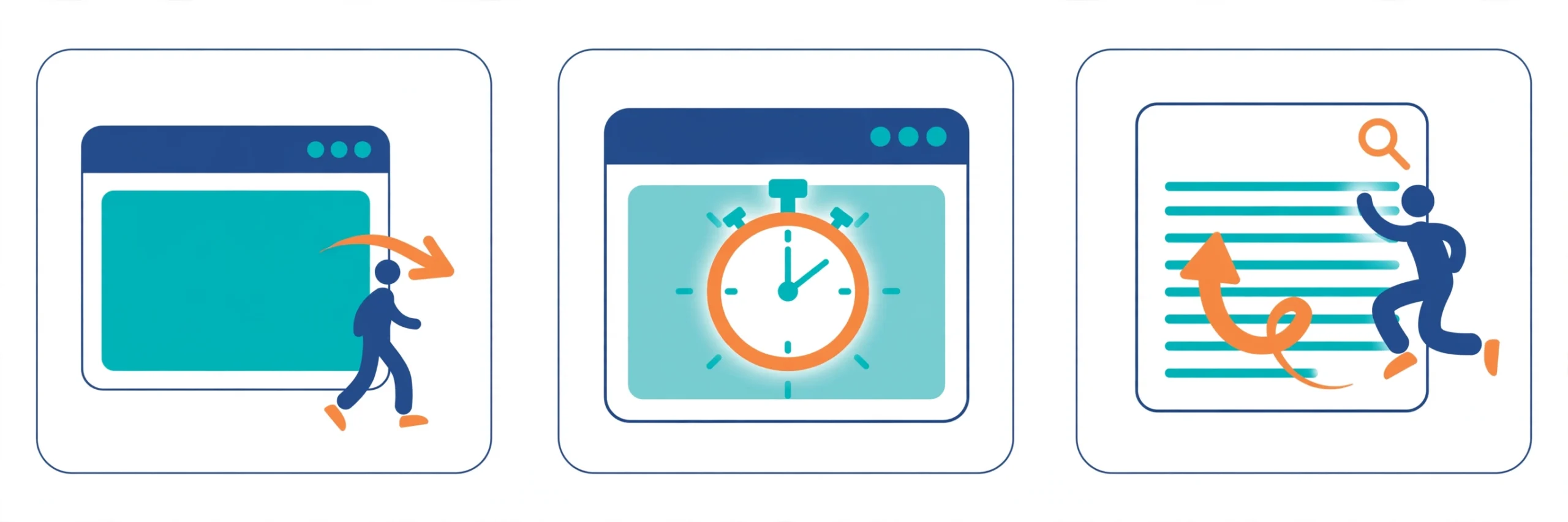
Seven Common Causes
1. Search intent mismatch
The page ranks for a query but does not deliver the type of result the searcher expected, such as a sales page for a query that wants a comparison. Revisit your keyword research and check what formats currently appear for the query.
2. A title that over-promises
Google’s guidance says titles should be clear, concise, and accurate about the page content. A title that promises a “complete guide” over a 400-word page invites a quick exit. Google may also rewrite titles it judges inaccurate or boilerplate.
3. A slow page
Google recommends a Largest Contentful Paint within 2.5 seconds, Interaction to Next Paint under 200 milliseconds, and Cumulative Layout Shift below 0.1. See our Core Web Vitals guide.
4. A buried answer
Long preambles before the point push the answer below the first screen.
5. Thin or incomplete content
If a competing page covers the topic more completely, a searcher who sees both will often prefer the fuller one.
6. Intrusive layout
Google’s SEO starter guide advises keeping ads from distracting from or blocking your content. Pop-ups, autoplay media, and cookie banners that cover the text have the same effect.
7. Outdated information
Old dates, stale prices, and broken links reduce trust. Google’s guidance recommends keeping content current and updating or removing outdated pages.
How to Look for Pogo-Sticking Pages
No tool reports pogo sticking, so you work with indirect evidence and your own judgment.

- Start with Search Console. In the Performance report, list pages that get many impressions but whose clicks or average position have been declining. Read our Search Console guide if the report is new to you. A decline can have many causes, so treat it as a prompt to investigate, not proof.
- Cross-check with GA4. For organic landing pages, review engagement rate and average engagement time. Pages with low engagement and very short visits are candidates.
- Read the page as the searcher. Type the query, open the top results, and compare. Does your page answer the question as quickly and completely as they do?
- Test on a phone. Look only at the first screen. Does it confirm the visitor is in the right place, show that the answer is here, and avoid pushing them away?
Nine Fixes That Reduce the Causes
1. Match the dominant intent
Study the top results for your target query. Notice the format (guide, list, comparison, tool) and depth, then build something that fits and improves on it.
2. Answer early
Give a direct answer in the opening paragraphs, then expand. Readers who get value in the first few seconds are less likely to leave in frustration.
3. Write an honest title
Make sure the title and description describe what the page actually delivers. If it says “step by step,” include steps. If it says a year, update the content for that year.
4. Improve speed
Compress images, remove render-blocking scripts, and lazy-load media below the first screen. Test with PageSpeed Insights and field data in Search Console.
5. Make the page scannable
Google advises breaking long content into paragraphs and sections with headings. Short paragraphs, descriptive subheadings, and lists help scanners find what they need.
6. Remove friction
Delay pop-ups, avoid autoplay with sound, and keep ads away from the main content.
7. Refresh stale content
Update statistics, screenshots, and links. Only change a visible date when the content has genuinely changed; Google lists changing dates to seem fresh as a warning sign of search-engine-first content.
8. Offer a next step
Add descriptive internal links to related guides so a visitor with a follow-up question has somewhere useful to go.
9. Track the right metrics monthly
Add landing-page engagement and Search Console trends to your regular reporting. Our guide to SEO KPIs to track covers what else belongs on that list.
Common Mistakes
- Treating every bounce as a failure. A quick, complete answer can be a good outcome.
- Padding a page to raise time on site. Google does not prefer a target word count, and padding often makes the answer harder to find.
- Rewriting titles for clicks without changing the page, which can increase quick exits.
- Changing several things at once, then being unable to tell which change helped.
- Blaming the page when the real issue is that the query has several meanings.
Frequently Asked Questions
Does pogo sticking hurt my rankings?
Google has said it tries not to use signals like this. Pages that cause it usually have underlying problems that are worth fixing regardless.
Is pogo sticking the same as a high bounce rate?
No. A bounce can be a satisfied visitor. Pogo sticking specifically means returning to the results to choose another page.
What is the quickest improvement to make?
Rewrite the opening of the page so the first screen confirms the topic and gives the main answer, and check that the title matches what the page delivers.
Sources
- Search Engine Journal: Google does not use pogo-sticking as a ranking factor
- Ahrefs: Pogo-sticking in SEO
- Search Engine Land: How Google Search ranking works, per Pandu Nayak’s testimony
- Google Analytics Help: Engagement rate and bounce rate
- Google Search Central: Influencing title links
- Google Search Central: SEO starter guide
If you would like a second set of eyes on a page that readers keep leaving, you can contact us at ssaagency.us/contact.