Most websites treat headings as a styling choice — a way to make text bigger and bolder. That mistake quietly costs rankings every day. Heading tags are not decoration; they are the structural skeleton of your page, the outline Google reads before deciding what you rank for. This heading tags SEO guide breaks down how H1, H2, and H3 tags work in 2026: the rules Google enforces, the mistakes that sink good content, and a step-by-step audit checklist.
Here is the uncomfortable truth most SEO blogs skip: Google has said outright that heading tags are not a magic ranking boost. John Mueller has confirmed headings are a strong signal — they help Google understand what a section is about — but they are one signal among many. So why obsess over them? Because headings are the connective tissue between everything that does rank you: relevance, engagement, featured snippets, and AI search citations.
What Heading Tags Actually Are (And Why Google Cares)
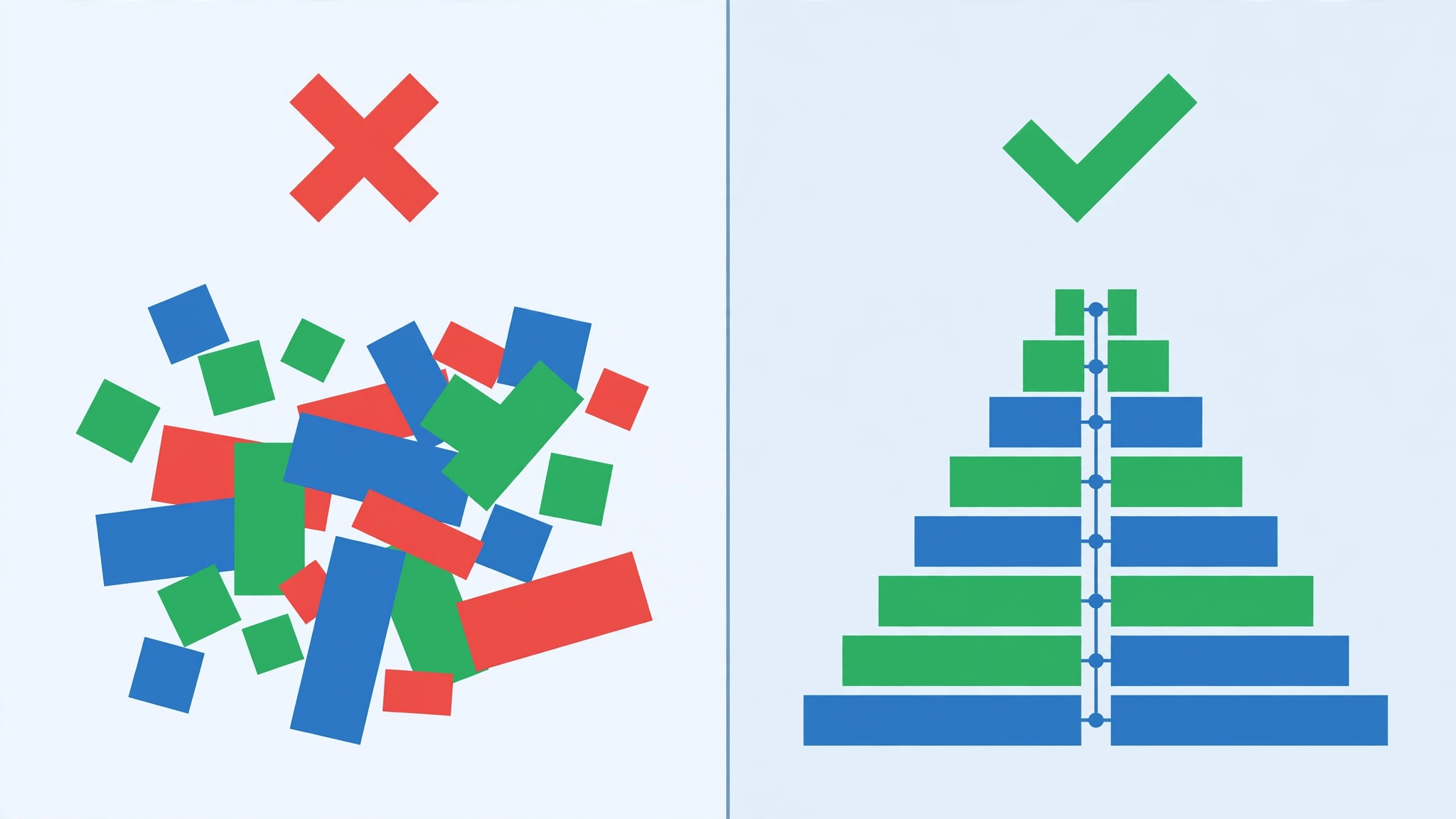
Heading tags are HTML elements — H1 through H6 — that define a hierarchy within your content, like the outline of a book: the H1 is the book title, H2s are the chapter titles, H3s are the sections inside each chapter. They are semantic elements, meaning they carry meaning about your content’s structure, not just visual size — and that semantic meaning is where every heading tags SEO guide begins.
When Google crawls your page, it uses this hierarchy as a map. The H1 tells it your page’s main topic. The H2s tell it the major subtopics. The H3s break those down further. A clean hierarchy lets Google match your page to the right queries faster — including long-tail queries that match individual sections rather than the whole page.
How Google’s Crawler Reads Your Headings
Google’s systems parse headings to identify what each section is about. This matters for three reasons. First, relevance matching: a descriptive H2 gives Google a much clearer signal than one that just says “Tips.” Second, query-to-section matching: Google can rank your page for a long-tail query because one well-written H2+H3 block matches it. Third, efficiency: clear headings reduce ambiguity about what your page covers — the three reasons this heading tags SEO guide treats headings as a priority, not an afterthought.
Heading Tags vs. Title Tags: Not the Same Thing
Beginners confuse these constantly. The title tag is metadata that appears in search results and browser tabs — it is what searchers click. The H1 is visible on the page itself, as the main headline your readers see. They do not need to be identical, but they should align on the same topic. When they contradict each other, both users and Google get confused — and confusion costs clicks.
Heading Tags SEO Guide: The Complete Rules for H1, H2, and H3
Every heading tags SEO guide worth reading converges on the same core rules, because they come from Google’s own documentation and years of practitioner testing. Here they are, in the order that matters.
Rule 1: One H1 Per Page — And Only One
This is the golden rule. Your H1 should be the single main headline of the page: unique, clearly describing its main topic, and naturally containing your primary keyword. WordPress usually assigns the H1 to your page title automatically, so adding another H1 inside your content creates a duplicate — a common error with page builders.
Keep your H1 around 50–70 characters — descriptive and keyword-rich, but scannable. Bad H1s: “Welcome to Our Website,” “Home Page,” “Services.”
Rule 2: Use H2 Tags for Every Major Section
H2s are your chapter titles — the main sections of your content. You can have as many as your content legitimately needs; there is no penalty for fifteen if your article genuinely has fifteen sections. Each H2 should describe the section beneath it accurately. Vague H2s like “Our Approach” tell Google nothing; descriptive ones like “How to Write H2 Tags That Win Featured Snippets” tell it exactly what the section covers.
Include keywords in H2s only where they fit naturally. Forcing your keyword into every heading reads as spammy. Better approach: use your primary keyword in one or two H2s, and semantically related terms and question phrases in the rest — mirroring how real people search, the approach this heading tags SEO guide recommends over keyword repetition.
Rule 3: Use H3 Tags to Break Down H2 Sections
H3s are subsections inside your H2 sections. If an H2 section runs long — more than 300 words — H3s keep it scannable. The hierarchy must stay logical: an H3 always sits under an H2, never floating on its own. Most blog posts and service pages never need H4–H6.
Rule 4: Never Skip Heading Levels
Never jump from H1 to H3, or H2 to H4. Skipping levels breaks the logical hierarchy and confuses search engines and screen readers alike. Follow the natural flow: H1 → H2 → H3, every time — a rule no serious heading tags SEO guide would skip.
Rule 5: Headings Are for Structure, Never for Styling
Using an H3 just because you want big bold text is one of the most common technical SEO errors on the web. Headings send structural signals to crawlers; tagging a random sentence as an H2 for visual effect tells Google that sentence is a major section of your page. It is not. Style text with CSS, and reserve headings for actual content hierarchy — one of the simplest wins in this heading tags SEO guide.
Rule 6: Match the Heading to the Content Beneath It
Google’s systems now evaluate the alignment between a heading and the section below it. A heading that promises “How to Fix Broken Heading Structure” followed by a paragraph about keyword research is a mismatch — and mismatches hurt topical relevance. Before publishing, read each heading and ask: does the section below actually deliver what this heading promises?
7 Heading Mistakes That Cost Rankings (And the Fix for Each)
No heading tags SEO guide is complete without the mistakes. Here are the seven that matter, with fixes.
- Multiple H1 tags. Themes or page builders wrapping the logo or title in an extra H1. Fix: view page source, search for “h1”, demote duplicates to H2.
- Missing H1 entirely. Some custom themes output no H1 at all. Fix: wrap your page title in a single H1.
- Headings used as styling. Random sentences tagged H2/H3 just to look big. Fix: style with CSS; keep headings for real sections.
- Keyword-stuffed headings. “Emergency Plumbing Miami | Miami Plumber | Fast Plumbing Miami” as an H1. Fix: one natural keyword mention per heading, max.
- Skipped levels. H1 → H3 jumps. Fix: renumber to follow H1 → H2 → H3 order.
- Walls of text. 800-word sections under a single H2. Fix: add H2 or H3 tags every 150–300 words.
- H1 and title tag misaligned. Search result promises one thing, the page headline says another. Fix: align both on the same topic and keyword.
Headings for Featured Snippets and AI Search in 2026
This is where a modern heading tags SEO guide separates itself from generic advice. Headings are no longer just about classic results — they are the primary extraction points for featured snippets, People Also Ask boxes, Google AI Overviews, and citations in ChatGPT, Perplexity, and Gemini. This heading tags SEO guide treats AI-era extraction as the main event, not an afterthought.
The Question-Answer Block: Your Snippet Machine
Google’s snippet extraction algorithms strongly prefer one pattern: a question-style H2 followed by a direct, concise answer of 40–60 words. Make the search query the heading — for example, “How Many H1 Tags Should a Page Have?” — and answer it immediately below in a tight paragraph. It is one of the most reliable ways to earn position zero, even without ranking first — which is why this heading tags SEO guide puts the question-answer block front and center.
Headings as AI Citation Units
Large language models and AI search engines chunk your content into citation units, and headings define the boundaries of those units. When an AI system decides whether to cite your page, it looks for a clear H1, logical H2 sections, and self-contained answers under each heading. As AI-driven discovery grows, this heading tags SEO guide doubles as an AI-citation playbook: every H2 should work as a standalone answer block that makes sense even when quoted out of context.
Jump Links: The SERP Bonus of Good Headings
If you have ever seen Google show “jump to” links under a search result, those come from your structured headings. Google pulls them from well-organized H2s on in-depth articles, giving your listing more screen space and more click paths — without any schema markup required. Following this heading tags SEO guide means those jump links work in your favor instead of never appearing at all.

The WordPress Heading Traps Nobody Warns You About
Most heading tags SEO guides give generic HTML advice and skip the platform-specific problems that break heading structure on real sites. If you run WordPress, check these four traps today.
Trap 1: Your Theme Outputs Multiple H1s
Many WordPress themes wrap the site logo or the page title in an H1 on every page — and then your post title adds another. How to check: view source (Ctrl+U) and search for “<h1”. More than one means you have the problem. Fix: change the logo/title wrapper to a div or span.
Trap 2: Page Builders Duplicate Your Headings
Elementor, Divi, and similar builders make it easy to drop an H1 “Heading” widget anywhere — often on top of the H1 WordPress already generated from the page title. Fix: set hero headings to H2 (styled large with CSS) and keep exactly one H1.
Trap 3: Widgets and Footers Full of H2s
Sidebar widgets titled with H2s (“Recent Posts,” “Categories”) inject extra H2s into every page’s outline. A widget-heavy sidebar can add a dozen — an issue this heading tags SEO guide includes because it is so easy to miss. Fix: where your theme allows, set widget titles to H3 or styled text.
Trap 4: The “No Heading” Blog Template
Some minimalist themes render post content with no H1 at all, relying on a styled div for the title — a trap this heading tags SEO guide flags because it is invisible in the editor. Google can still rank the page, but it is one of the most reliable patterns for winning featured snippets and People Also Ask placements. It also makes sections more citable for AI search systems.
Heading Length Science: How Long Each Level Should Be
Headings have no hard character limit in HTML, but screens impose one. As any practical heading tags SEO guide should note, here are the ranges that work in 2026.
| Level | Recommended Length | Why |
|---|---|---|
| H1 | 50–70 characters | Descriptive and keyword-rich, but scannable; very long H1s get visually truncated on mobile. |
| H2 | Under 70 characters | Section titles must scan in under 3 seconds; question-style H2s perform best for snippets. |
| H3 | 40–60 characters | Subsection labels — short, specific, and skimmable. |
| H4–H6 | As short as possible | Rarely needed; if you use them, keep them to a few words. |
One more tactic most guides skip: turn your H2s into anchor links. Give each H2 an ID and build a small table of contents at the top of long articles. Those same anchors are what Google uses for SERP jump links — a five-minute change with outsized returns.
Your Heading Audit Checklist
Bookmark this heading tags SEO guide and run the checklist below against your ten highest-traffic pages first, then work through the rest of the site.
- Exactly one H1 per page, unique across the site
- H1 contains the primary keyword naturally (50–70 characters)
- H1 aligns with the page’s title tag on the same topic
- Every major section has a descriptive H2
- Long H2 sections are broken down with H3s
- No skipped levels anywhere (H1 → H2 → H3, always)
- No headings used purely for styling — CSS handles that
- Keywords in headings are natural, never stuffed
- Each heading accurately describes the section below it
- Headings added every 150–300 words of body content
- Question-style H2s with 40–60 word answers for snippet targets
- Mobile check: headings don’t wrap into unreadable blocks
- WordPress check: view source confirms one H1, no theme duplicates
If you are curious how heading structure connects to the bigger picture of modern search, pair this heading tags SEO guide with our guide on how to rank in Google AI Overviews — clear headings are one of its foundations. And our breakdown of how much SEO costs explains what goes into a professional audit, including heading structure analysis.
Google’s own Search Central documentation reinforces the core principle: use meaningful headings to indicate important topics and create a hierarchical structure. As Google’s clarified heading guidance and practitioners like Lilach Bullock both note, headings are a strong organizational signal — not a magic ranking button, but the structure that lets every other ranking factor work.
FAQs
Can I use multiple H1 tags on one page?
HTML allows it and Google says a page can still rank with multiple H1s, but it is bad practice. Multiple H1s confuse search engines about your page’s main topic and dilute your relevance signal. Stick to one clear H1 per page and use H2s for sections — it is the cleaner, safer structure, and the stance this heading tags SEO guide takes on every page.
Do heading tags directly improve Google rankings?
Not directly, no. Google has confirmed headings are not a standalone ranking factor the way backlinks or title tags are. But headings are a strong organizational signal: they help Google understand section topics, match long-tail queries, and extract featured snippets. Better structure also improves engagement metrics, which supports rankings indirectly. In short, this heading tags SEO guide treats headings as a multiplier for every other ranking factor.
Should every H2 contain my target keyword?
No. Include your keyword in H2s only where it describes the section naturally — typically one or two H2s per page. Forcing the keyword into every heading reads as spammy and weakens readability. Use semantically related terms and question phrases in the remaining H2s to cover the topic fully. Balance is the watchword of this heading tags SEO guide.
Can H2 headings be written as questions?
Yes, and for snippet targeting they should be. A question-style H2 like “How Many H1 Tags Should a Page Have?” followed by a direct 40–60 word answer is one of the most reliable patterns for winning featured snippets and People Also Ask placements. It also makes sections more citable for AI search systems.
What happens if I skip heading levels, like H1 to H3?
Skipping levels breaks the logical hierarchy. Google finds it harder to parse your content structure, and screen readers used by visually impaired visitors announce a broken outline. It is valid HTML and won’t trigger a penalty, but it degrades clarity for both crawlers and users — so always follow H1 → H2 → H3 order, a theme repeated throughout this heading tags SEO guide.
How often should I audit my heading structure?
Audit your top 10–20 traffic pages quarterly, and check heading structure on every new page before publishing using the checklist above. Also re-audit after any theme change, page-builder update, or site migration — those are the moments when duplicate H1s and broken hierarchies most often sneak in.
Get a free site audit at ssaagency.us — we will run this heading tags SEO guide’s audit checklist against your heading structure, technical SEO, and content, and show you exactly what is holding your rankings back.