SEO for Contractors: The 2026 Playbook to Win More Jobs (8 Steps)

For most contractors, the phone either rings or it doesn’t. When a homeowner searches “general contractor near me” or “kitchen remodeler in [city]”, the three businesses in the map pack get the estimate requests — everyone else splits the leftovers. That is why SEO for contractors is not a marketing nice-to-have; it is the difference between a full pipeline and a dead-quiet month. This guide gives you the complete 2026 playbook: eight steps that take you from an invisible website to a steady flow of high-intent estimate requests. It is written for general contractors, remodelers, and construction companies — the businesses where a single project can be worth $20,000 to $100,000, and one lost lead genuinely hurts. You will learn how to win the map pack, which pages to build first and in what order, how to turn every finished job into a ranking asset, and how to answer quote requests fast enough that rankings actually turn into revenue. In short, seo for contractors is a revenue system built on three pillars: map-pack visibility, proof-rich project pages, and fast quote response. The eight steps below walk you through each one in order. Why SEO for Contractors Is a Different Game Contracting is not like selling products online. Five things make it different: One project pays for a year of marketing. A single kitchen remodel or home addition can be worth $30,000 or more. You do not need hundreds of leads — you need a handful of the right ones. Nobody hires you from a listing alone. Homeowners research, compare, read reviews, and look at your past work before they ever call. Trust is the entire sales process. Your market is a radius, not the internet. You work within 20-50 miles of home base. National rankings are useless; street-level visibility is everything. Demand is seasonal and cyclical. Kitchens and baths spike in spring. Outdoor projects follow weather patterns. Your SEO calendar has to match the buying calendar. You compete with specialists for the same searches. A general contractor competes with roofers, plumbers, and electricians on specific project searches — and with other general contractors on “contractor near me” searches. Your keyword strategy has to handle both. The eight steps below are built around these realities. SEO for Contractors: The 8-Step Playbook for 2026 Step 1: Win the Map Pack With a Trust-First Google Business Profile The foundation of SEO for contractors is the map pack — the three businesses Google shows with a map for local searches. For most contractors, it generates more calls than the website itself. Google confirms local results are driven by relevance, distance, and prominence — see Google’s local ranking guidance. Set it up like this: Choose the right primary category. “General Contractor” beats “Contractor” for most GCs and remodelers. Your primary category should match your main revenue source. List your real service areas. Hide your street address and list up to 20 cities or ZIP codes you genuinely serve. Precision beats a giant radius. Upload 50+ photos. Before-and-after project photos, your crew, your equipment, your trucks. Businesses with 100+ photos receive dramatically more calls than average. Add 3-5 new photos every week — a finished project this month beats a stock gallery from 2022. Post weekly updates. GBP posts expire after seven days. Share project completions and seasonal reminders like “Now booking spring kitchen remodels.” Turn on messaging. Many homeowners prefer texting over calling. Respond in under an hour. For the full walkthrough, follow our Google Business Profile optimization guide. Step 2: Build the Job-Value Matrix (Which Pages to Build First) Here is where contractors waste the most time: they build pages in random order instead of revenue order. One page can change your year; one page can change nothing. Rank your services by three factors: Average ticket value — kitchen remodel ($25,000-$60,000) beats drywall repair ($800). Demand — how many people actually search for it in your area. Competition — how hard the map pack and organic results are to crack. Then build in this order: Service Typical ticket Build order Kitchen remodeling $25,000-$60,000 Page #1 Home additions / ADUs $40,000-$120,000 Page #2 Bathroom remodeling $12,000-$30,000 Page #3 Basement finishing $20,000-$50,000 Page #4 Roofing / siding $8,000-$25,000 Page #5 Repairs / handyman work $200-$2,000 Last A kitchen-remodeling page that ranks can pay for your entire SEO effort many times over. A handyman-repairs page that ranks might pay for lunch. Both matter — but build order is a revenue decision, not an alphabetical one. Step 3: Build Project-Type Pages With a General-Contractor Keyword Architecture Your website needs one dedicated page per core service per primary city. Use this URL structure: yoursite.com/services/kitchen-remodeling-austin This tells Google exactly what the page is and where it applies. Never use generic URLs like /page-2 or a single /services page for everything. The general-contractor keyword architecture has two layers: Layer 1 — “contractor” terms: “general contractor near me,” “home remodeling contractor [city].” These are your brand-defining searches with the highest trust bar. Layer 2 — project terms: “kitchen remodeler [city],” “home addition contractor [city],” “bathroom renovation [city].” These convert well but put you head-to-head with specialists (plumbers, electricians, roofers) who live in these searches. Win project terms with depth instead: real project photos, cost ranges, timelines, permit notes, and material comparisons that a single-trade shop rarely publishes. That depth is your unfair advantage as a GC. Before you write a single page, do proper keyword research so every page targets a real search with real demand. Step 4: Turn Every Finished Job Into a Portfolio Page A portfolio page is the single highest-converting page type a contractor can publish. Homeowners deciding between three contractors do not compare service descriptions — they compare proof. Every portfolio page should include: Project overview — what was built and where. The challenge — what the homeowner was dealing with. Your solution — scope, materials, and approach. Before-and-after photos — the single most persuasive element on the page. Timeline — how long it took, which sets
SEO for Car Dealerships: The 2026 Playbook to Win Your Market (8 Steps)

Most car buyers research online for weeks before stepping onto a lot — increasingly through AI tools as well as search. If your dealership is invisible during that window, you lose the sale before a salesperson ever gets a chance. If you run a dealership, seo for car dealerships is not optional anymore — it is the system that puts your inventory, your reviews, and your service department in front of buyers at the exact moment they decide where to buy. This playbook covers the eight steps that move rankings and lead volume for dealerships in 2026 — including a 10-point scoring rubric for your vehicle pages, a feed-integrity protocol, and a plan to get cited by AI search tools, not just ranked by Google. Work through all eight steps and seo for car dealerships becomes your highest-ROI channel instead of a cost center. Why SEO for Car Dealerships Is a Different Game Dealership SEO breaks most of the normal rules, and that is exactly why generic SEO advice fails here. Five things make this industry unique: Your inventory expires. A used car can sell in seven days — every dollar invested in ranking that exact page evaporates when it drives off the lot. Marketplaces outgun you. CarGurus, Cars.com, Autotrader, and Carfax are engineered to rank for literal vehicle searches like “used 2022 Honda Civic in Austin.” An independent lot cannot out-optimize them head-on. Your platform can sabotage you. Many dealer platforms render inventory through JavaScript. A page that looks complete to a human can be empty to a crawler that cannot run that script — including AI crawlers. Most of your traffic already knows you. On typical dealer sites, the large majority of clicks come from branded searches — people typing the dealership’s name. They are not browsing; they are deciding whether to trust you. You run two businesses. Sales and service attract different searches, different customers, and different Google categories. Treating them as one SEO project wastes half your opportunity. Once you accept these realities, the strategy writes itself: stop fighting marketplaces for individual VINs, build pages that outlive any single car, make inventory readable by every crawler, and run service as its own SEO engine. SEO for Car Dealerships: The 8-Step Playbook for 2026 Step 1: Win the Map Pack Before Anything Else Every serious seo for car dealerships plan starts at the map pack, because “used cars near me” and “car dealerships near me” show local results before anything else. Your Google Business Profile is the highest-leverage asset you control. Set the right primary category (Car Dealer, Used Car Dealer, or Truck Dealer — not a generic retail category) and add every relevant secondary category, from financing to trade-in appraisals. Keep hours accurate, including holiday exceptions. Mismatched hours are a quiet killer of calls. Upload fresh photos of your lot, showroom, and service bay every month. Real lot photos beat stock imagery. Answer every question in the Q&A section yourself before a competitor or a confused shopper does. Post 4 to 6 times a month on rotation: body styles in stock, service offers, reviews, one CTA per service. Run a citation audit and fix name, address, and phone mismatches everywhere — our NAP consistency guide walks through the process. Reviews get their own system in Step 6 — but start now: respond to every review, including negative ones, within 48 hours. A dominant map-pack presence is the fastest single win in seo for car dealerships. Step 2: Build VDPs That Sell, Not Just Rank Your vehicle detail pages (VDPs) are where shoppers decide. Thin, templated VDPs cap every other SEO effort — a page with an OEM description and stock photos converts nobody and ranks nowhere. Score every VDP against this 10-point rubric: A unique 150+ word description written like someone who knows cars — real numbers (EPA mileage, tow ratings), not keyword-stuffed filler. Twenty or more real photos of the actual vehicle, not stock shots. The full advertised price, visible above the fold, including mandatory fees. Hiding price behind “Call for Price” gets you filtered out by buyers and AI tools alike. A trade-in estimator embedded on the page. A payment calculator so shoppers can self-qualify without waiting for a callback. A test-drive or appointment scheduler above the fold. Schema markup (Vehicle type) with price, mileage, VIN, condition, availability, model year, and body type. Clean, descriptive URLs (make, model, year, trim) instead of database IDs. Canonical tags so near-duplicate listings do not split your authority. A fast, mobile-clean layout — check on your own phone that content appears before scrolling. Build one VDP template that hits all ten, then roll it across inventory. Template the structure, never the words: duplicate manufacturer descriptions are the most common reason dealer VDPs fail to rank. Keep pages fast too — our Core Web Vitals guide covers the benchmarks that matter. Step 3: Fix the Inventory Feed Treat your inventory feed as a product, not a one-time export — stale data is the fastest way to lose Google and AI referrals. Run this protocol weekly: Sold-car purge: remove sold vehicles from the live site within 24 hours. Thousands of dead listing URLs sitting live burn crawl budget and frustrate shoppers. Price and VIN reconciliation: schema price, mileage, and VIN must match what is on the lot — mismatches erode the trust signals Google and AI use. Indexability check: every VDP must be reachable without a login or search form. If your platform gates inventory behind JavaScript crawlers cannot execute, that is a platform emergency. Feed sync: sync inventory data in real time so marketplaces, Google, and AI tools never surface a sold vehicle or wrong price. Quarterly crawl: run Screaming Frog or Search Console’s URL inspection to catch blocked feeds, missing canonicals, and robots.txt rules accidentally hiding inventory. Dealers who treat feed accuracy as infrastructure win the compound effect: every other step performs better on clean data. Clean inventory data is the backbone of every successful seo for
SEO for Accountants: The 2026 Playbook to Win Tax Season (7 Steps)

A practical SEO guide for accountants: Google Business Profile, niche service pages, a tax-season content calendar, honest reviews, and accuracy checks.
Podcast SEO: How to Rank Your Show on Google, Spotify & Apple (2026)

Podcast SEO guide: what each platform reads, how to write titles and show notes, build episode pages with transcripts, keep your RSS feed healthy, and measure.
How to Write SEO Friendly Content: A Practical 2026 Guide

Most blog posts fail before anyone reads the second paragraph. Not because the topic is bad, but because the writing was never built for how people — and search engines — actually consume content in 2026. Learning how to write SEO friendly content is the skill that separates pages that rank from pages that sit invisible on page eight. This guide gives you a complete, repeatable workflow: match search intent, map the entities your topic needs, structure for skimmers and snippets, write readable human-first prose, weave in E-E-A-T signals, and finish with a pre-publish checklist. It also covers what most competing guides miss entirely — writing so AI Overviews cite you, using a 40-word definition technique for featured snippets, and treating “refresh” as part of the writing process, not an afterthought. Think of this page as your field manual for how to write SEO friendly content. What “SEO Friendly” Actually Means in 2026 SEO friendly content is content written so both readers and search engines can instantly understand what it covers, who it is for, and why it deserves to rank. It matches the searcher’s intent, answers the query fast, covers the topic completely, reads easily, and carries visible signals of real expertise. What changed: keyword density is dead as a tactic. Google’s systems now reward content that demonstrates first-hand experience, covers related entities (not just repeated keywords), and is structured so answers can be extracted — by featured snippets and by AI Overviews. If your article cannot be quoted in one clean sentence, it is harder for every modern surface to use it. That is the new bar, and everything below is built around clearing it. Step 1 — Start With Search Intent, Not Keywords Before you type a word, figure out what the searcher actually wants. Google ranks pages that satisfy intent, not pages that repeat a phrase the most times. There are four intents, and each one wants a different article shape: Informational (“how to write SEO friendly content”) — wants a guide or tutorial. Teach, step by step. Commercial investigation (“best SEO writing tools”) — wants comparisons and honest trade-offs. Compare, don’t just list. Transactional (“hire SEO content writer”) — wants to act. Make the next step obvious. Navigational (“ssaagency blog”) — wants a specific page. Don’t try to rank guides here. The fastest intent check: Google your target keyword and look at page one. If the top results are step-by-step guides, write a better step-by-step guide — not a listicle, not an opinion piece. Format mismatch is the number one reason well-written articles never rank. For the research side of this step, our walkthrough on how to do keyword research shows how to validate demand before you commit to a draft. Step 2 — Map Entities and Questions Before You Write Old SEO writing started with a keyword list. Modern SEO writing starts with a coverage map. Google understands topics as networks of entities — people, tools, concepts, and questions connected to your subject. An article about SEO friendly content that never mentions search intent, readability, E-E-A-T, or meta descriptions looks thin to both readers and algorithms, no matter how many times it repeats the keyword. Build your map in ten minutes: Open Google’s “People Also Ask” box for your keyword and copy every question. Each one is a subheading candidate. List 5–8 entities a genuine expert would mention (tools, metrics, related concepts). If you cannot name eight, research more before writing. Note the questions your competitors’ articles leave unanswered. Those gaps are your fastest wins. This is the “expert test”: read your outline and ask whether a real practitioner would nod along. If the outline could have been written by someone who never did the work, the draft will read that way too — and readers bounce, which is a signal you never want to send. That practitioner-level depth is what separates a genuine guide on how to write SEO friendly content from a generic listicle. That coverage map is the research engine behind how to write SEO friendly content. Step 3 — Structure Every Article for Skimmers and Snippets Nobody reads top to bottom anymore. Readers skim headings, and Google extracts answers. One structure serves both masters: Open with a 40-word definition block. Right after the intro, define the topic in about 40 words. This is the exact length Google loves to lift into featured snippets and AI Overviews. Write it as a clean, quotable statement — no throat-clearing. One H1, descriptive H2s, H3s for detail. Each H2 should work as a standalone answer to a question. A reader who only reads your headings should still learn something. Lists and tables over paragraphs for anything comparative, sequential, or multi-part. Steps, pros and cons, and checklists belong in lists. Short paragraphs — two to three sentences. A wall of text is a bounce waiting to happen, especially on mobile. End sections with the takeaway. One crisp sentence that states what the reader should do or remember. Put your most important answer early — ideally in the first third of the article. Both impatient readers and answer-extraction systems reward front-loaded value. Front-loading value is a signature move in how to write SEO friendly content. Step 4 — Write for Humans First (Readability Rules That Rank) Here is the uncomfortable truth most SEO guides dance around: the best-optimized article in the world still fails if people won’t read it. Google measures what readers do — bounce back to the results, and your rankings quietly bleed. Readability is not decoration; it is a ranking input by proxy. Four rules keep prose readable: Budget 15–20 words per sentence on average. Short sentences land points. Longer ones explain nuance. If three long sentences stack up, break one. One idea per paragraph. When the idea changes, hit enter. White space is a feature. Prefer active voice and concrete verbs. “Google rewards clear writing” beats “clear writing is rewarded by Google” every time. Aim for a Flesch Reading Ease score
How to Write Alt Text for SEO: The 2026 Guide (+ 10 Examples)

Learning how to write alt text for SEO is one of the highest-return on-page skills you can pick up in 2026. It takes under a minute per image, yet most sites leave half their images with blank, auto-generated, or keyword-stuffed alt attributes. The result: screen readers stumble, Google Images ignores your visuals, and your pages send weaker topical signals than they should. This guide gives you the exact formula, ten real before-and-after rewrites, a WordPress fix-up workflow, and the 2026 angles (AI Overviews, Google Lens) that older guides miss. This is your complete playbook for how to write alt text for SEO — from the five-part formula to ten before-and-after examples you can copy today. What Alt Text Actually Is (and What It Is Not) Alt text — short for alternative text — is a written description of an image embedded in the HTML of your page: <img src=”trail-running-shoes.jpg” alt=”Pair of blue trail running shoes with red laces on a rocky mountain path”> Its primary job is accessibility: screen readers read it aloud to visually impaired users, and browsers display it when an image fails to load. Its secondary job is SEO: search engine crawlers are still fundamentally text-based, so alt text is the clearest signal you give them about what an image shows. It is commonly confused with two other things: Title text — the tooltip that appears when someone hovers over an image. It carries almost no SEO weight and is not read by screen readers. Never use it as an alt text substitute. Image file name — the name of the uploaded file, like trail-running-shoes.jpg. Descriptive, keyword-aware file names support your alt text, but they do not replace it. Understanding these distinctions is the foundation of how to write alt text for SEO correctly, because treating alt text, title text, and file names as interchangeable is the most common beginner error. Why Alt Text Matters for SEO in 2026 Google Images is a search engine in its own right, and a meaningful slice of discovery traffic starts there. When someone searches for a product or a how-to visual, Google matches their query against the textual signals around your images — and alt text is the strongest of those signals. Pages whose images carry precise alt text consistently earn more image-search impressions than identical pages with blank alt attributes. If you are serious about learning how to write alt text for SEO, image search is the fastest place to see a payoff. If you are still on the fence, consider this: learning how to write alt text for SEO is one of the highest-ROI on-page tasks because it improves accessibility and image discovery at the same time. Alt text also reinforces the topic of the entire page. If your article targets “trail running for beginners” and your images describe “blue trail running shoes on a rocky mountain path” and “runner tying trail shoes before a forest run,” every one of those descriptions is another contextual vote telling Google what the page is about. There is also an honesty point worth making: alt text is not a magic ranking lever for web search. Stuffing keywords into alt attributes will not move a page from position 40 to position 4. What it does is remove friction — accessibility friction for users, and understanding friction for crawlers — and in 2026, with AI-powered search leaning harder on structured understanding of your content, removing that friction matters more than ever. Fortunately, how to write alt text for SEO is a learnable, repeatable skill rather than guesswork — the formula below makes it mechanical. Google’s own image SEO best practices confirm that descriptive alt text helps Google understand your images. How to Write Alt Text for SEO: The 5-Part Formula Here is the repeatable method for how to write alt text for SEO that balances accessibility, search signals, and readability. Apply it to every meaningful image you publish. 1. Describe what you actually see (5–12 words) Imagine describing the image to someone over the phone. Lead with the main subject, then one or two distinguishing details: color, setting, action, or model number. Specifics beat generics every time — “Dell XPS 13 laptop, silver finish, half-open on a wooden desk” beats “laptop.” 2. Add context from the page The same photo needs different alt text on different pages. A picture of running shoes on a product page should name the model and variant; on a marathon-training article, it should describe the action (“runner lacing trail shoes at sunrise before a long run”). Context is what makes alt text useful instead of generic. 3. Weave in your keyword naturally — once If the page’s target keyword genuinely describes the image, include it. A product page targeting “trail running shoes for beginners” can carry alt text like “blue trail running shoes for beginners on a rocky mountain path.” If the keyword does not fit, leave it out. Forced keywords read badly to humans and look spammy to algorithms. 4. Keep it under 125 characters Most screen readers cut off alt text after roughly 125 characters. Longer descriptions get truncated mid-sentence, which is a worse experience than a shorter complete one. If an image needs more explanation (a data-heavy chart, for instance), summarize in the alt text and put the full detail in the surrounding paragraph or a data table. 5. Never start with “image of” or “picture of” The <img> tag already tells assistive technology it is dealing with an image. “A picture of a cat” wastes seven characters announcing the obvious. Start with the subject: “Orange tabby cat sleeping in a sunbeam on a white windowsill.” You now have the complete method for how to write alt text for SEO — let’s see it applied to ten realistic image types. 10 Before-and-After Alt Text Examples Theory is cheap; examples stick. Here are ten realistic rewrites across common image types: Work through all ten, and you will internalize how to write alt text for SEO
How to Use Google Trends for SEO: The 2026 Workflow (7 Steps)
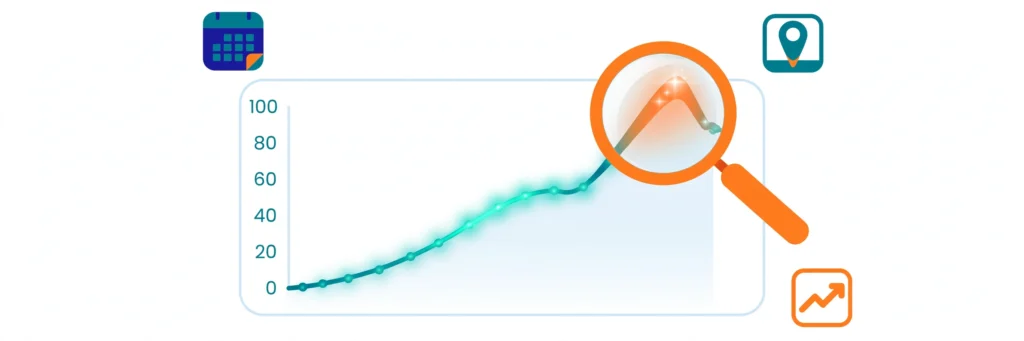
Learning how to use Google Trends for SEO is one of the highest-return skills a marketer can pick up — it takes about twenty minutes to learn and costs nothing. Google Trends shows you how interest in any search term moves over time and across regions, using a simple 0–100 score. That signal answers questions raw search volume cannot: is this topic rising or dying? Which phrasing do people actually type? And when should I publish to catch the wave? Most guides stop at describing the tool’s features. This guide goes further and shows exactly how to use Google Trends for SEO: you get a practical 7-step workflow, a 20-minute weekly routine, a method for validating Trends signals against your own Search Console data, and a 2026-specific angle most guides miss: turning rising queries into content that AI search engines cite. How to Use Google Trends for SEO: The 7-Step Workflow Here is the exact workflow. Each step takes a couple of minutes once you know what to look for. Step 1: Scope Your Search Correctly Open Google Trends and enter your seed term. Before reading anything, set four controls: Location: match your market (country, region, or city — not worldwide by default). Time range: start with “Past 12 months” for direction. Category: filter out ambiguous meanings (for example, “jaguar” the car versus the animal). Search type: Web Search, Image, News, Google Shopping, or YouTube Search. One more choice matters: as you type, Google offers a search term (the exact phrasing) and a Topic (a grouped set of related queries across languages and spellings). Topics give you the fuller demand picture; search terms give precision. Use Topics for research, search terms when you need exact-match accuracy. Getting this scoping right is the foundation of how to use Google Trends for SEO effectively. Step 2: Read Direction, Not Height The chart’s most common misreading is treating tall lines as big demand. The 0–100 score is relative: 100 means the term’s busiest moment in the selected period, not 100 searches. A line climbing steadily over 12 months is worth far more than one tall spike. When you learn how to use Google Trends for SEO, remember to discount the last one or two data points — Google revises recent weeks downward as data settles, so the newest dip is often a mirage. Step 3: Validate Keywords Before You Commit Before you build a page around any keyword, switch the range to Past 5 years and check the shape: Steady or climbing: safe to invest in. Gently declining: the topic is maturing — you can still rank, but budget less. Cliff-edge drop: walk away. No amount of optimization revives dead demand. This single check prevents the most expensive SEO mistake: spending months ranking for a keyword nobody searches anymore. If you adopt only one habit from this guide on how to use Google Trends for SEO, make it this one. Step 4: Pick the Winning Keyword Variation Type two or three phrasings and compare them head to head. Trends shows which version real people prefer, and the answer often surprises — conversational phrasing frequently dwarfs formal alternatives even when keyword tools report similar volumes. Comparing variations like this is how to use Google Trends for SEO to settle phrasing debates with data. Choose the winner Google Trends shows, then confirm its exact monthly volume in a dedicated keyword tool — our keyword research guide walks through the full process. Trends is your radar; the keyword tool is your ruler. Step 5: Mine Rising Queries for Content Ideas Scroll to Related queries and toggle from “Top” to “Rising.” This list shows the fastest-growing associated searches, and “Breakout” flags terms up more than 5,000%. Treat Breakout terms as free content briefs — this is how to use Google Trends for SEO to turn live demand into a content pipeline. Each one is a question real people are asking right now with almost no competition. Build a section, a page, or a video around the ones that fit your topic. Step 6: Time Your Content With Seasonal Trends Trends’ timeline exposes seasonality, and learning how to use Google Trends for SEO means planning your calendar around it. Some searches surge every year — gifts in December, diets in January, patio furniture in May. Map your niche’s calendar, then publish 4–6 weeks BEFORE the peak so the page is indexed and climbing when demand hits. The same logic works in reverse: never launch a big campaign at a predictable trough unless you have a reason. Step 7: Compare, Then Double Down on What Works Use the compare feature to test hypotheses: your keyword versus a competitor’s, your brand versus theirs, last year’s campaign versus this one. The side-by-side view removes guesswork about which angle deserves more budget. This is how to use Google Trends for SEO to allocate budget with confidence. A simple loop closes the workflow: compare variations, pick winners, mine rising queries, time the calendar, then re-compare quarterly. Trends rewards marketers who treat it as a weekly habit, not a one-time check. The 20-Minute Weekly Routine Minutes 0–5: refresh your core keyword comparisons (Steps 1, 2, 4). Minutes 5–12: scan Rising queries in your niche (Step 5) and log anything Breakout. Minutes 12–17: check seasonality for upcoming 4–6 weeks (Step 6). Minutes 17–20: note one action in your content calendar. Repeat this loop weekly — it is how to use Google Trends for SEO as an ongoing habit rather than a one-time check. Validate Trends Against Your Search Console Data Trends shows relative interest; Search Console shows your actual impressions and clicks. Pair them: when Trends shows a rising query and Search Console shows you on page 2 for it, you have a high-ROI target. Refresh the page with the exact phrasing from Trends, add the subtopic, and watch rankings climb. Pairing the two is how to use Google Trends for SEO alongside your own first-party data — and if you are new to
How to Reduce Bounce Rate: 12 Proven Fixes That Work in 2026

Your traffic is climbing, but your sales are flat. People land on your pages — and vanish within seconds. If that sounds familiar, learning how to reduce bounce rate is one of the highest-leverage skills you can build in 2026. Here is the catch most guides miss: bounce rate changed. Google Analytics 4 redefined it, old benchmarks no longer apply, and half the advice ranking on Google still describes a metric that retired in 2023. This guide gives you the current GA4 definition, realistic 2026 benchmarks, a diagnostic framework to find your real leaks, and 12 proven fixes you can implement this week — each with exact steps, not vague tips. Before the benchmarks and tactics, here is how to reduce bounce rate under the definition that actually applies in 2026. What Bounce Rate Means in GA4 (the 2026 Definition) Bounce rate is the percentage of sessions where a visitor landed on your site and left without engaging. In Google Analytics 4, a session counts as engaged if it meets any one of three conditions: It lasts longer than 10 seconds It triggers a key event (a form submit, purchase, download — what GA4 called a “conversion” until 2024) It includes two or more pageviews or screenviews The formulas are simple: Engagement rate = engaged sessions ÷ total sessions GA4 bounce rate = 100% − engagement rate This is far more forgiving than the old Universal Analytics definition, where a visitor who read your entire 3,000-word guide and closed the tab counted as a bounce. In GA4, that same reader is engaged. Google’s official documentation confirms bounce rate is simply the inverse of engagement rate. To see why those old numbers mislead, consider how to reduce bounce rate when the metric itself has been redefined. Universal Analytics vs GA4: Why Old Benchmarks Lie If someone quotes you a “good bounce rate” benchmark from a 2019 article, ignore it. The two metrics measure different things: Aspect Universal Analytics (retired 2023) GA4 (current) What counts as a bounce Single-page session, no extra hits Session with no engagement (under 10s, no key event, one page) 30-second single-page read Bounce Engaged — not a bounce Time threshold None (unless manually adjusted) Built in — 10 seconds by default Typical numbers Higher (stricter) Lower (more forgiving) Practical takeaway: GA4 bounce rates run lower than UA numbers for identical visitor behavior. Never compare a GA4 reading against a pre-2023 benchmark chart. With the definition settled, here is how to reduce bounce rate once you know what “normal” looks like for each page type. What Is a Good Bounce Rate? 2026 Benchmarks by Page Type There is no universal “good” number. A 75% bounce rate on a phone-number lookup page is a success; the same number on a pricing page is a leak. Judge every page against its own type and its own history: Page type Typical GA4 bounce rate Verdict Blog posts / informational articles 55–80% Normal — readers get answers and leave Landing pages (paid traffic) 45–70% Watch closely — these should convert Service pages 35–60% High end needs attention Ecommerce product pages 30–55% Above 55% usually signals friction Contact / single-answer pages 70–90% Often fine — the visit fulfilled its purpose Two rules matter more than any table. First, compare a page with its own past, not with someone else’s site. Second, a bounce is only a problem when the page failed its job. If you want a broader metrics framework to track alongside bounce rate, see our guide on SEO KPIs that actually matter. Before any fixes, here is how to reduce bounce rate the smart way — by diagnosing the real leak first. Why Your Bounce Rate Is High: Diagnose Before You Fix Most people skip this step and start redesigning pages at random. Do not. A high bounce rate is a symptom, and the same number can mean opposite things. Segment first: By traffic source. A page at 55% overall might be 35% for organic search and 92% for one mis-targeted ad campaign. Fix the campaign, not the page. By device. Mobile bounce 20 points higher than desktop almost always means a mobile UX problem — tiny tap targets, slow load, or a layout that breaks. By page type. Blog vs product vs landing pages have different jobs. Never average them into one site-wide number and panic. By query intent. Check Search Console: which queries send traffic to the bouncing page? If informational queries land on a sales page, that is an intent mismatch, not a design flaw. Then ask one question: is this page doing its job? A definition page that answers in 20 seconds and bounces at 80% is working. A pricing page bouncing at 75% with no key events is bleeding money. Only fix the second kind. Diagnosis done. Here is how to reduce bounce rate with 12 proven fixes, ordered by impact per effort. How to Reduce Bounce Rate: 12 Proven Fixes These are ordered by impact-per-effort. Start at the top. The first fix is also the biggest lever in how to reduce bounce rate: match the promise to the page. 1. Match the Promise to the Page The single biggest cause of bouncing is intent mismatch: your title, ad, or snippet promises X and the page delivers Y. Open your top-bouncing page and read its Google snippet next to the page itself. Do the H1, intro, and offer all confirm the visitor is in the right place within five seconds? If someone searches “free invoice template” and lands on your invoicing software sales page, no design tweak will save you — either change the page to match the query or stop targeting that query with it. For the snippet side of this equation, our meta title optimization guide shows how to write titles that set accurate expectations. 2. Answer First, Then Explain Visitors decide in seconds whether to stay. Put the answer in the first two or three sentences — the definition, the number, the
How to Rank on Google Without Backlinks: 9 Proven Strategies (2026)

Learning how to rank on Google without backlinks sounds like a fantasy if you grew up on old-school SEO advice. For years, the message was simple: no links, no rankings. But Google has changed. Backlinks are no longer among the top three ranking factors, according to Google’s own search team — content quality, search intent match, and user experience now carry more weight. That shift opens a real door for new sites, small businesses, and anyone without a link-building budget. Can every page rank without backlinks? No — and this guide will be honest about where the limits are. But for low-competition keywords, local searches, long-tail questions, and SERP features, you absolutely can win without a single backlink. Below are 9 proven strategies, a method for finding YOUR site’s personal difficulty ceiling, a 90-day roadmap, and the 2026 angles (AI Overviews, SERP features) most guides ignore. This guide breaks down exactly how to rank on Google without backlinks in 2026. Can You Really Rank on Google Without Backlinks in 2026? Yes — with realistic expectations. Here is the honest breakdown: What ranks without backlinks: informational blog posts, long-tail keyword pages, how-to guides, local business pages, niche topics, and question-based content. What usually still needs backlinks: high-volume money keywords, ecommerce category pages, and competitive national terms in finance, law, health, or SaaS. The timeline: expect 3–6 months for content-led strategies on low-competition terms. Competitive terms can take 6–12 months or more. The key insight: when backlinks are missing, Google leans harder on every other signal. Your job is to make those other signals undeniable. If you want to master how to rank on Google without backlinks, start by strengthening every non-link signal. How Google Ranks Pages When Backlinks Are Missing Google evaluates hundreds of signals. Remove backlinks from the equation and these five carry the most weight: Search intent alignment — does your page give the searcher exactly what they wanted, in the format they expected? E-E-A-T (Experience, Expertise, Authoritativeness, Trustworthiness) — real author bios, first-hand experience, and factual accuracy. Topical authority — how completely your site covers the subject, not just the single keyword. On-page SEO — titles, headings, internal links, and meta descriptions still matter enormously. Technical health — Core Web Vitals, mobile usability, crawlability, and structured data. Google’s own SEO starter guide confirms the foundation: helpful, people-first content is what every ranking system is built on. Nail these five and you can outrank linked-up competitors on the right keywords. That five-signal foundation is the entire formula for how to rank on Google without backlinks. 9 Proven Ways to Rank on Google Without Backlinks 1. Find Your Personal Keyword Difficulty Ceiling Every guide says “target low-competition keywords.” Almost none tell you HOW low is low enough for YOUR site. Here is a method that uses your own data instead of a paid tool’s generic score: Open Google Search Console → Performance → filter the last 3 months. Sort queries by position. Find keywords where you already rank in positions 5–20 without trying — those prove Google already trusts you at that difficulty level. Look at the competing pages for those queries. Note their word count, depth, and freshness. That is your current ceiling. Now target new keywords whose top-10 results look weaker than what you already beat — thinner content, older dates, worse intent match. Your ceiling rises as you publish. Re-check every quarter. If you want the full process for finding these keywords in the first place, read our guide on how to do keyword research — then apply this ceiling filter to every candidate. Finding your ceiling is the first real step in how to rank on Google without backlinks. 2. Build Topical Authority With Pillar-and-Cluster Content One great article rarely ranks alone without backlinks. Ten interconnected articles on the same subject can. Topical authority means Google sees your site as the complete resource on a subject — and it rewards complete resources. No single tactic teaches you how to rank on Google without backlinks faster than building topical authority. Pick one core topic (your pillar), e.g. “local SEO.” Write 6–10 supporting articles on subtopics (Google Business Profile, reviews, citations, NAP consistency). Link every supporting article to the pillar and to each other where relevant. Publish consistently — one strong post per week beats five posts in one burst. This is the single highest-leverage no-backlink strategy. A site that covers a niche deeply will outrank a stronger-domain site that published one shallow post on the topic. Depth beats breadth when you learn how to rank on Google without backlinks. 3. Steal SERP Features: Featured Snippets, PAA, and Image Packs Here is what most “no backlinks” guides miss: you do not always need position #1. Featured snippets, People Also Ask boxes, and image packs sit ABOVE the organic results — and they are far easier to win without backlinks because Google picks them for answer quality, not link authority. That makes SERP features a shortcut for how to rank on Google without backlinks. Featured snippets: answer the target question in 40–60 words right after an H2/H3 that mirrors the query. Use definitions, steps, and tables. People Also Ask: add an FAQ section answering 4–6 related questions (like the one at the bottom of this article). Each answer should be self-contained. Image packs: original images with descriptive file names and keyword-rich alt text can rank in image results with zero links. For the full playbook, see our featured snippet optimization guide and our People Also Ask optimization guide. 4. Get Cited in Google AI Overviews In 2026, AI Overviews answer a huge share of informational queries directly on the results page. The sites they cite get visibility and clicks without needing to outrank anyone — and citation selection favors clear, structured, factual content over backlink profiles. Sites that understand how to rank on Google without backlinks treat AI Overviews as prime real estate. Write definitive, quotable statements: one clear sentence that directly answers the query. Structure with descriptive
How to Rank in Google Discover: The 2026 Playbook (7 Steps)

Most SEO advice is about ranking for keywords. Google Discover flips that entirely: there are no keywords, no search box, and no “position 1.” Instead, Google pushes your content to readers it thinks will love it — before they even search. Publishers featured in Discover routinely see traffic spikes that dwarf their regular organic search numbers. And yet most guides on the topic are written for news publishers, or were written before Google rewrote the rules in early 2026. This guide fixes both problems: it walks you through exactly how to rank in Google Discover in 2026, step by step, whether you run a news site, a business blog, or an agency site like ours. You will learn how Discover selects content, what Google’s February 2026 Discover update changed, the seven practical steps that earn consistent visibility, and how to measure everything in Search Console. No fluff, no recycled 2021 advice — just what works now. What Is Google Discover (and Why the Traffic Is Worth Chasing) Google Discover is the personalized content feed inside the Google app and the Chrome mobile new-tab page. Instead of waiting for a query, it surfaces articles, videos, and stories matched to each user’s interests, browsing history, and engagement patterns. It is mobile-only — there is no desktop version. Why chase it? Three reasons: Scale: a single featured article can generate thousands to millions of impressions in days, far beyond what a new page earns from classic search in the same period. New audiences: Discover puts your content in front of people who have never heard of your brand but care about your topic. Speed: unlike organic rankings that build over months, Discover can send traffic within days of publishing if the signals are right. Google has shown that large, high-quality images can dramatically lift clicks from Discover feeds, so the visual side of your content matters far more here than in classic SEO. But before tactics, you need to understand why learning how to rank in Google Discover means optimizing for selection, not for keywords. How Google Discover Actually Decides What to Show To understand how to rank in Google Discover, you have to unlearn keyword rankings. You do not target queries. Google’s systems decide, for each user, which content is a good match for their interests. The main signals it weighs: User interests and history: topics the user reads about, follows, and engages with. Content quality and originality: substantive, well-produced content beats thin or spun pages. Freshness and topical relevance: timely content tied to current interests gets priority. Engagement signals: click-through rate, time spent on the page, and repeat visits tell Google the content resonates. Visual quality: large, relevant, high-resolution images are close to mandatory. E-E-A-T: experience, expertise, authoritativeness, and trustworthiness of the publisher. These signals feed a positive loop: good engagement earns wider distribution, which earns more engagement. That is why a small cluster of loyal early readers matters so much — their clicks are the seed data Google uses to find your content’s wider audience. One honest caveat, straight from Google: Discover traffic is “serendipitous.” Do not build a business that depends on it alone. Treat it as a powerful second traffic engine alongside organic search, not a replacement. For Google’s own rulebook, the official Google Discover documentation is the authoritative reference. What Changed in the February 2026 Discover Update In February 2026, Google rolled out its first core update aimed exclusively at Discover rather than classic search. It changed what changed about how to rank in Google Discover in three concrete ways — and most older guides predate all of them: 1. Geographic relevance now matters. Discover increasingly prioritizes content from publishers based in the same country as the viewer. International sites that previously reached foreign audiences freely may see shifts. Practical takeaway: if you serve a local or national market, make your location signals clear (contact page, about page, local references). 2. Clickbait is actively demoted. Google’s updated documentation now requires headlines that “capture the essence of the content” instead of withholding key information to manufacture curiosity. Headlines that exaggerate, mislead, or exploit outrage get suppressed — not just ignored, but pushed down. 3. Expertise is judged per topic, not per site. Instead of one site-wide authority score, Google evaluates whether you have demonstrated expertise in the specific topic of each article. A site that publishes consistently strong content in three subject areas can win in all three — but a single off-topic article from an otherwise unrelated site will struggle. Consistency within your topics is now a ranking factor in practice. Together, these changes reward the same thing: honest, consistent, topic-focused publishing. That is exactly what the seven steps below are built around. How to Rank in Google Discover: The 7-Step System The first rule of how to rank in Google Discover is that there is no single trick — it is a system of compounding signals. Work through these seven steps in order. Step 1: Build Topic Authority, Not One-Off Hits Since the February 2026 update evaluates expertise topic by topic, scattered publishing is the enemy. Pick three to five subject areas where you have genuine expertise, and publish consistently within them. Each article should connect to the others through internal links, forming clusters that signal depth. A technology blog publishing five strong tech articles a week will beat a general site’s occasional tech post every time. Step 2: Write Honest, Curiosity-Driven Headlines Your headline is the first — and often only — thing a Discover user sees. It should spark curiosity without withholding the core point. Compare: “You Won’t Believe What Google Did” (clickbait, demoted in 2026) versus “Google’s February 2026 Update Changed Discover: What Publishers Must Know” (specific, honest, curiosity intact). Keep headlines under about 60 characters so they display fully on mobile, and make sure the title tag matches the on-page headline — mismatches erode trust. For a full headline framework, see our guide to meta title optimization. Step 3: Go Big