SEO is easier when you have the right data. You need to know what people search for, which pages rank, where competitors get traffic, and which websites link to them.
This is where the Ahrefs SEO tool can help.
So, what is Ahrefs used for? Ahrefs is mainly used for keyword research, backlink analysis, competitor research, technical SEO audits, and rank tracking. It gives website owners and marketers useful SEO metrics for making better decisions.
What Is Ahrefs?
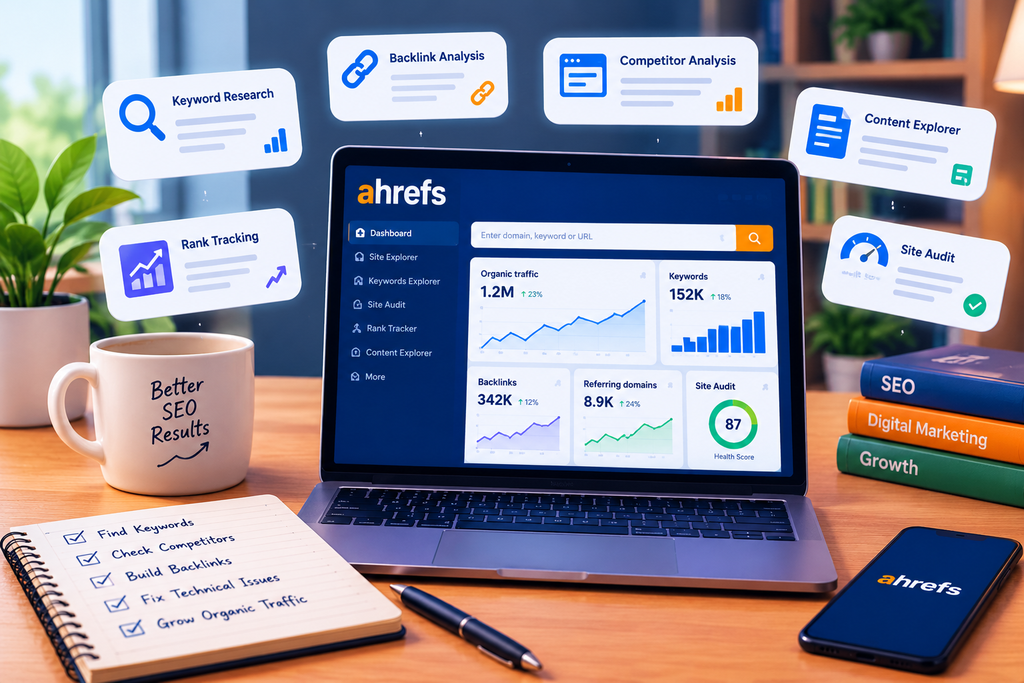
Ahrefs is a collection of SEO tools for researching websites and search performance.
It can help you:
- Find keywords
- Check backlinks
- Research competitors
- Audit a website
- Track keyword rankings
- Find content gaps
- Analyze organic search performance
Popular tools include Ahrefs Site Explorer, Site Audit, Keywords Explorer, and Ahrefs Rank Tracker.
These tools can support different SEO strategies, from planning content to improving technical performance.
1. Ahrefs Keyword Research
Ahrefs keyword research helps you discover topics people search for.
You can enter a broad topic or specific keyword and study related keyword ideas.
Useful metrics can include search volume, keyword difficulty, traffic potential, and search intent.
This helps you choose a target keyword based on more than search volume alone.
For example, before you create content, you can study the current results and see what type of pages already rank.
Good keyword research can also reveal new search queries and topics your audience cares about.
2. Ahrefs Site Explorer
Ahrefs Site Explorer is designed for website and competitor research.
Enter a domain or URL to study its organic search and backlink data.
You can use it to examine:
- Organic keywords
- Top pages
- Estimated organic traffic
- Referring domains
- Backlinks
- Competitor pages
This makes Site Explorer useful for competitive analysis.
You can see how other websites rank and discover pages that attract search visibility.
3. Ahrefs Backlinks Analysis
Ahrefs backlinks reports can help you understand a site’s link profile.
You can research referring domains, linking pages, anchor text, and other link data.
This makes Ahrefs useful for backlink analysis and link-building research.
For example, you can check which websites link to a competitor but not to your website. These findings may reveal outreach or content opportunities.
Do not judge a site only by the number of links it has. Relevance, context, and link quality also matter.
4. Ahrefs Competitor Analysis
Ahrefs competitor analysis can show how competing websites perform in organic search.
You can study their:
- Ranking keywords
- Popular pages
- Backlinks
- Referring domains
- Search visibility
- Content gaps
This type of competitor research can help you find topics you have not covered.
The goal is not to copy competitors. Instead, use their data to understand the market and create better or more useful content.
You can also study competitors’ paid search activity where relevant data is available.
5. Ahrefs Site Audit
Ahrefs Site Audit crawls a website to identify technical and on-page problems.
It can help detect issues involving broken links, redirects, metadata, crawlability, indexability, and other technical SEO elements.
Ahrefs says its Site Audit checks for more than 170 on-page and technical SEO issues.
An audit can also help you review parts of page SEO and find problems that may affect user experiences or search visibility.
After fixing major issues, you can combine Site Audit findings with data from Google Search Console and Google Analytics for a wider view of performance.
6. Ahrefs Rank Tracker
Ahrefs Rank Tracker is used to monitor keyword positions over time.
Instead of manually searching Google for every keyword, you can track selected terms and review their movement.
This is useful when measuring whether SEO changes are improving keyword rankings and search engine rankings.
Remember that rankings can change because of competition, algorithm updates, content changes, and other ranking factors.
Rank tracking is therefore most useful when viewed as a trend rather than a single number.
7. Finding Content and SEO Opportunities
Ahrefs can also help find gaps in your website.
For example, competitor research may reveal topics that several competing sites rank for but your website does not cover.
You can then decide whether those topics are relevant to your audience.
You may also discover opportunities to improve older pages, build stronger internal linking, or create supporting articles around important topics.
This helps turn SEO data into practical content decisions.
Can I Use Ahrefs for Free?
Yes. An Ahrefs free account is available.
For verified websites, Ahrefs currently provides free access to tools including Site Explorer and Site Audit. Its free plan allows up to 1,000 backlinks and keywords to be visible at once in Site Explorer and provides 5,000 Site Audit crawl credits per verified project each month.
Some free features require you to verify that you own the website.
Ahrefs also offers standalone free tools for tasks such as checking backlinks, keyword difficulty, and SERPs.
Ahrefs Pricing
Current Ahrefs pricing starts with Starter at $29 per month. Its main paid plans are Lite at $129, Standard at $249, and Advanced at $449 per month. Enterprise is also available for larger organizations.
The right plan depends on how much data you need and how often you perform SEO research.
Users in Pakistan should also remember that Ahrefs lists its base prices in US dollars. The final PKR cost can vary with exchange rates, taxes, and payment-provider charges.
Ahrefs vs. Semrush
Ahrefs vs. Semrush is a common comparison because both platforms provide tools for SEO research.
Ahrefs provides features for keyword research, backlinks, technical audits, competitor research, and rank tracking.
Semrush also covers many SEO and digital marketing tasks.
Rather than choosing only by brand name, compare the features you actually need. Look at data limits, projects, keyword tracking, backlink research, reporting, and your budget.
The better fit depends on your workflow.
Ahrefs and Other SEO Data
Ahrefs should not be the only source you use to understand a website.
For example, Ahrefs can provide third-party estimates and SEO data, while Google Search Console can show search performance data for a site you control.
Google Analytics can provide additional information about users and website activity.
Using different data sources can give you a clearer picture of performance.
Also remember that SEO metrics are indicators. A metric alone does not determine how a page ranks.
Frequently Asked Questions
What Is Ahrefs Used For?
Ahrefs is used for keyword research, backlink analysis, competitor research, technical audits, content research, and rank tracking. It helps marketers understand website and organic search performance.
Can I Use Ahrefs for Free?
Yes. Ahrefs provides a free account with limited tools and data. Some features require website ownership verification.
What Is Ahrefs Site Explorer?
Site Explorer is a research tool for analyzing a website’s organic search and backlink data. It can help you study keywords, pages, traffic estimates, and backlinks.
What Is Ahrefs Site Audit?
Site Audit crawls a website and reports technical and on-page SEO issues. It can help identify problems that may affect crawling, indexing, and website performance.
What Is the Price of Ahrefs?
As of September 2026, Ahrefs lists Starter at $29/month, Lite at $129/month, Standard at $249/month, and Advanced at $449/month.
Final Thoughts
Ahrefs is a powerful SEO platform for understanding keywords, competitors, backlinks, rankings, and website health.
If you are wondering what Ahrefs is used for, its main value is bringing several important SEO research tasks into one platform.
You can use Ahrefs Site Explorer for competitor and website research, Ahrefs Site Audit for technical issues, keyword tools for finding search opportunities, and Rank Tracker for monitoring positions.
You do not have to start with an expensive plan. The Ahrefs free account can be useful for learning the platform and analyzing verified websites before deciding whether you need more advanced features.
One Response