These internal linking best practices are the operating rules behind every site that wins with topical authority — the difference between a pile of blog posts and a ranking machine. If you are new to the concept, start with our guide on what are internal links, then come back and apply these 12 rules one by one.
Why Internal Linking Best Practices Still Move Rankings
Most ranking guides treat internal links as an afterthought. That is a mistake — following proven internal linking best practices is one of the fastest ways to lift rankings. Internal links are the only ranking factor you control completely: you decide which pages get authority, which anchors describe them, and how crawlers move through your site. External backlinks may be harder to earn, but internal linking is where the fastest, cheapest ranking gains hide — especially on sites with 30+ pages that have never been linked strategically.
The 12 rules below form a complete playbook: architecture, link placement, anchor discipline, maintenance, and the two advanced rules almost nobody talks about.
Rule 1: Build a Pyramid, Not a Maze
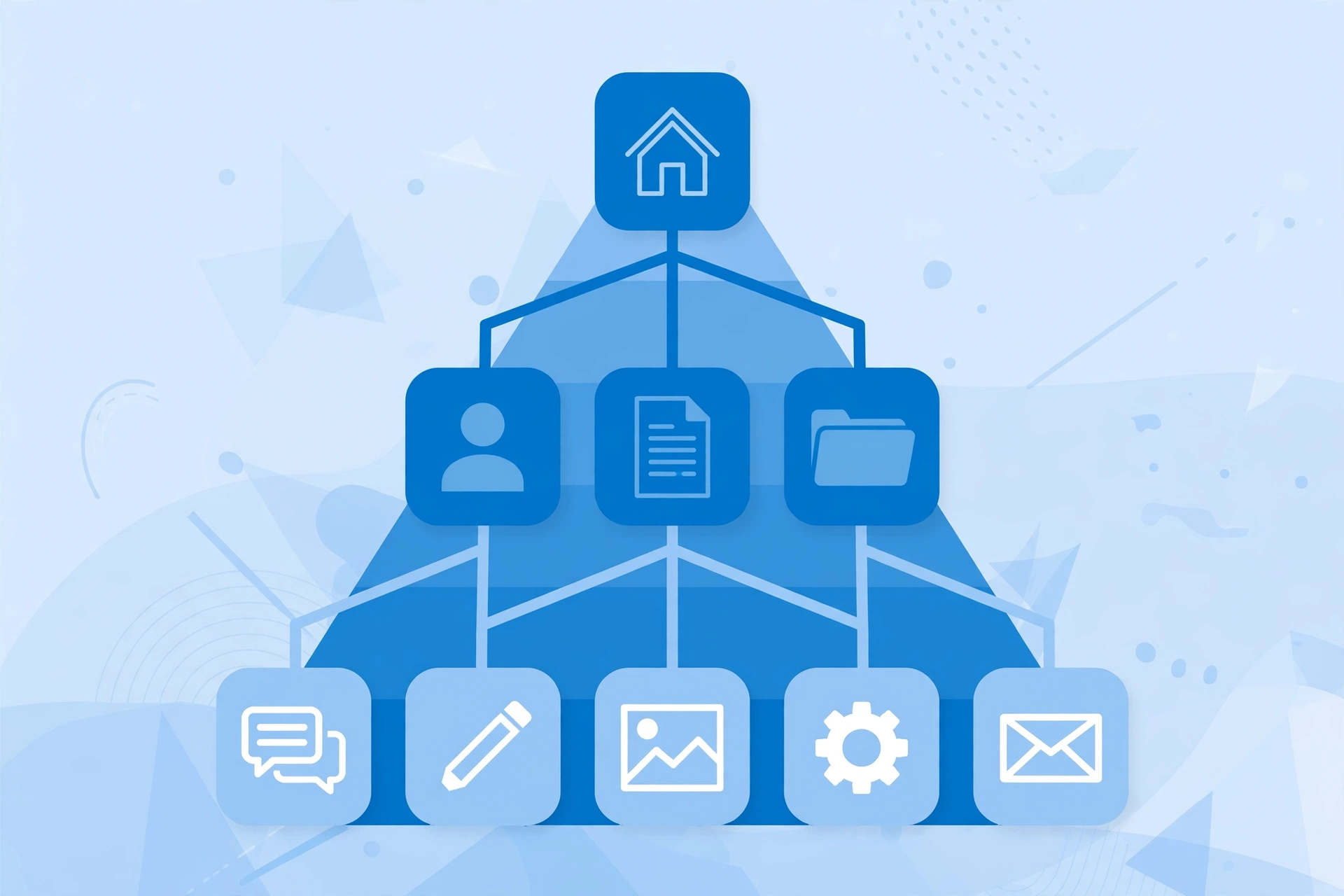
The foundation of all internal linking best practices is site architecture. Organize your site as a pyramid: the homepage at the top, category or pillar pages in the middle, and individual articles at the base. The homepage links to pillars, pillars link to their cluster articles, and every cluster article links back to its pillar.
Why the pyramid wins: it concentrates authority where it matters, gives crawlers a predictable path, and tells Google exactly which pages are your most important. Sites that grow organically — a blog post here, a landing page there — end up as mazes where authority pools randomly and important pages sit six clicks deep. If your site grew into a maze, the fix is not more links; it is restructuring links to follow the pyramid.
Rule 2: Make Contextual Body Links Your Main Weapon
Not all internal links carry equal weight. A contextual link inside a paragraph of body content passes far more topical signal than the same link sitting in your navigation menu, footer, or sidebar. Template links appear on every page, so Google treats them as boilerplate — expected, not editorial. One of the simplest internal linking best practices is to audit your highest-priority links and confirm each one actually lives in body content.
Apply this rule practically: your highest-priority internal links should live inside relevant body paragraphs, surrounded by text about the destination page’s topic. Navigation and footer links still matter for usability, but they will never do the ranking work that a well-placed contextual link does. When you add a link that matters, put it in the content.
Rule 3: Rescue Orphan Pages Before They Die
An orphan page is a page with zero internal links pointing to it. Crawlers discover pages by following links, so orphans are effectively invisible — they get crawled rarely, indexed slowly, and rank almost never. Most sites accumulate orphans silently: old campaign pages, tag archives, posts published before anyone thought about linking.
The rescue workflow: once a quarter, run a crawl and filter for pages with zero inlinks. For each orphan worth keeping, add 2–3 contextual links from related, indexed pages. For orphans not worth keeping, redirect them to the closest relevant page instead of leaving them stranded. A page that deserves traffic should never have zero internal links.
Rule 4: Place Priority Links in the Top 30% of the Page
Link placement is positional. Links higher on the page — in the introduction and first sections — carry more weight with search engines and get more clicks from readers. A link buried after the conclusion behaves like an afterthought because, to both crawlers and users, it is one.
When you publish or update an article, identify the one or two most important internal links in it and place them in the first third of the content. Reserve footer-adjacent and end-of-article positions for secondary links. If you are auditing an existing article, move its highest-value link upward rather than adding new ones — repositioning often beats addition.
Rule 5: Link New Content Within 48 Hours of Publishing
A new page starts with zero authority and, often, zero discovery. The fastest way to change both is to link to it from 2–3 existing, indexed pages within 48 hours of publishing. This does two things: it gets the new URL crawled and indexed faster, and it transfers immediate authority so the page starts ranking sooner instead of waiting months to earn its first backlinks.
Build this into your publishing checklist as a non-negotiable step. The moment a post goes live, identify the existing articles most topically related to it and add contextual links to the new page. This single habit, applied consistently, is one of the highest-ROI internal linking best practices on this list — and it costs nothing.
Rule 6: Keep Every Money Page Within 3 Clicks of the Homepage
Click depth — the number of clicks from the homepage to reach a page — is a direct authority signal. Pages buried four or five levels deep receive a fraction of the crawl attention and link equity of shallow pages, no matter how good their content is. Google’s own guidance has long implied that important pages should be easy to reach, and Google’s documentation on crawlable links confirms that link structure is how crawlers discover your site.
Audit your click depth with any crawler: list your revenue-driving and priority ranking pages, and check how many clicks each sits from the homepage. Anything beyond three clicks needs a shortcut — a link from the homepage, a pillar page, or a high-traffic article. Depth is not about URL length; it is about link distance. Shorten the distance, and rankings usually follow.
Rule 7: Never Send the Same Anchor Text to Two Different Pages
Anchor text is how you tell Google what a page is about. If the anchor “email marketing software” sometimes links to your software review and sometimes to your email templates article, you have split the signal — Google cannot confidently decide which page owns that topic, and neither page ranks as well as it should.
This is called anchor cannibalization, and the fix is a simple discipline: one anchor phrase, one destination. Audit your anchors by destination, find phrases that point to multiple pages, and rewrite the weaker page’s incoming anchors to something distinctive. For the full system behind anchor variety and safe ratios, see our internal link anchor text guide.
Rule 8: Remember That Only the First Link to a URL Counts
Here is the rule almost no internal linking guide mentions: when a page links to the same destination URL more than once, Google generally considers only the FIRST link’s anchor text for ranking purposes. The second, third, and fourth links to that URL still pass some equity, but their anchors are effectively ignored.
This changes how you link. If your navigation already links to a pillar page with the anchor “SEO Services,” then a contextual body link to the same page with a richer anchor like “our technical SEO audit process” will not register its descriptive text — the nav anchor won the race. To make descriptive anchors count, they must be the first occurrence of that link on the page. Check your highest-priority pages: the anchor Google sees may be your menu label, not the careful contextual anchor you wrote.
Rule 9: Link to Final URLs — Never Redirects or Parameter Variants
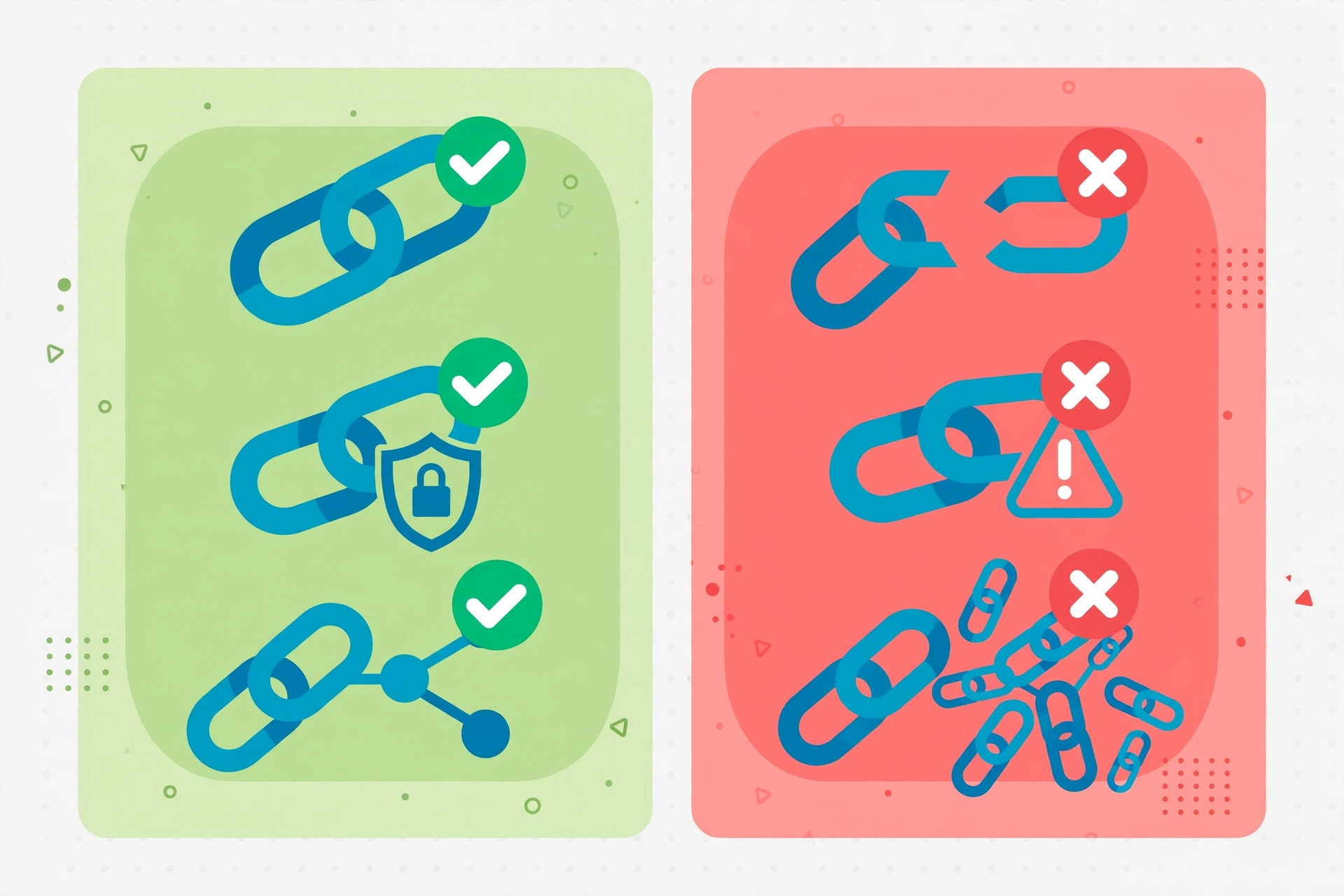
Every internal link that points to a redirect (a 301, a trailing-slash variant, an http→https hop, or a URL with tracking parameters) wastes crawl budget and dilutes the signal. The crawler has to make an extra request to reach the real page, and over thousands of links, that latency adds up — especially on large sites where crawl budget is finite.
The rule is absolute: internal links should point to the canonical, final destination URL — correct protocol, correct hostname, correct trailing slash, no parameters. During your quarterly audit, specifically hunt for internal links that resolve through redirects and rewrite them to the final URL. It is unglamorous cleanup, but on large sites it measurably improves crawl efficiency.
Rule 10: Keep Internal Links Dofollow
Internal links should pass equity — that is their entire job. Adding rel=”nofollow” to internal links does not sculpt PageRank the way old SEO folklore claimed; Google treats nofollow as a hint, and nofollowed internal links can actually block discovery of the pages you want indexed.
Reserve nofollow for its legitimate uses: login pages, admin areas, and pages you genuinely do not want crawled. Every link to a page you want to rank should be a plain, dofollow link. If you inherited a site with internal nofollows scattered through templates, removing them is a quick win — and it aligns with Google’s SEO starter guide recommendations on link structure.
Rule 11: Never Delete a Page Without a Redirect Map
Deleting a page without redirecting it breaks every internal link pointing to it — and those broken links then leak equity into 404s while signaling neglect to crawlers. Yet most content cleanups delete first and think about redirects never. Following internal linking best practices during cleanups means treating every deletion as a link-migration task, not just a content decision.
The delete protocol: before removing any page, export its inbound internal links, choose the closest surviving page as the redirect target, and implement a 301. Then update the internal links themselves to point at the new target directly (Rule 9), so you are not permanently routing equity through a redirect chain. Pair this with a quarterly broken-link scan — tools built for the job, like dedicated internal linking tools, make the scan a ten-minute task instead of a project.
Rule 12: Reverse-Engineer Your Competitors’ Internal Linking
The final rule is the one your competitors hope you skip: study how the sites outranking you link internally, then do it better. Crawl a competitor’s domain, export their internal link data, and sort their pages by number of inbound internal links. The pages at the top of that list are the pages they have decided matter most — their pillar strategy, revealed in data.
Look for three things: which topics get pillar treatment (do they have a hub you lack?), which pages receive the most contextual links (their ranking priorities), and where their structure is weak (orphans, deep click depth, thin clusters you can out-build). Internal linking is fully visible to anyone who crawls — treat competitors’ link graphs as free competitive intelligence and build a tighter structure than theirs.
Frequently Asked Questions
What is the best internal linking structure?
The pyramid: homepage at the top linking to pillar or category pages, pillars linking to cluster articles, and cluster articles linking back to their pillar. Keep every important page within three clicks of the homepage, and make contextual body links — not navigation — your primary linking method.
How often should I audit internal links?
Quarterly for most sites: check for broken links, orphan pages, redirect chains in internal links, and anchor cannibalization. Large sites (1,000+ pages) benefit from continuous monitoring, while small sites can audit twice a year and still stay healthy.
Should internal links be dofollow?
Yes — virtually always. Internal links exist to pass equity and aid discovery, and nofollow undermines both. Only nofollow internal links to pages you do not want indexed, like login or admin pages.
Can too many internal links hurt SEO?
Yes, through dilution: every additional link on a page divides the equity each link passes, and pages stuffed with links overwhelm users. There is no hard limit, but if a page carries 100+ internal links, prune the low-value ones and concentrate equity on the links that matter.
How do I find orphan pages on my site?
Crawl your site and filter for pages with zero inbound internal links. Google Search Console’s coverage and links reports can also surface pages Google struggles to discover. Link keepers with 2–3 contextual links from related pages; redirect or remove the rest.
Do internal links help new pages rank faster?
Yes — measurably. Linking a new page from 2–3 existing indexed pages within 48 hours of publishing speeds up crawling and indexation while transferring immediate authority. It is the fastest free ranking boost available to a new article, and one of the internal linking best practices with the highest effort-to-impact ratio on this list.
Final Thoughts
Internal linking best practices are not a one-time project — they are an operating discipline. Build the pyramid, link contextually, rescue orphans, mind your anchors, and audit quarterly. Master these 12 rules and your site stops being a collection of pages and starts behaving like the ranking system it was meant to be.